
Script to Video AI: Transform Your Writing Into Videos
Turn any script into a professional video in minutes. No filming, no editing skills, no expensive equipment. Just paste your words and watch them come to life.
See how Autoclips transforms your scripts into videos
The Content Creator's Dilemma
You've written the perfect script. The words flow beautifully. The message is compelling. There's just one problem: turning those words into a video feels impossible.
Traditional video production requires cameras, lighting, editing software, and countless hours. Hiring freelancers costs hundreds per video. And let's be honest—most of us aren't comfortable appearing on camera.
This is exactly why script to video AI has revolutionized content creation. What once took days now takes minutes. What once cost thousands now costs pennies.
How Script to Video AI Works
The technology is sophisticated, but using it couldn't be simpler
Paste Your Script
Copy your written content into the tool. The AI analyzes sentence structure and identifies key visual moments.
AI Breaks It Down
Your script is automatically divided into scenes. Each scene gets matched with appropriate visuals and timing.
Visuals Generated
AI creates matching imagery—animations, characters, backgrounds—perfectly synced to your narrative.
Video Compiled
Everything combines: visuals, voiceover, music, transitions. Download your polished video ready to publish.
Voice & Audio Customization
Choose from 300+ AI voices, clone your own voice, and add perfect background music
300+ AI Voices
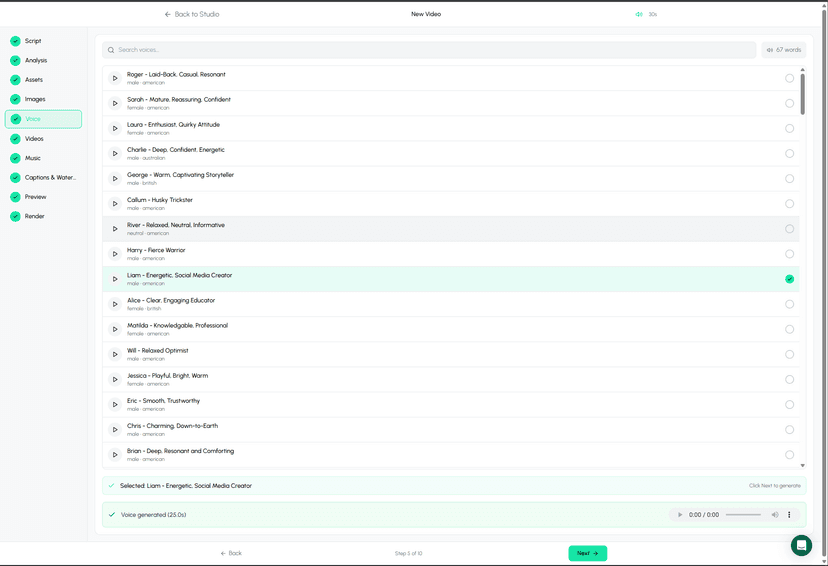
ElevenLabs integration for natural voices
Clone Your Voice
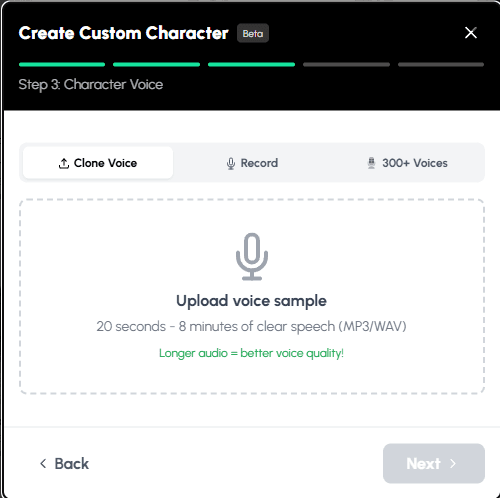
Upload a sample, clone your voice
Music Options
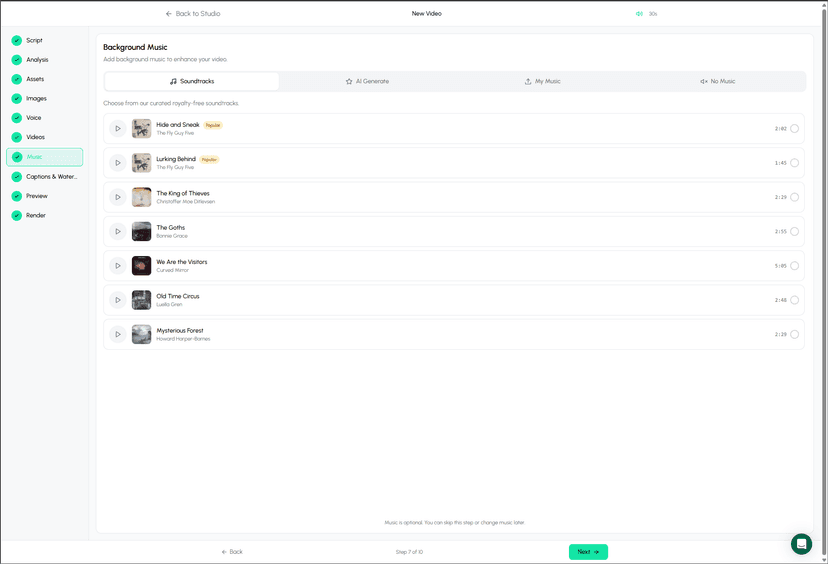
AI music, library, or upload your own
What Scripts Convert Best
Some content types are perfect for AI video generation
Educational Content
How-to guides, tutorials, and explainers. AI visualizes concepts that would be hard to film.
Listicle Videos
Top 10s, rankings, and compilations. Each point becomes a visually distinct scene.
Story Narratives
Stories, case studies, and journeys. AI brings narratives to life with characters and scenes.
News & Updates
Breaking news, industry updates, trend reports. Quick turnaround for timely content.
Product Explanations
Product demos, feature highlights, and comparisons without needing physical products.
Motivational Content
Quotes, affirmations, and inspirational messages with matching aesthetic visuals.
Add Your Own Media
Upload images, videos, and GIFs to enhance your script-to-video content
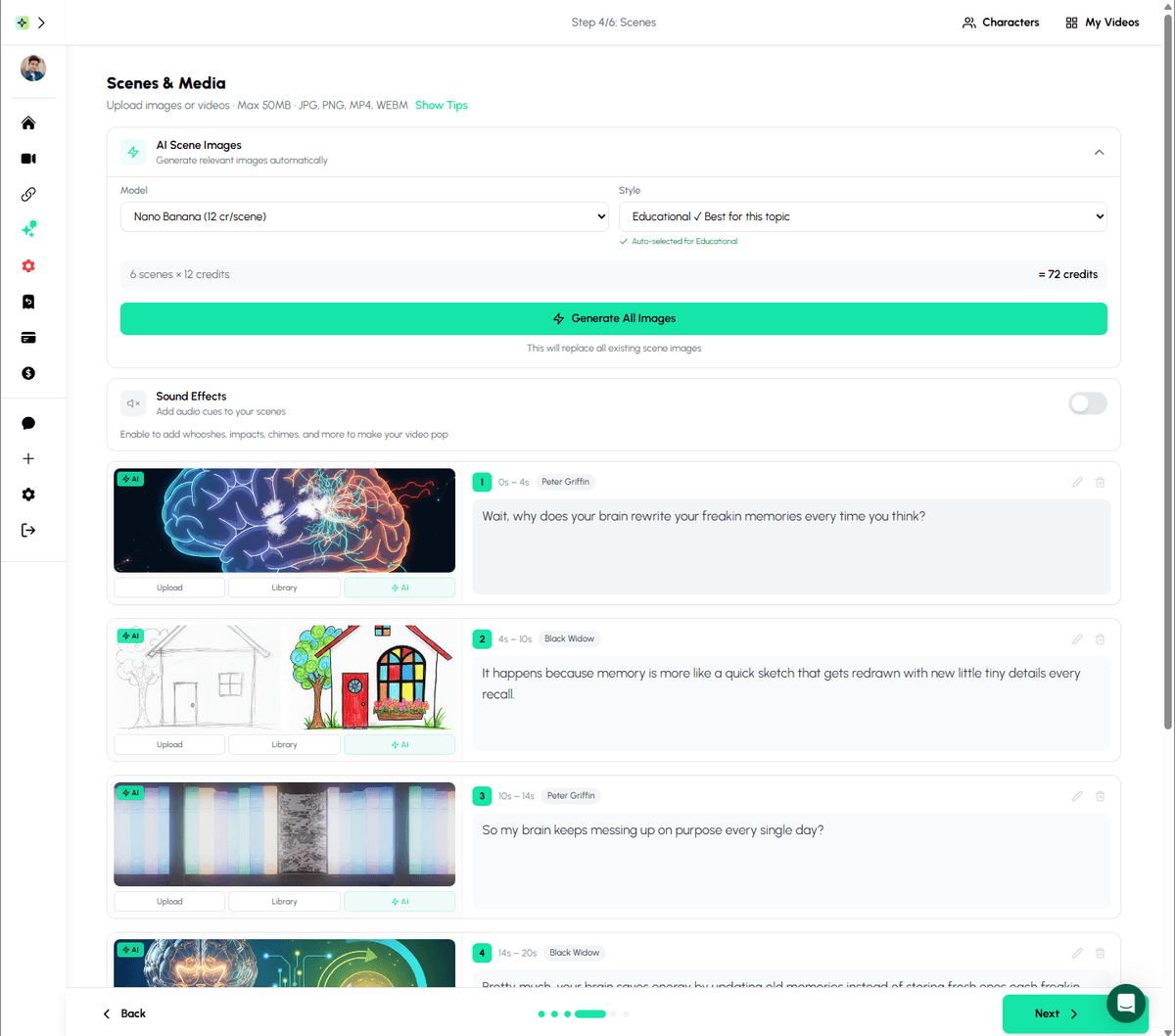
Add custom images, videos, or GIFs to any scene in your video for personalized content
Writing Scripts That Convert Beautifully
These techniques help AI generate better visuals from your words
Use Descriptive, Visual Language
✓ Good Example
"The massive redwood trees towered above the hiking trail, sunlight filtering through the branches."
✗ Weak Example
"There were trees on the path."
Pro tip: Paint pictures with words. The more visual detail you provide, the better the AI renders your scene.
Keep Sentences Concise
✓ Good Example
"Lightning struck the ancient oak. The forest fell silent. Then came the rain."
✗ Weak Example
"When the lightning finally struck the very old oak tree that had been standing there for centuries, the entire forest suddenly became very quiet, and shortly after that, it started to rain heavily."
Pro tip: Short sentences = better scene breaks. AI can match visuals to each beat more precisely.
Structure for Pacing
✓ Good Example
"Introduction (15 seconds) → Problem (20 seconds) → Solution (30 seconds) → Call to action (10 seconds)"
✗ Weak Example
"One long block of text with no clear structure"
Pro tip: Think in scenes. Each section of your script becomes a visual segment in the final video.
Include Transition Hints
✓ Good Example
"Meanwhile, across town... / Fast forward three years... / But here's the twist..."
✗ Weak Example
"Abrupt topic changes with no connective tissue"
Pro tip: Transition phrases help AI create smooth visual bridges between scenes.
Script to Video AI Tools Compared
How different platforms handle script-to-video conversion
| Platform | Visual Style | Voice Options | Best For | Starting Price |
|---|---|---|---|---|
| Autoclips | 3D Characters, Cartoon, Realistic | 500+ AI voices + voice cloning | Character-driven content, stories | ~$0.25/video |
| InVideo AI | Stock footage + templates | Limited AI voices | Marketing videos | $25/month |
| Synthesia | Avatar presenters | 140+ voices | Corporate training | $22/month |
| Pictory | Stock footage compilation | Basic AI voices | Blog to video conversion | $19/month |
| Lumen5 | Template-based | Text-to-speech | Social media clips | $29/month |
For original, character-driven content that stands out from stock footage compilations
Try Autoclips FreeReal Script to Video Workflows
How creators use script-to-video AI in practice
Educational Channel Workflow
Research topic and write 300-word script in Google Docs
Paste into Autoclips, select "explainer" character style
Choose educational narrator voice, generate video
Upload to YouTube Shorts + long-form compilation weekly
Result: 30 videos/month, 50K subscribers in 8 months
Story Content Workflow
Find viral Reddit story, adapt into 60-second script
Use character animation style for visual storytelling
Generate with dramatic voice, add trending audio
Post across TikTok, Reels, and Shorts simultaneously
Result: 2-3 viral videos/month, 200K+ followers across platforms
Marketing Content Workflow
Write product benefit scripts (30 seconds each)
Generate explainer videos for each product feature
Create FAQ videos answering common questions
Use in ads, website, email campaigns
Result: 40% increase in ad engagement, $500 saved monthly vs. freelancers
Client Content Workflow
Client provides blog posts or talking points
Convert to video scripts optimized for social
Batch generate 20-30 videos in one session
Schedule across client's social channels
Result: Serve 5x more clients with same team size
The Time Savings Are Real
Traditional Video Production
- Script writing: 2-4 hours
- Storyboarding: 1-2 hours
- Filming/animation: 4-8 hours
- Editing: 3-6 hours
- Revisions: 2-4 hours
12-24 hours per video
Script to Video AI
- Write/paste script: 10-30 minutes
- Configure settings: 2-5 minutes
- AI generation: 2-5 minutes
- Review & export: 5-10 minutes
- No storyboarding needed
20-50 minutes per video
That's 10-20x faster production time, meaning you can create more content and iterate faster
Frequently Asked Questions
Script to video AI analyzes your written content and automatically generates matching visuals, animations, voiceovers, and transitions. You paste your script, the AI breaks it into scenes, generates appropriate imagery for each section, adds professional narration, and compiles everything into a polished video.
Educational content, explainer scripts, story narratives, and listicle-style content convert best. Clear, descriptive language helps the AI generate accurate visuals. Scripts between 150-500 words typically produce the best 60-90 second videos ideal for social media.
Yes! Most script to video AI tools offer voice cloning. You can record a short sample of your voice, and the AI will generate narration that sounds like you. Alternatively, choose from hundreds of realistic AI voices in different styles and languages.
Most AI tools generate videos in 2-5 minutes, regardless of script length. Traditional video production would take hours or days for the same content. This speed allows creators to produce multiple videos daily and test different content strategies quickly.
Absolutely. Script to video AI is perfect for YouTube Shorts, educational content, compilation videos, and faceless channels. Many successful creators use these tools to maintain consistent upload schedules without appearing on camera or hiring production teams.
Costs vary widely. Autoclips offers script-to-video starting around $0.25-$0.50 per video depending on style. Enterprise tools can cost $100-500/month. For most creators, affordable tools provide excellent quality without breaking the budget.
Ready to Turn Your Scripts Into Videos?
Stop letting great scripts sit unused. Transform your writing into engaging videos in minutes with Autoclips.
No credit card required • First video free • Export in HD