AI Skit Generator
Funny Video Skits in Minutes
An AI skit generator lets you run a comedy channel without actors, sets, or being funny on camera. Type a premise, pick your clay cast, and they show up, know their lines, and nail every take - a complete lip-synced skit, ready to post.
Watch: How to Make an AI Claymation Video
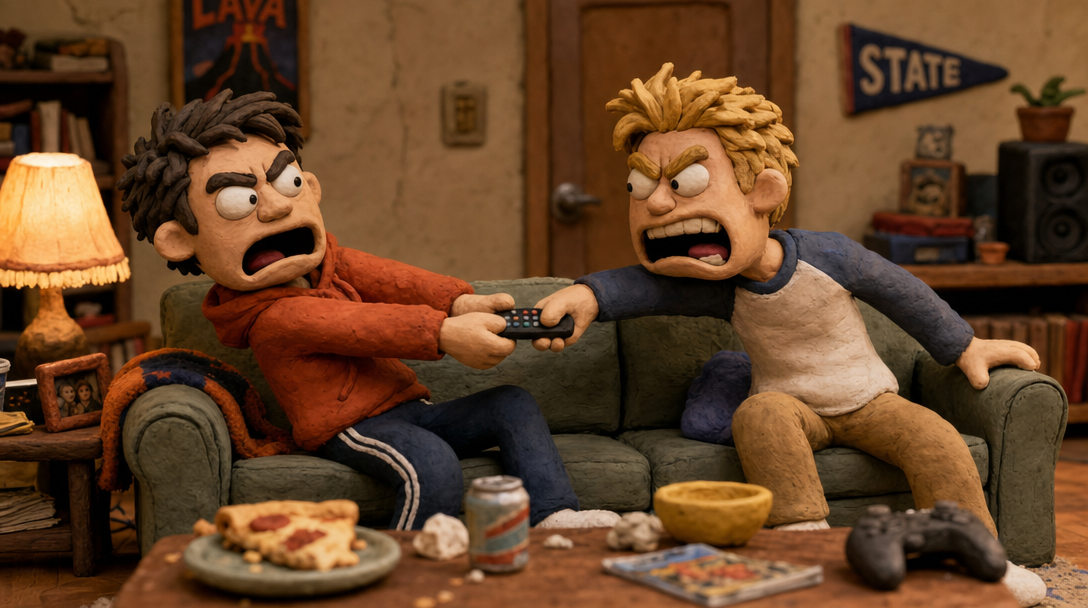
Two roommates, one remote - your clay cast plays out the conflict with real dialogue
What is an AI Skit Generator?
An AI skit generator takes a one-line idea - "two coworkers fight over the office thermostat" - and turns it into a finished video skit. Not a script you still have to film. Not a slideshow with a voiceover. An actual performed skit: characters on screen, talking to each other, with a setup, an escalation, and a punchline that lands in the final scene.
Sketch comedy has always had one brutal requirement: performers. You need people who can act, a place to film, and hours of retakes because someone laughed mid-line. Autoclips replaces all of that with a cast of claymation characters who never break, never flub a line, and never ask when lunch is. The clay cast IS your comedy troupe.
What makes it a real skit generator:
If you've tried a funny AI video generator before and got a montage with a voiceover, this is a different animal. A skit needs conflict between characters - and conflict needs characters who can argue.
Why Skits Win Short-Form Video
Conflict plus punchline is the highest-engagement formula on every platform
Conflict Hooks Instantly
An argument in progress is the strongest hook in short-form. Two characters mid-fight in second one beats any title card - viewers physically cannot scroll past a disagreement without finding out who wins.
The Punchline Forces Completion
Skits are built around a payoff, and viewers stay to see it land. Completion rate is the metric every algorithm rewards most - a skit with a real punchline gets watched to the end, then pushed to more feeds.
Comments Pick Sides
Every skit conflict has two sides, and the comment section becomes a debate: "he's right about the thermostat" vs "she's clearly the victim here." Comment volume is engagement gold, and skits generate it automatically.
Shares Are Built In
A relatable skit gets sent with a "this is literally us" caption. That tag-a-friend reflex is why comedy skits out-share nearly every other format - your viewers do the distribution for you.
The Anatomy of a Skit That Goes Viral
Every skit that blows up - from classic sketch shows to 40-second TikToks - follows the same three-beat structure. The good news: you don't have to write any of it. You give the premise, and the AI handles all three beats based on the genre you pick.
The Setup
Establish the situation and the conflict in the first few seconds. Two roommates, one remote. A first date, a suspicious noise. The genre engine writes an opening line that drops viewers straight into the tension - no slow intros, no wasted seconds.
The Escalation
The middle clips raise the stakes with every exchange. In Comedy, the argument gets more absurd. In Horror Comedy, the dread builds while everyone stays weirdly calm. In Drama, the quiet tension tightens. Each genre escalates differently, and the AI paces the dialogue to match.
The Punchline
The final scene pays everything off - a twist, a reversal, a perfectly deadpan last line. This is the beat that decides whether people rewatch, share, and comment. The genre engine saves its best line for last, because that's where completion turns into engagement.
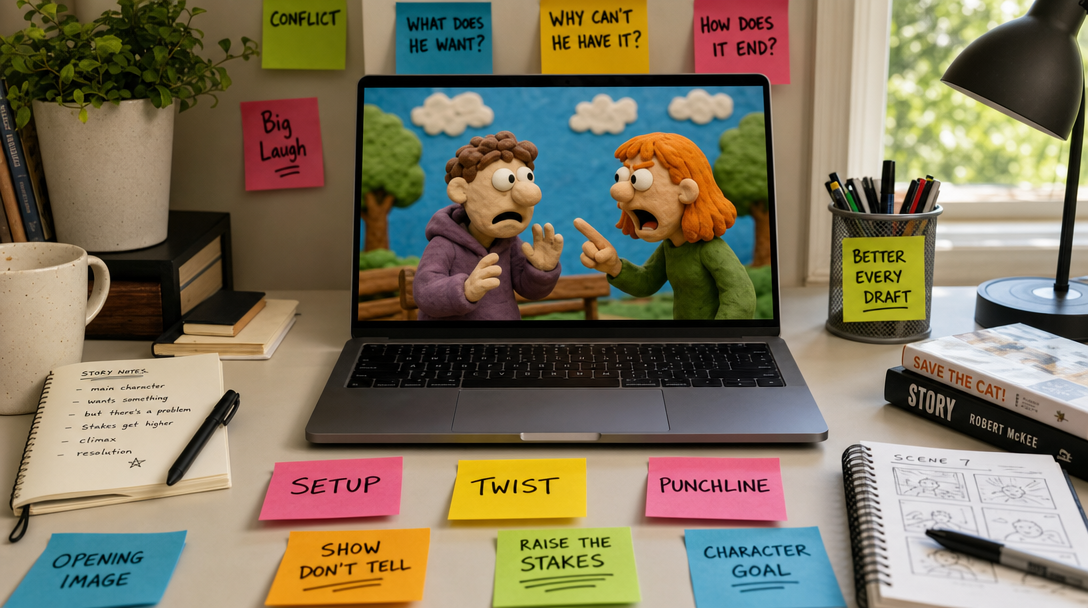
Setup, twist, punchline - the three beats the AI writes for you
How the AI Skit Generator Works
From premise to posted skit in 4 steps
Pick Your Cast
Choose 1 to 4 characters - your first pick is the star. Use saved characters from earlier skits, upload a photo of literally anyone, or generate a fresh face with AI. Every character gets the clay treatment automatically, so your whole troupe looks like it belongs on the same miniature set.
Type the Premise & Pick a Genre
One line is all it takes - "roommates discover the wifi password was changed" - then pick a vibe: Comedy, Romance, Drama, Action, or Horror Comedy. This is where the skit gets its personality. Same premise, different genre, completely different video.
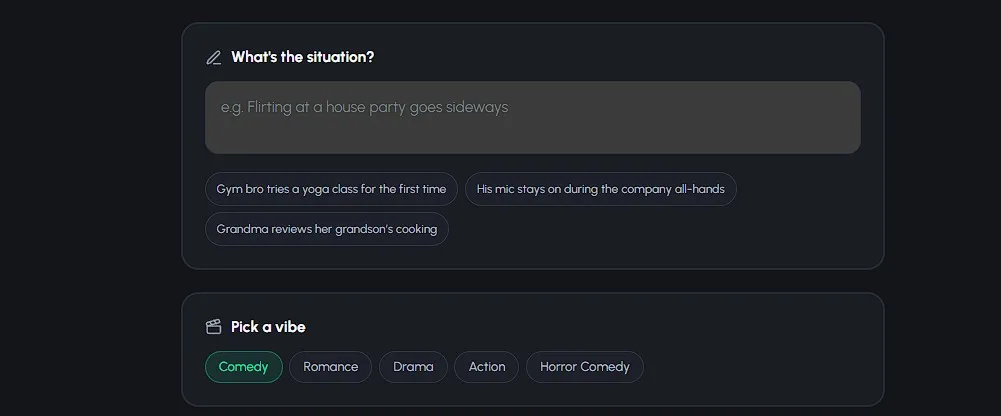
Choose Quality & Skit Length
Pick your tier: Lite for fast, affordable 8-second clips at 500 credits each, Pro for 8-second clips that are best at characters talking to each other (1,000 credits per clip - the "Best" pick for dialogue-heavy skits), or Pro Max for 10-second clips with the most cinematic motion (also 1,000 per clip). Then choose 4 to 8 clips and see the exact cost before you commit.
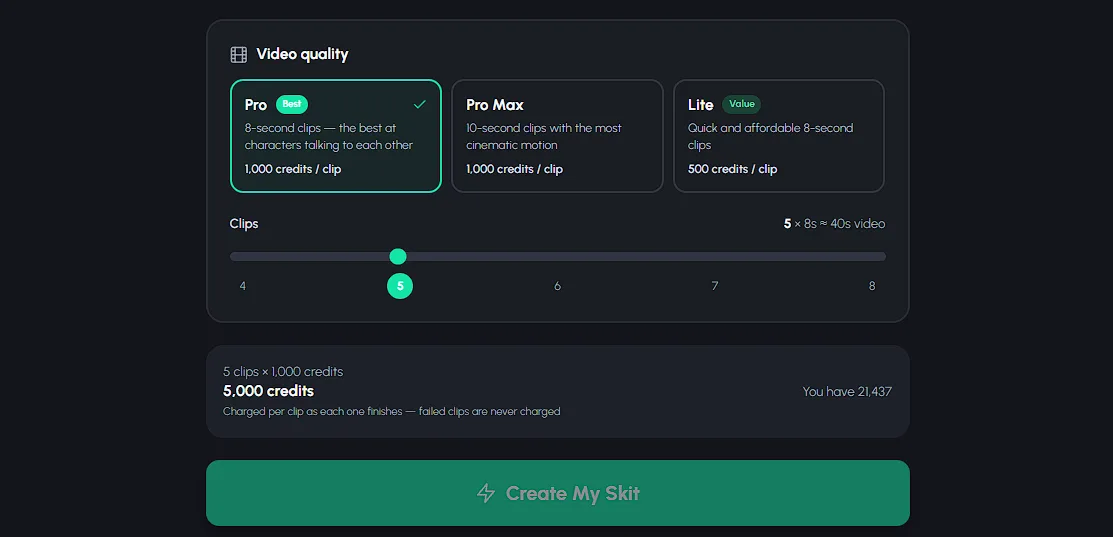
Generate & Post
The AI writes the complete skit script - setup, escalation, punchline, and every line of dialogue - generates the scenes, and renders lip-synced clips into one vertical video. Download it, grab the auto-generated title and hashtags, and post. Your cast nailed it on the first take, like they always do.
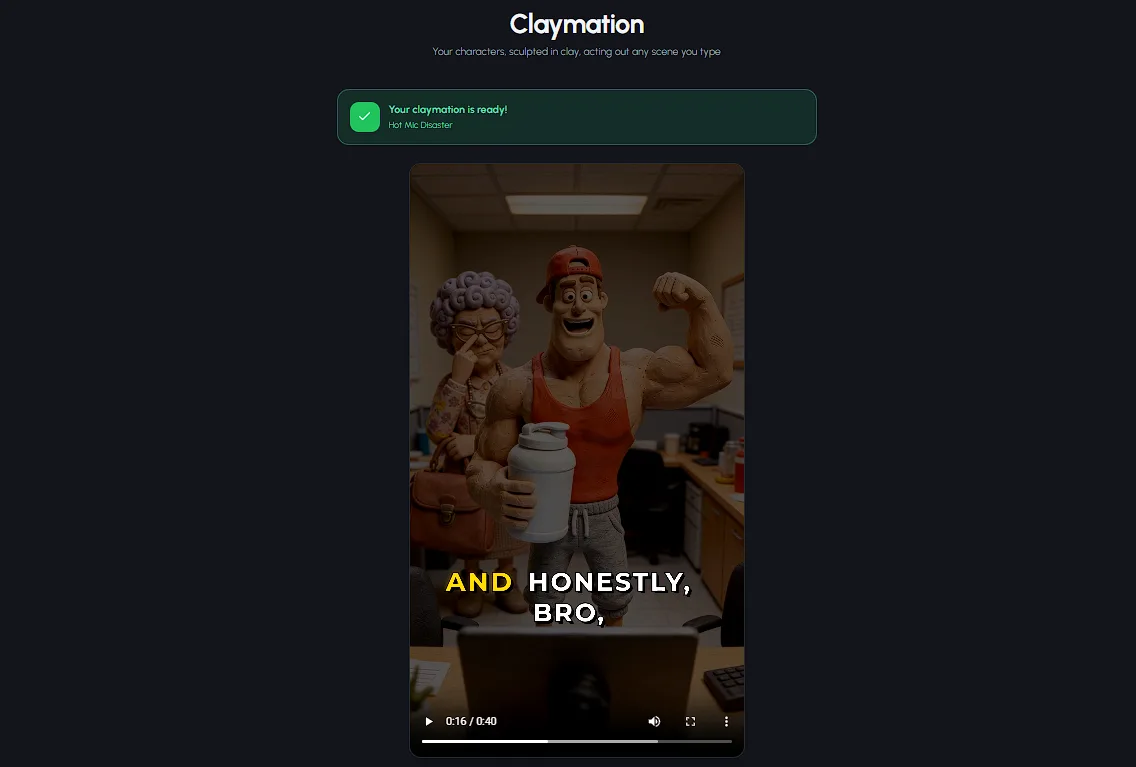
6 Skit Premises You Can Steal Right Now
One line each - paste them in, pick the genre, and the AI does the rest
"Two roommates hold a formal court hearing over who ate the last slice of pizza."
"A monster under the bed files a noise complaint against the kid who keeps jumping on it."
"Two baristas keep writing flirty typos on each other's coffee cups until one finally spells it out."
"A high-stakes heist to steal the office's last working stapler before the 3pm meeting."
"A dad finally admits to his family that he's been 'fixing' the thermostat by doing absolutely nothing for ten years."
"A job interview where the candidate's only listed skill is 'vibes' - and it's somehow going great."
See Autoclips in Action
From a one-line idea to a finished video - here's how fast it is
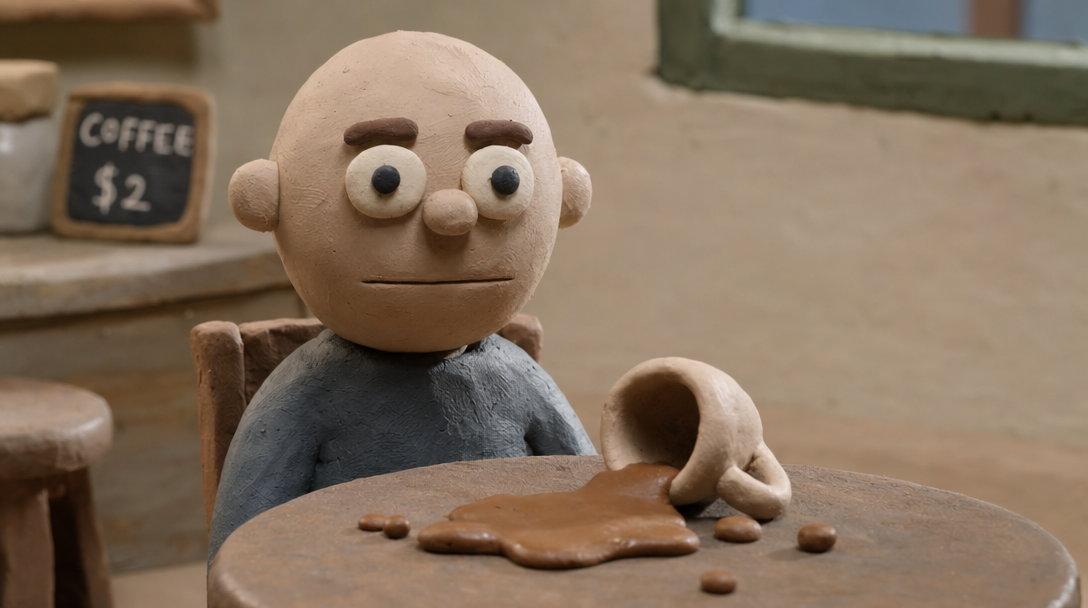
Comedic timing, clay edition - the deadpan pause before the punchline
Tips for Skits That Actually Get Shared
Start Mid-Conflict
Write your premise so the fight is already happening. "Two roommates arguing over the remote" beats "two roommates watching TV" every time - the AI opens on the tension, and viewers stay to see who wins.
A Recurring Cast Builds a Fanbase
Save your characters and use the same troupe in every skit. Viewers stop following jokes and start following characters - "the angry roommate" becomes someone they look for. That's how a video becomes a channel.
One Situation Per Skit
The skits that flop try to cram three ideas into 60 seconds. Pick one conflict and let it escalate - one remote, one pizza slice, one suspicious noise. A single situation pushed to its limit is always funnier than a busy plot.
Use the Music Library for Timing
Music is half of comedic timing. A tense track under a petty argument makes it funnier; whimsical music makes a horror-comedy monster adorable. Pick from the built-in library before you render and let the contrast do the work.
Frequently Asked Questions
Everything you need to know about AI skit generators
What is an AI skit generator?
An AI skit generator turns a one-line idea into a complete video skit - script, characters, scenes, voices, and editing - without actors or a camera. With Autoclips, you pick 1-4 clay characters, describe a situation, choose a genre like Comedy or Horror Comedy, and the AI writes the full skit with a setup, escalation, and punchline, then renders it as a lip-synced claymation video ready for TikTok, Reels, and Shorts.
Can the AI write the jokes for me?
Yes. You only need the premise - 'two roommates argue over the thermostat' is enough. The AI writes the complete skit script: the setup, the escalation, the actual dialogue lines, and the punchline in the final scene. The genre you pick shapes the humor, so Comedy leans into deadpan absurdity while Horror Comedy plays a spooky setup completely straight before the laugh.
Do the characters actually talk to each other?
Yes, and this is the big differentiator. Autoclips characters speak real dialogue with lip-synced mouths - up to 4 characters having a full back-and-forth conversation in one skit. That's what makes it a skit generator rather than a montage tool: arguments, misunderstandings, and comebacks all play out on screen.
How long are the skits?
Each skit is made of 4 to 8 clips, and each clip runs 8 to 10 seconds depending on the quality tier you pick. That puts your finished video at roughly 30 to 80 seconds in vertical 9:16 - the sweet spot where short-form algorithms reward high completion rates.
How much does an AI skit cost?
Skits start at 2,000 credits (roughly $10) for a 4-clip video on the Lite tier. Pro and Pro Max clips cost 1,000 credits each. You see the exact cost before you hit Create, and you're only charged for clips that successfully generate - failed clips never touch your balance.
Can I put myself in a skit?
Yes. Upload a photo of yourself, a friend, or your coworker, and Autoclips gives them the clay treatment automatically - they become a claymation character who stars in the skit. You can also use saved characters from previous videos or generate brand-new ones with AI. Your first pick is always the star of the skit.
Make Your First Skit Today
Somewhere out there, a creator with a camera crew is on take fourteen of a skit you could generate in minutes. Type one premise, pick a genre, and let your clay cast do what they do best - nail it on the first try. See pricing for credit packs and plans.
Skits from 2,000 credits (~$10) - up to 4 talking characters - 5 genres - only pay for clips that succeed