Fruit Story Videos for Kids
Adorable AI Learning Content
Fruit story videos for kids sit at the crossroads of two powerful truths: kids' content is one of the highest-watch-time niches on YouTube, and fruit characters are the perfect kids' cast - colorful, friendly, and secretly educational. Here's how to create stories little viewers ask for by name.
Watch: How to Make an AI Fruit Story Video
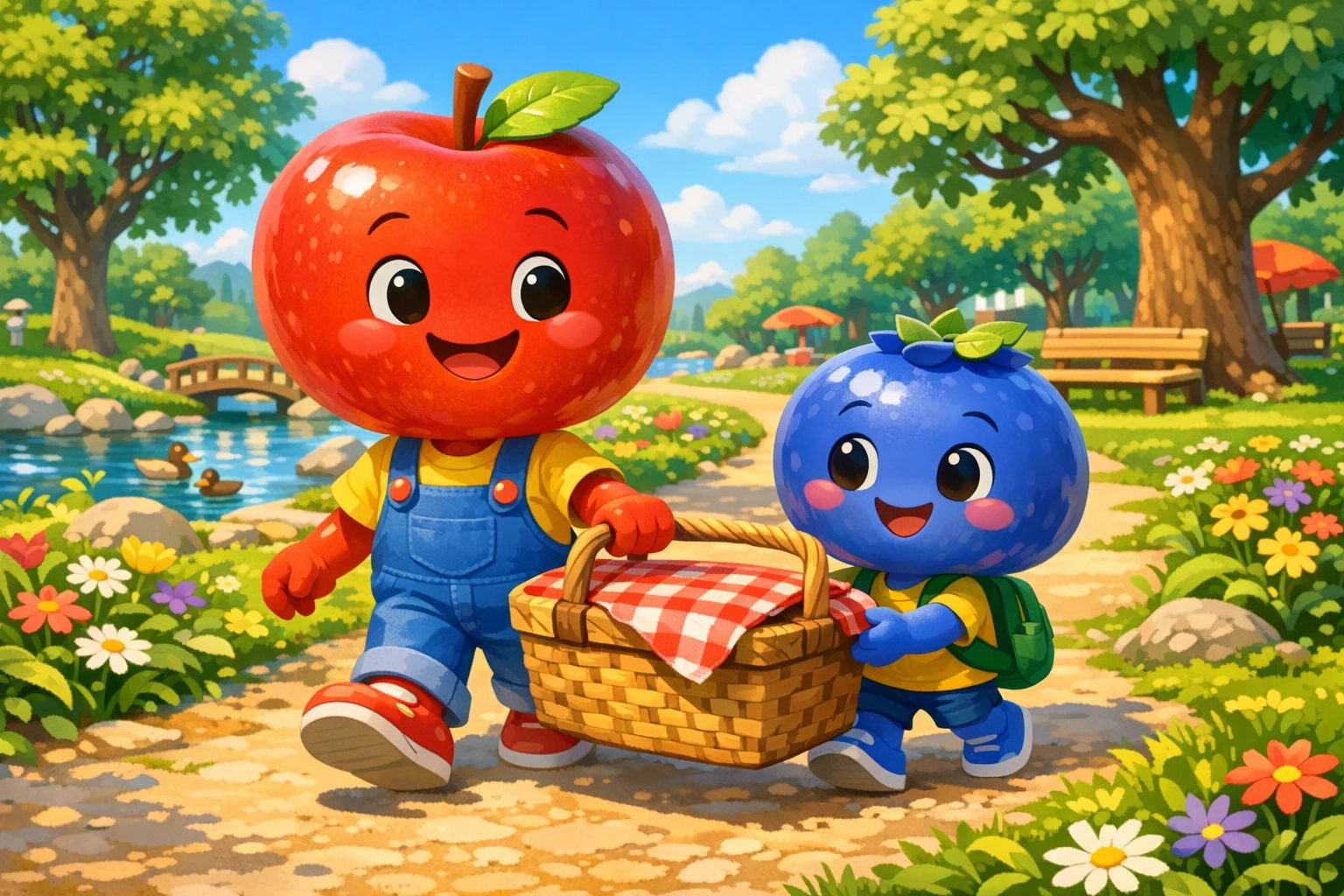
Colorful fruit characters turn everyday lessons into adventures kids want to watch again
Why Fruit Story Videos for Kids Work So Well
Four reasons this niche keeps little viewers - and their parents - coming back
Bright Characters Hold Attention
Young children are wired to lock onto bold colors and expressive faces. A strawberry with a backpack or a banana in rain boots grabs a toddler's attention instantly and holds it far longer than talking-head content ever could. That attention is exactly what kids fruit videos are built on.
Stories Teach Without Lecturing
Kids tune out lectures, but they absorb stories completely. When a watermelon learns that a slice shared is a slice doubled, the sharing lesson lands without a single "you should." Educational fruit videos smuggle in healthy eating, colors, counting, and friendship lessons inside plots kids actually care about.
Parents Trust Wholesome Content
Parents are the real gatekeepers of kids' screens, and they actively look for brand-safe channels they don't have to supervise. Fruit stories for children are gentle by design - no scary villains, no edgy jokes, just friendly characters learning kind lessons. When parents trust a channel, they press play again and again.
Evergreen - Kids Rewatch Endlessly
Adults watch a video once. Kids watch the same episode fifteen times in a week - it's how they learn. That rewatch behavior means every fruit story you publish keeps earning watch time for months or years. Searches for fruit cartoons for kids never go out of season, because there's always a new two-year-old discovering them.
5 Kids' Fruit Story Ideas Parents Will Love
Type any of these into Autoclips and the AI will hand you three complete story angles - each a 6-scene arc with a setup, a turn, and a payoff ending. Pick your favorite, or regenerate until it's perfect. For a full walkthrough of the process, see our guide on how to make fruit story videos.
"Berry's First Day of School"
A nervous little blueberry stands at the school gates, sure that nobody will want to play with her. By the end of the episode she learns that making friends takes just one brave hello. First-day-of-school jitters are universal, which makes this story a save-and-share magnet for parents of preschoolers.
"The Rainbow Picnic"
The fruit gang packs the perfect picnic basket - but it has to have every color of the rainbow. Strawberry brings red, Orange brings orange, Blueberry brings blue, and kids shout the colors along at home. It's a color lesson disguised as a sunny afternoon adventure.
"Captain Coconut Counts to Ten"
A counting adventure on the high seas. Captain Coconut needs to count ten seagulls, ten waves, and ten treasure coins before his ship can sail home. Number repetition inside a story is exactly how toddlers learn to count - and the pirate setting keeps older siblings watching too.
"Why Apple Loves the Dentist"
Healthy habits without the fear. Apple can't wait for his dentist visit, and by the end his nervous friends understand why - the chair goes up like a rocket, the mirror is tiny and cool, and shiny teeth feel great. Parents desperately search for videos exactly like this before checkup day.
"The Sharing Tree"
Watermelon finds the biggest, juiciest prize under the sharing tree and wants to keep it all. Then he learns the tree's secret: a slice shared is a slice doubled. Kindness stories like this are the ones parents replay on purpose - and the ones teachers show in class.
Built for Kid-Friendly Creation
Fruit AI Stories by Autoclips is a fruit story video maker built around one promise: one idea in, a published multi-scene video out. For kids' content specifically, a few settings do the heavy lifting.
Two Perfect Kids' Styles
The Cartoon style is a flat 2D look with bold colors - ideal for toddlers and the classic fruit cartoons for kids aesthetic. The 3D Stylized look brings animated-movie quality for older kids. Want to explore the cartoon side further? See our AI cartoon video generator guide.
Pick Gentle Music
Music sets the emotional temperature of a kids' video. Choose soft, playful tracks in the music step so every episode feels warm and calm rather than loud and overstimulating - the tone parents notice within the first five seconds.
The Right Aspect Ratio
Choose 16:9 for YouTube, where kids overwhelmingly watch on TVs in the living room. Choose 9:16 for the parents scrolling short-form feeds who decide what their kids watch next. Square 1:1 is there too when you need it - it's one dropdown in the settings step.
Wholesome by Approval
You approve the story angle before anything renders. The AI writes three complete arcs, you read each one, and only the story you choose becomes a video. For kids' content, that review step is your brand-safety guarantee - nothing reaches your channel that you haven't read first.
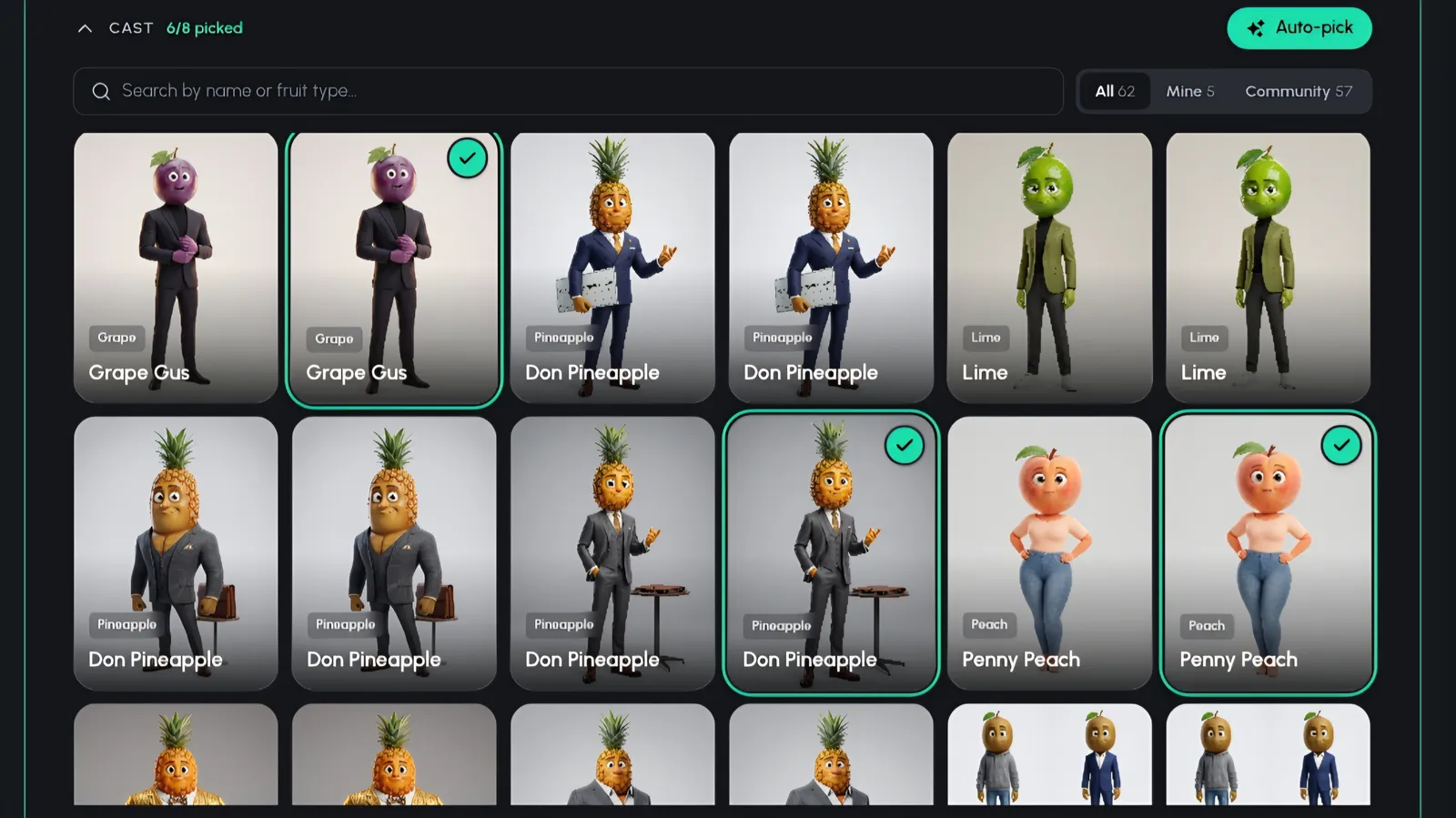
Cast your fruit characters from the saved and community library - or let Auto-pick build the cast for you
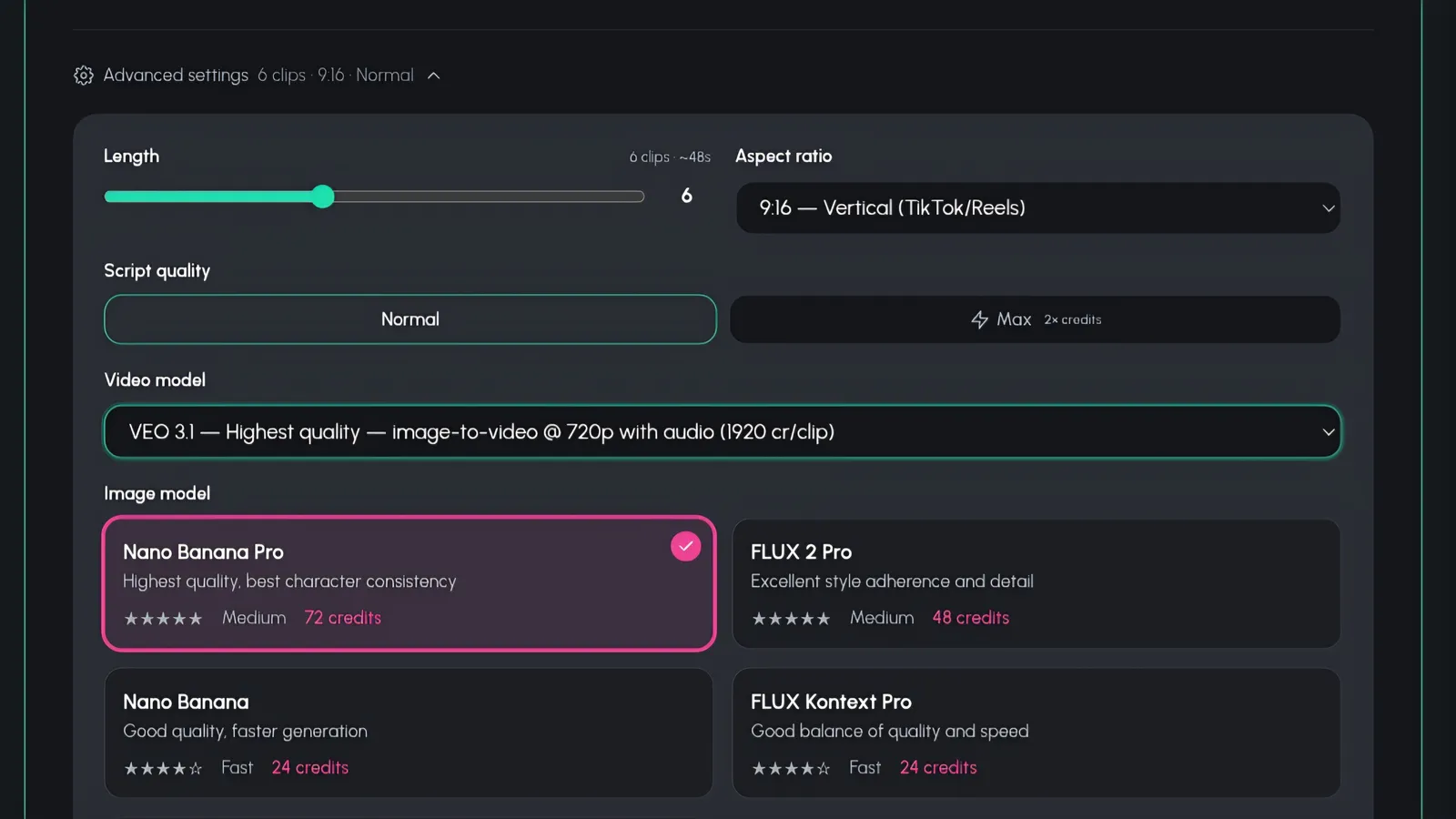
Choose music, length, aspect ratio, script quality, and a Pro or Lite quality tier before rendering
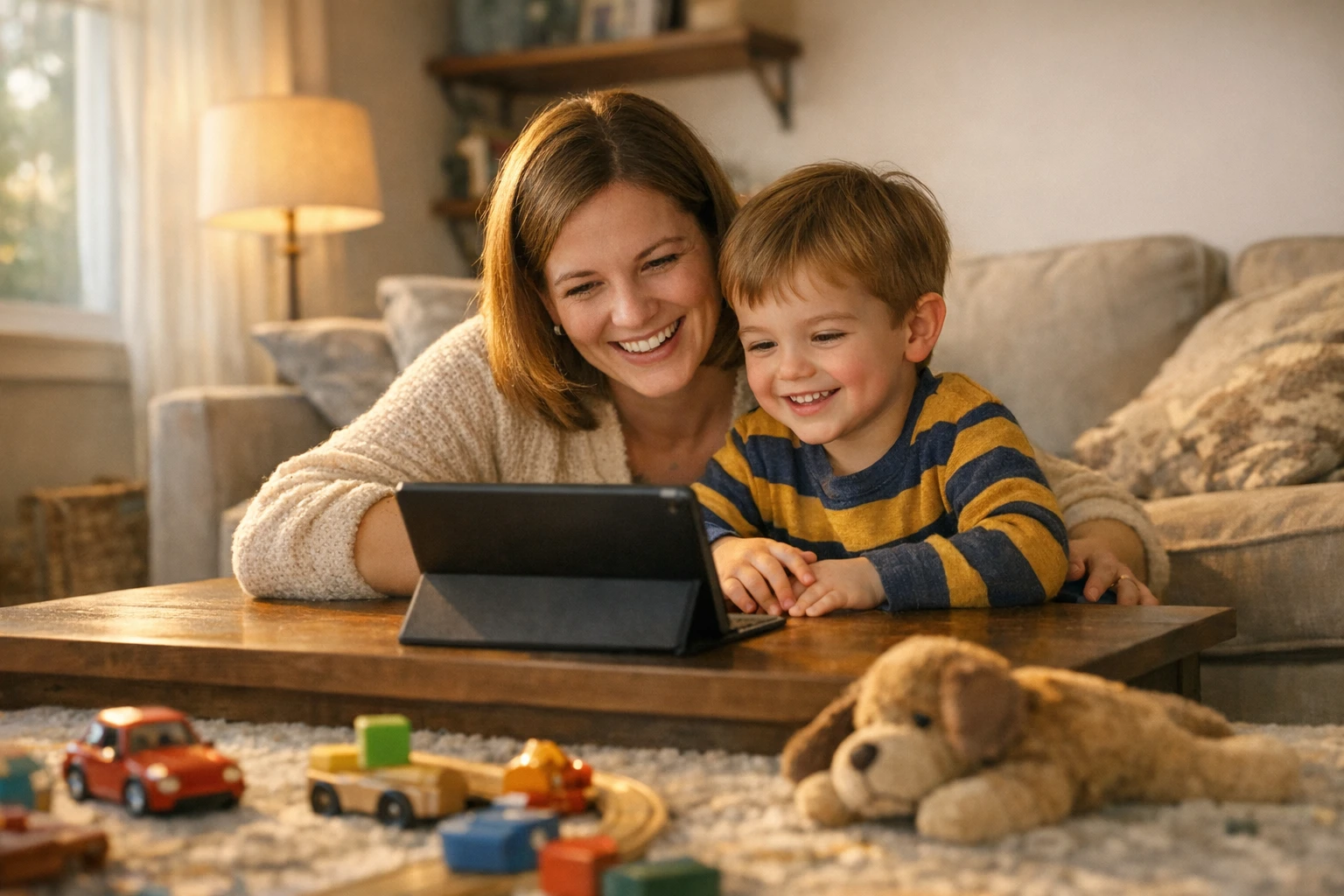
Most kids' viewing happens on the living room TV - which is why 16:9 matters
See Fruit AI Stories in Action
Watch how a single idea becomes a full multi-scene fruit story
Growing a Kids' Channel with Fruit Stories
The kids' niche rewards one thing above all: consistency. Children develop viewing rituals fast - the same channel, the same characters, the same time of day. Miss a week and the ritual resets. That's why the winning channels publish on a schedule, and why an affordable per-video cost matters so much.
Recurring characters are your growth engine. When a child asks for "the blueberry one" by name, you've crossed from content into character - and characters build subscriber loyalty that individual videos never can. Autoclips saves your cast in a character library, so Berry the blueberry looks the same in episode one and episode forty. That consistency is what makes a series like "Fruit School" possible: same classroom, same friends, a new gentle lesson every episode.
Every render also comes with a ready-made SEO caption you can copy in one click, and auto-publishing to your connected accounts keeps the schedule running even on busy weeks. For a full playbook on naming, scheduling, and series planning, read our guide on how to start a fruit story channel. And before you publish, it's worth reviewing YouTube's own creator best practices for kids' and family content.
A Simple Kids' Series Formula:

Recurring characters and a consistent series turn one-time viewers into subscribers
Kids' Fruit Video Tools Compared
| Feature | Autoclips | AutoShorts.ai | Crayo AI | Manual Animation |
|---|---|---|---|---|
| Multi-Scene Story Arcs | 6-scene episodes | Faceless clip format | Short clip format | Yes, hand-built |
| Recurring Character Cast | Saved + community library | No | No | Redraw each time |
| Lip-Synced Dialogue | Built in | Voiceover only | Voiceover only | Frame-by-frame |
| Kid-Friendly Visual Styles | Cartoon + 3D Stylized | Stock-style visuals | Template visuals | Custom (slow) |
| Script Approval Before Render | 3 angles to choose from | Auto-generated | Auto-generated | Full control (slow) |
| Cost | From 240 credits (~$1.20/scene) | Subscription | Subscription | $500-$2,000+/minute |
Frequently Asked Questions
Everything parents and creators ask about fruit story videos for kids
What are fruit story videos for kids?
Fruit story videos for kids are short animated episodes starring friendly 3D fruit characters - a blueberry on her first day of school, a coconut captain counting to ten, a watermelon learning to share. Each video follows a complete 6-scene story arc with a setup, a turn, and a payoff ending, so kids get a real story instead of random clips. With Autoclips Fruit AI Stories, you type an idea and the AI writes, casts, and renders the whole episode with lip-synced dialogue.
Are AI fruit videos safe for children?
Yes, because you stay in control at every step. Autoclips shows you three complete story angles before anything renders - you read the full 6-scene arc, pick the one you like, or regenerate until it feels right. You also review the cast and can tweak or regenerate any character. Nothing goes into the final video that you haven't approved, so the themes stay wholesome: friendship, sharing, healthy eating, and gentle everyday lessons.
What ages are fruit story videos best for?
The sweet spot is roughly ages 2 to 8. Toddlers and preschoolers respond to the bright colors, simple dialogue, and expressive fruit faces, while early school-age kids follow the story arcs and lessons about friendship, counting, and healthy habits. Many creators make two flavors of the same channel: simpler color-and-counting stories for the youngest viewers and slightly longer adventure episodes for older kids.
How much does it cost to make kids fruit videos?
Cinematic story scenes start at 240 credits (~$1.20 per scene) with Autoclips. Compare that to commissioned animation, which typically runs $500-$2,000+ per minute, and the math is simple: you can produce an entire multi-scene kids' episode for less than the cost of a single second of traditional animation. That makes a consistent posting schedule affordable even for brand-new channels.
Can I make educational fruit videos?
Absolutely - educational fruit videos are one of the strongest formats in the kids' niche. Type an idea like 'Captain Coconut teaches counting to ten' or 'the fruit gang learns the colors of the rainbow' and the AI builds a full story around the lesson. Because the teaching is wrapped inside a story with characters kids love, children absorb the lesson without ever feeling lectured. Counting, colors, healthy eating, manners, and friendship all work beautifully.
What visual style is best for young kids?
For toddlers and preschoolers, the Cartoon style is the safest bet - it's a flat 2D cartoon look with bold colors that very young eyes love and follow easily. For kids around 5 and up, the 3D Stylized look delivers animated-movie quality that feels like the films they already watch. Many channels test both and let watch time decide, since switching styles takes one click when you create a new video.
Start Making Fruit Stories Kids Will Love
The kids' niche is evergreen, the characters are irresistible, and every episode you publish keeps working for years. Type your first idea, approve the story, and let your fruit cast take it from there.
Cinematic story scenes start at 240 credits (~$1.20 per scene) - 16 fruit characters - 3 visual styles