POV History Video Generator
Create "You Wake Up In..." Videos with AI
A POV history video generator turns one sentence — "POV: you wake up in 1351 during the Black Plague" — into a finished first-person vlog: 4-8 talking selfie clips, a real voice performance, word-synced captions, and a title banner, stitched into one vertical video. No face on camera. No editing timeline. No juggling five apps. Type an era, click create, post.
Watch: How to Make an AI Time Travel Vlog
What Is a POV History Video Generator?
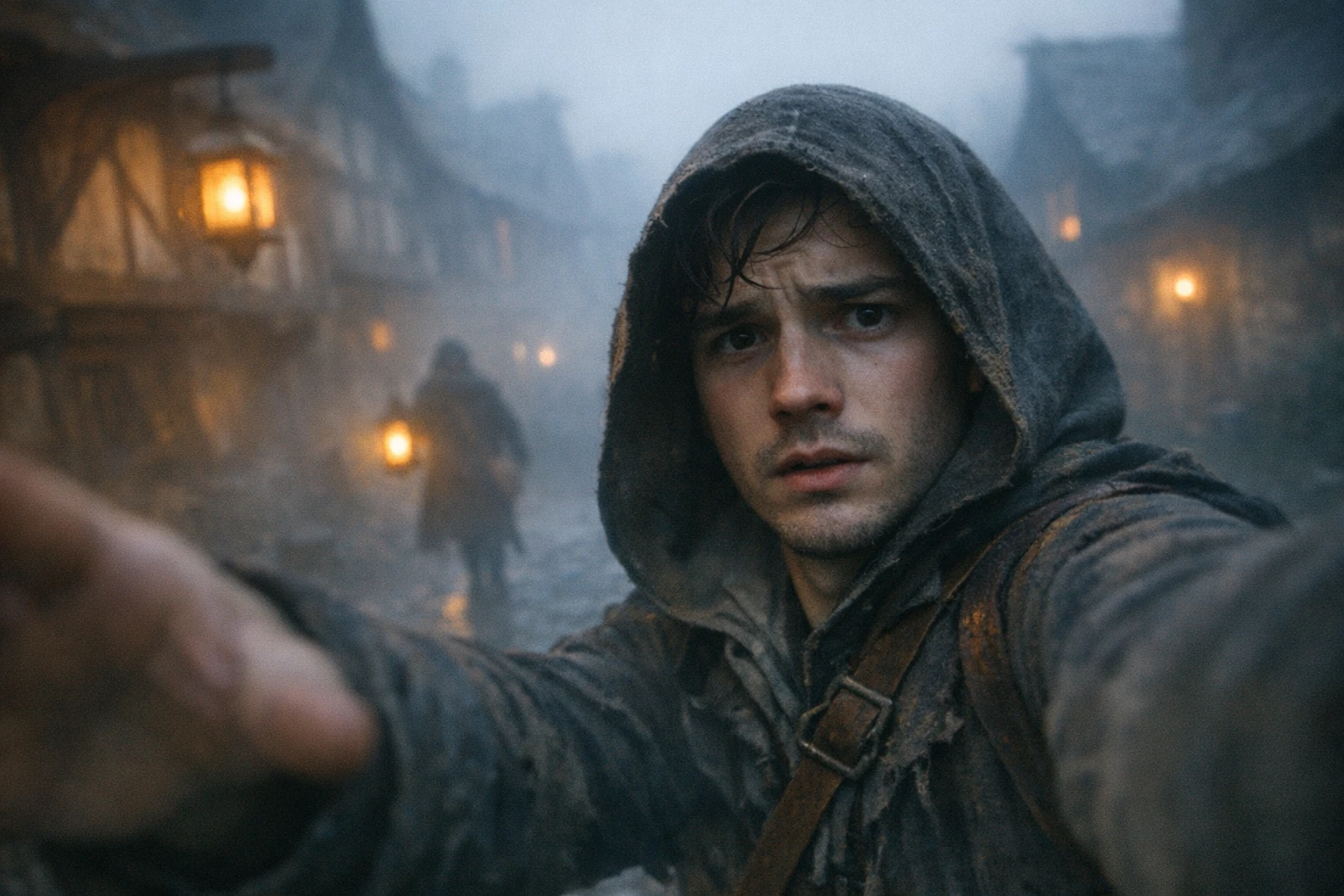
A POV history video generator is a first person history video maker: it creates selfie-style videos of a character who wakes up in another era and talks straight to camera about what they see. The viewer rides along in first person — through a plague-era street, a gladiator's tunnel, a scaffolded pyramid — while the character narrates, panics, and tries to survive. It is the "POV: you wake up in..." format, and it is one of the most reliably viral things on short-form video right now.
The numbers are not subtle. On TikTok, @the_pov_lab's Black Plague POV collected 4.4 million likes, and its "kid in Egypt, 1250 BC" video hit 1.3 million likes. The account that kicked off the wave, @timetravellerpov, pushed a Chernobyl-worker POV past 21.8 million views, with its Black Plague video passing 19.5 million. Those are single videos, not channel totals.
This page is the tool page — it is part of our AI time travel video generator hub, and it shows you exactly how to go from a one-line idea to a posted video. If you want the backstory of how the trend exploded, who started it, and why historians have opinions about it, that lives in our AI history POV videos trend explainer.
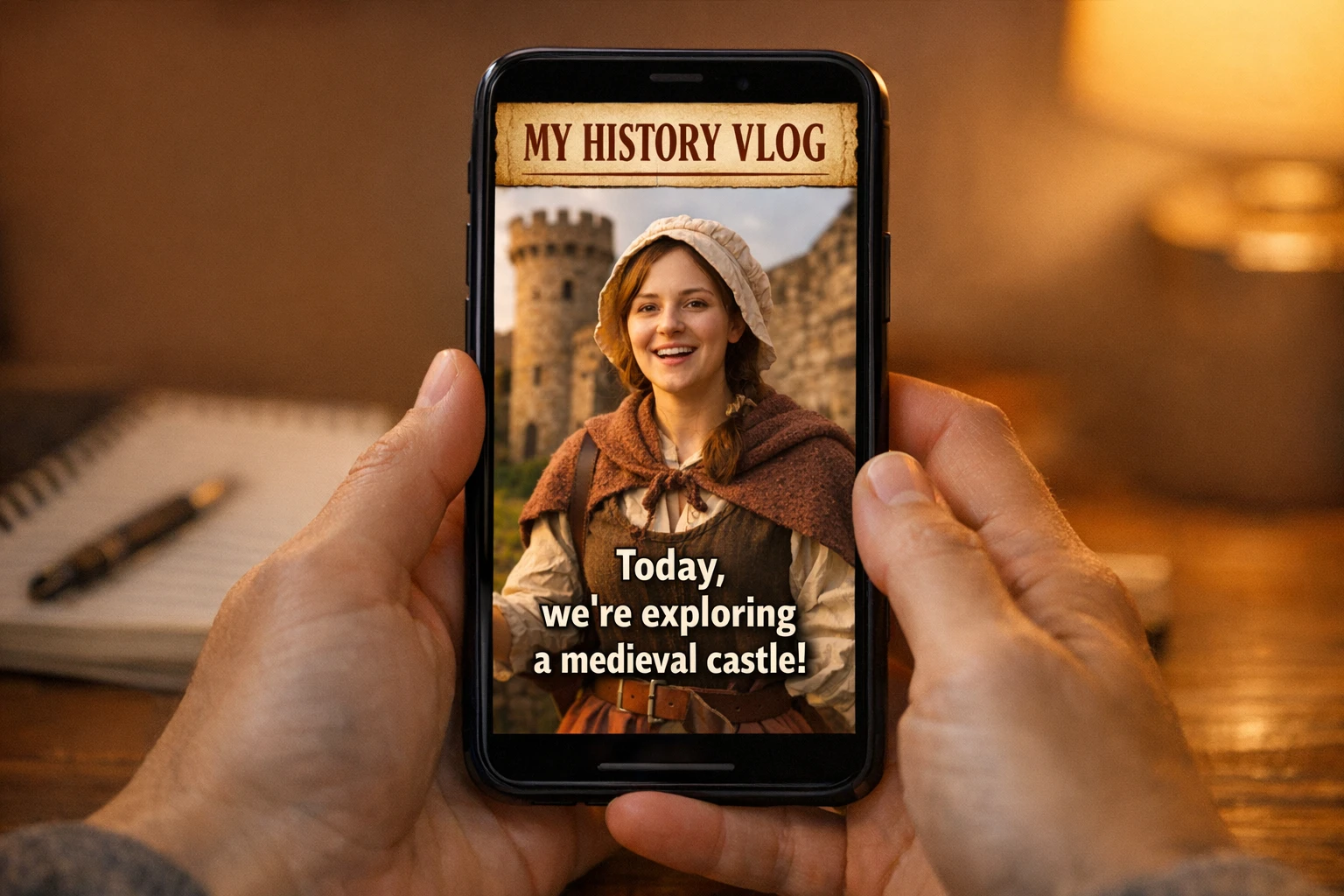
Here is what AutoClips' Time Travel Vlog actually outputs, because "video generator" gets used loosely: 4-8 talking selfie clips of 8-10 seconds each, performed by a real AI voice, with word-synced captions and a title banner like "I time traveled to a medieval castle in the 1300s" — automatically stitched into one vertical 9:16 video. Five clips lands around a 50-second video. The character's face and outfit stay identical in every clip, which is the single hardest thing to pull off any other way.
Why a Generic AI POV Video Generator Fails History Videos
Search for an "ai pov video generator" and you will find tools that make one pretty clip. The "you wake up in..." format needs a talking character who survives 4-8 clips without changing faces — and that is where everything else breaks.
Generic POV Tools & the DIY Stack
- ✗Your character's face drifts on every generation — clip 3 looks like a different person
- ✗Clips come out silent — no talking performance, no lip movement that matches a script
- ✗No captions or title banner — you add both by hand in an editor
- ✗One clip at a time — you stitch, trim, and sync everything yourself
- ✗Four to five apps total: an idea tool, an image tool, a video animator, a voice tool, and an editor
AutoClips Time Travel Vlog
- Face and outfit stay consistent across all 4-8 clips, automatically
- Talking selfie clips with a real AI voice performance in every scene
- Word-synced captions and a title banner rendered into the video
- Auto-stitched into one vertical 9:16 video, ready for TikTok, Shorts, and Reels
- One app, no prompt engineering, no model picking — encoding takes about 1-3 minutes
The time cost of the DIY route is documented: Fast Company reported that each video from the trend's top account takes around four hours to assemble across multiple tools. A historical pov video maker that outputs the finished thing — voice, captions, stitching and all — collapses those four hours into a few minutes of waiting.
How to Make POV History Videos with AI (3 Steps)
From one sentence to a posted "you wake up in..." vlog
Pick Who Wakes Up
Three options: reuse a saved character from My Characters, upload a photo to put yourself in history, or generate a brand-new character with AI. If you are building a channel around this format, save your character once and reuse them — a recurring "time traveler" your audience recognizes is how POV series accounts compound.
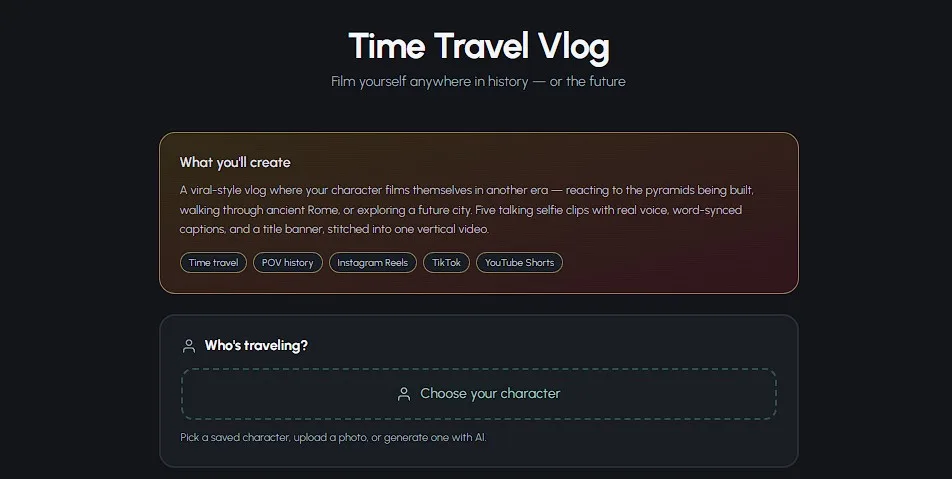
Type Where — and When — They Wake Up
This is the whole "prompt". Type any era in plain English — real or imagined — or tap a preset chip: "Ancient Egypt while the pyramids were built", "Rome, 50 BC", "A city in the year 3000", "The Ice Age", "The dinosaur era", "A medieval castle in the 1300s". Adding a role and a date sharpens the script: "a plague doctor in London, 1348" beats "medieval times" every time.

Choose Quality, Set Clip Count, Create
Pick Pro Max for the most cinematic motion (10-second clips), Pro for the sharpest lip-sync (8-second clips), or Lite for quick drafts. Set the clip count between 4 and 8, then click Create My Vlog. AI writes a hook-first script, generates every talking selfie clip with your character's exact face, and renders the stitched vertical video — encoding usually takes 1-3 minutes.
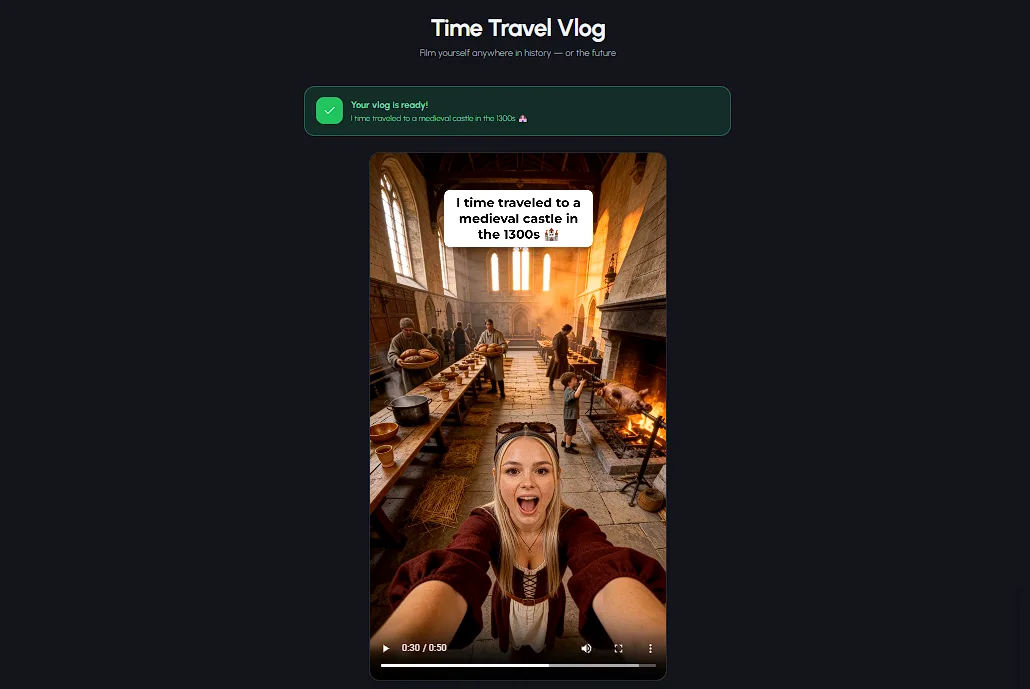
What You Get When It's Done
Three buttons: Download Video, Edit Video, or Create Another. The timeline editor lets you reorder or regenerate individual clips, switch between 8 caption styles and 5 positions, change caption colors, and drop in background music from the built-in library. Every generated clip is also saved to your Media Library for reuse.
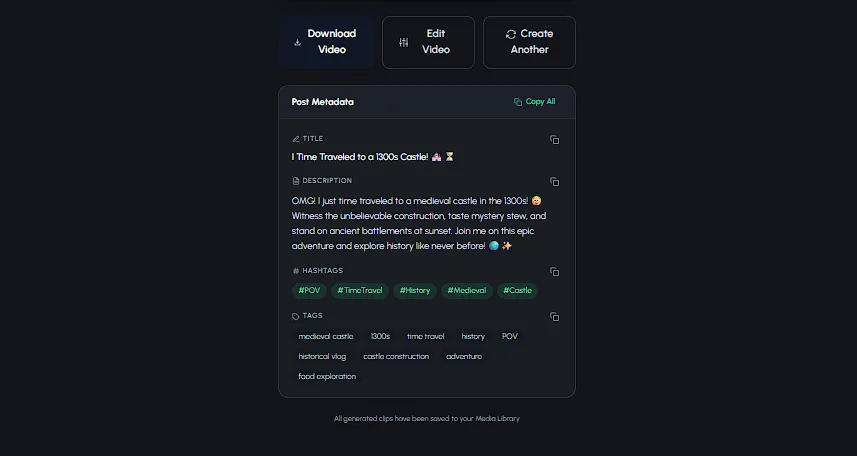
The generator also writes your post for you — a ready-to-paste title, description, hashtags, and tags, each with a copy button. That last unglamorous step of every upload is the one most tutorials pretend does not exist.
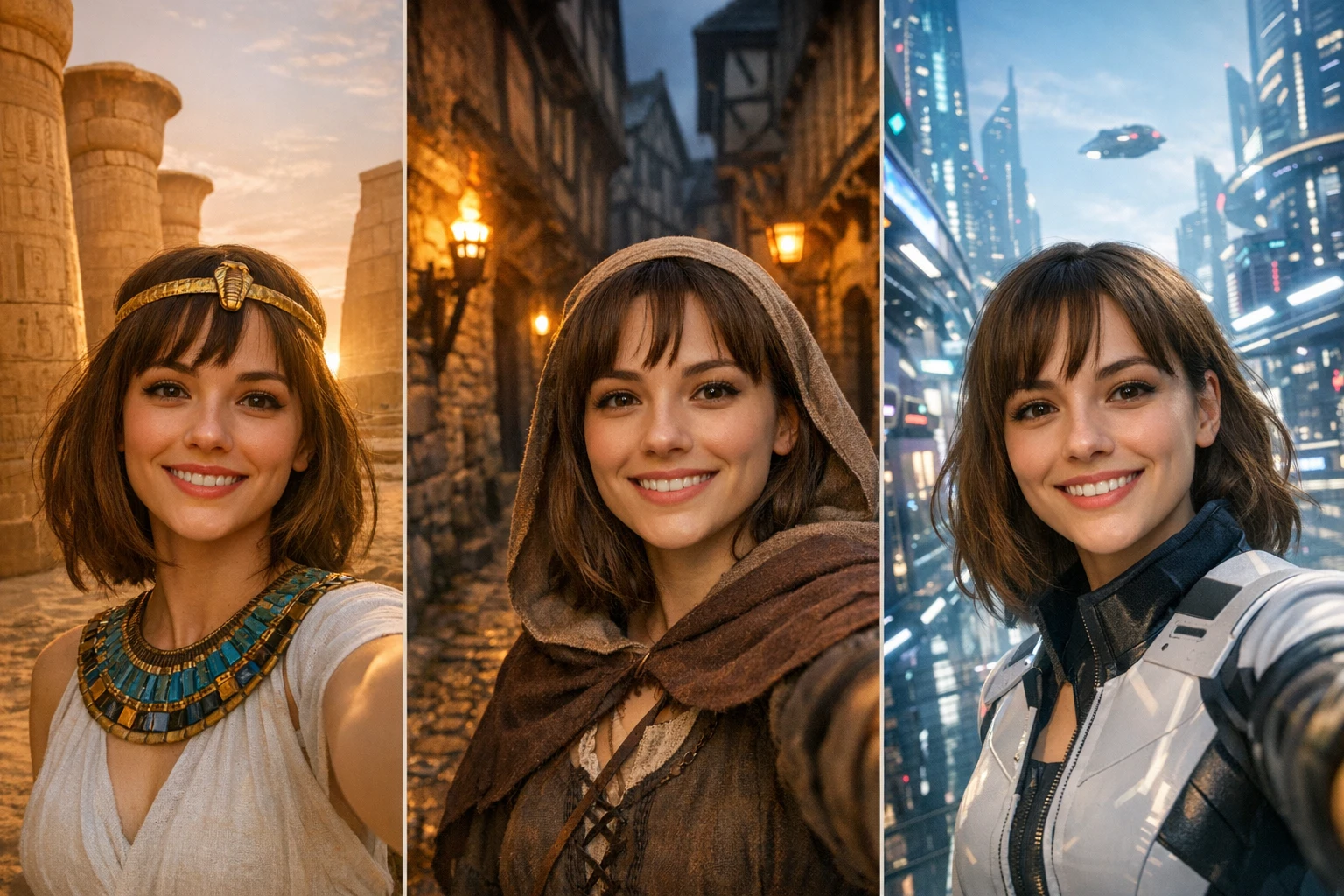
The "You Wake Up As..." Scenario Bank
Every line below is a complete input for a "you wake up as" video generator — written the way viral titles actually read. Type it in step 2, exactly as-is, and add a date for a sharper script.
Ancient Egypt
- "POV: you wake up as a pyramid builder, 2500 BC"
- "POV: you're a kid in Egypt, 1250 BC"
- "POV: you wake up as a pharaoh's scribe"
- "POV: you wake up as a Nile fisherman at dawn"
Ancient Rome & Pompeii
- "POV: you wake up as a gladiator before your last fight"
- "POV: you wake up in Pompeii, August 24, 79 AD"
- "POV: you wake up as a forum merchant, Rome 50 BC"
- "POV: you wake up as a legionary on the frontier"
Medieval & Black Plague
- "POV: you wake up in 1351 during the Black Plague"
- "POV: you wake up as a plague doctor, London 1348"
- "POV: you wake up as a knight the night before a siege"
- "POV: you wake up as a serf at harvest, 1300"
The Deep Past
- "POV: you wake up in the Ice Age mid-mammoth-hunt"
- "POV: you wake up in the dinosaur era — day 47 with the raptors"
- "POV: you wake up as the first human to make fire"
Use the Ice Age and dinosaur era preset chips.
The Far Future
- "POV: you wake up in a city in the year 3000"
- "POV: you wake up as the first settler on Mars"
- "POV: you wake up as the last person on Earth, 2087"
Any era works — real or imagined.
Put Yourself in History
- "POV: I wake up building the pyramids"
- "POV: I wake up on the Titanic, April 14, 1912"
- "POV: I wake up in my hometown, 200 years ago"
Upload your own photo in step 1 — the character is you.
Every one of these works as a single line in the AI time travel video generator — type it, pick a quality, and click create. Want the long list? We keep 50 time travel vlog ideas from the Ice Age to the year 3000, each with a hook line.
The POV Script Formula That Keeps Viewers to the End
Hook in the First 3 Seconds
Viral POV vlogs open mid-panic, never with setup. "So I'm literally in Pompeii and that mountain is smoking." "Okay, day 3 in the Black Plague and my neighbor just stopped coughing." State the era, the danger, and the disbelief in one breath — the viewer decides whether to stay before second four.
The Try-and-Fail Arc
The best-performing videos follow five beats across their clips: wake up with the hook, prove the era with one sensory detail, raise the danger, try to change what's coming — warn the town, board a lifeboat, flee the city — and fail or cut to a cliffhanger. History always wins. That inevitability is the format's engine.
One Detail Per Clip
Each 8-10 second clip should carry exactly one image: the smell of the street, the sound of the arena, the ash on your sleeve. Cramming three facts into one clip is how educational content dies on short-form. One detail, said like a person and not a textbook.
You Don't Have to Write Any of This
AutoClips writes a hook-first script automatically from your one-line scenario, and you can regenerate any clip in the editor if a beat lands flat. If you want to hand-craft scripts and hooks yourself, our time travel vlog tutorial goes deep on scenario writing.
AI Vlog Generator for History Videos: Option Comparison
| Feature | AutoClips | Generic POV Tools | DIY Multi-App Stack |
|---|---|---|---|
| Consistent character across clips | Automatic | No | Hours of retries |
| Talking selfie clips with voice | Yes | Silent clips | Separate voice tool |
| Word-synced captions | Built in, 8 styles | No | Added in editor |
| Title banner + 9:16 stitching | Automatic | No | Manual edit |
| Post title, description & hashtags | Auto-generated | No | You write them |
| Time per finished video | Minutes | One clip at a time | ~4 hours |
Do POV History Videos Make Money?
They can — and the format has a structural advantage. TikTok's Creator Rewards Program pays roughly $0.40-$1.00 per 1,000 qualified views, but only on videos 60 seconds or longer. Most single-clip POV content never qualifies. An 8-clip AutoClips vlog clears that bar comfortably, which means a video that hits 1 million views lands in the ballpark of $400-$1,000 from that one program.
It is also a genuinely faceless format — your AI character does the on-camera work, so it slots straight into a faceless TikTok automation workflow or any of the faceless YouTube channel ideas built on consistent daily posting.
For the full history-niche earnings breakdown — long-form RPM, Shorts rates, sponsorships, and the 2026 AI-disclosure rules — read our faceless history channel guide.
Frequently Asked Questions
Everything creators ask about making "POV: you wake up in..." AI videos
How do you make 'POV: you wake up in...' AI videos?
There are two routes. The DIY route chains four or five separate apps — an idea tool, an image tool, a video animator, a voice tool, and an editor for captions — and top creators report around four hours per video. The one-app route is a POV history video generator like AutoClips' Time Travel Vlog: pick a character, type an era like 'a medieval castle in the 1300s', choose your quality, and click Create My Vlog. It writes a hook-first script and delivers 4-8 talking selfie clips with voice, word-synced captions, and a title banner, stitched into one vertical video.
What does 'POV: you wake up in' mean on TikTok?
POV stands for point of view. A 'POV: you wake up in...' video drops the viewer into someone else's shoes — usually a specific time and place, like 1351 during the Black Plague or Rome in 50 BC. The video is shot selfie-style in first person, so it feels like you opened your eyes in that era and started filming. It is one of the most-watched history formats on TikTok, YouTube Shorts, and Instagram Reels.
What app do people use to make AI history POV videos?
Most tutorials teach a multi-app workflow: one tool for images, another to animate them, a third for the voice, and an editor to add captions and stitch everything together. AutoClips' Time Travel Vlog replaces that whole stack with one app — it generates the script, the talking selfie clips, the voice performance, the captions, and the title banner, then renders the finished vertical video in about 1-3 minutes of encoding.
How do I make an AI video of myself in a different historical era?
Upload a photo of yourself in the first step of the Time Travel Vlog flow. The generator places you in the era you type — pyramid-builder Egypt, plague-era London, the year 3000 — and keeps your face and outfit consistent across every clip in the video. You never film anything, and you never appear on camera in real life.
Can I add a voiceover and captions to an AI history POV video?
With AutoClips you do not add them — they are generated as part of the video. Every clip is a talking selfie clip with a real AI voice performance and word-synced captions baked in. After rendering you can open the timeline editor to switch between 8 caption styles (Classic, Karaoke, Progressive, Typewriter, Glow, Boxed, Bounce, Scale Up), 5 caption positions, multiple colors, and background music from the built-in library.
How do I keep the same character in every clip of a POV video?
Character consistency is the number one failure point of DIY POV videos — generic tools redraw the face slightly on every generation, which breaks the illusion instantly. AutoClips locks your character's face and outfit across all 4-8 clips automatically. Save the character to My Characters and you can reuse the exact same 'time traveler' in your next video, which is how recurring POV series are built.
Wake Up Somewhere Else Tomorrow
The plague street, the gladiator tunnel, the year 3000 — every era is one sentence away. One consistent character, a real voice, word-synced captions, and a finished vertical video in minutes. No editing, no app-juggling, no face on camera.
Sign up free — no credit card required to start