How to Make Claymation Videos with AI
No Clay, No Camera, No Experience
This is the complete guide on how to make claymation videos with AI - every screen, every click, every decision. By the end you'll know exactly how to turn one sentence into a talking clay skit that's ready for TikTok, Reels, and Shorts. The whole thing takes minutes, and you never show your face once.
Watch: How to Make an AI Claymation Video
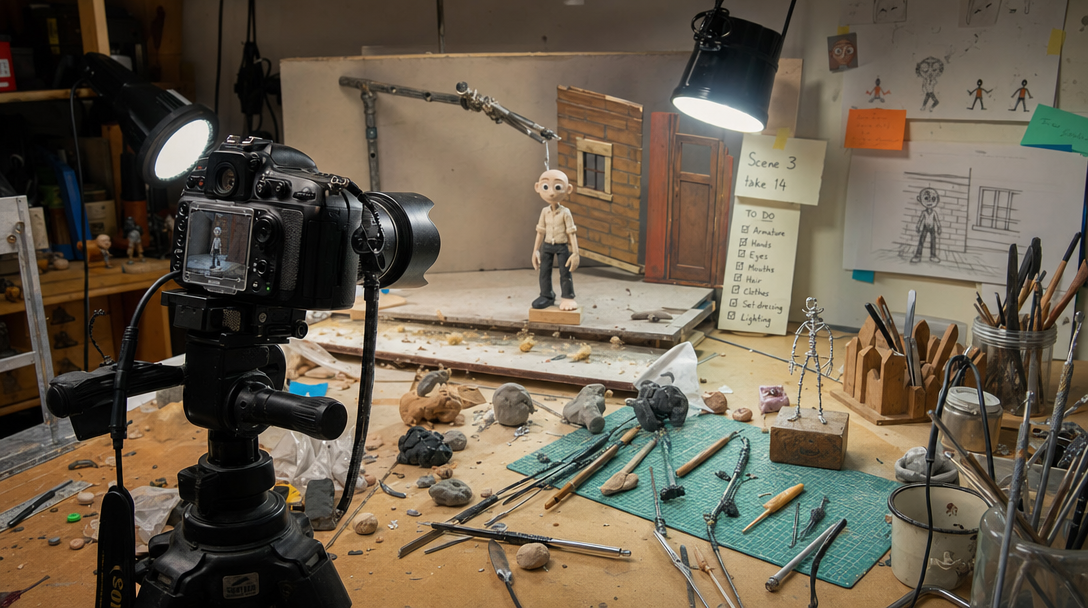
The old way: armatures, rigs, and 24 frame adjustments per second of footage. You're skipping all of it.
What You Need (Spoiler: Just a Browser)
If you'd searched "how to make clay animation" five years ago, the answer involved sculpting tools, wire armatures, a DSLR on a locked-down tripod, lighting rigs, and a level of patience most humans don't have. Clay animation is one of the oldest forms of stop-motion filmmaking, and the traditional process is brutal: animators nudge clay figures 24 times to produce a single second of footage. A studio production takes weeks or months, and professional stop-motion costs $1,000 to $10,000+ per finished minute.
When you make claymation with AI, that entire list collapses to one item: a browser. Autoclips Claymation handles the sculpting, the sets, the animation, the voices, and the lip sync. Your job is the fun part - the characters and the idea. This claymation tutorial walks you through all six steps of the actual product flow, with real screenshots at every screen so you know exactly what you're looking at.
The traditional way
- Clay, armatures, sculpting tools, miniature sets
- Camera, tripod, lighting rig
- 24 frame adjustments = 1 second of footage
- Weeks to months per production
- $1,000-$10,000+ per finished minute
The AI way
- A browser (phone or laptop)
- One sentence describing your idea
- 2-3 minutes of your attention
- From 2,000 credits (~$10) per skit
- Only pay for clips that succeed
To start, log in at app.autoclips.app and click Claymation on the dashboard. That's the entire setup.
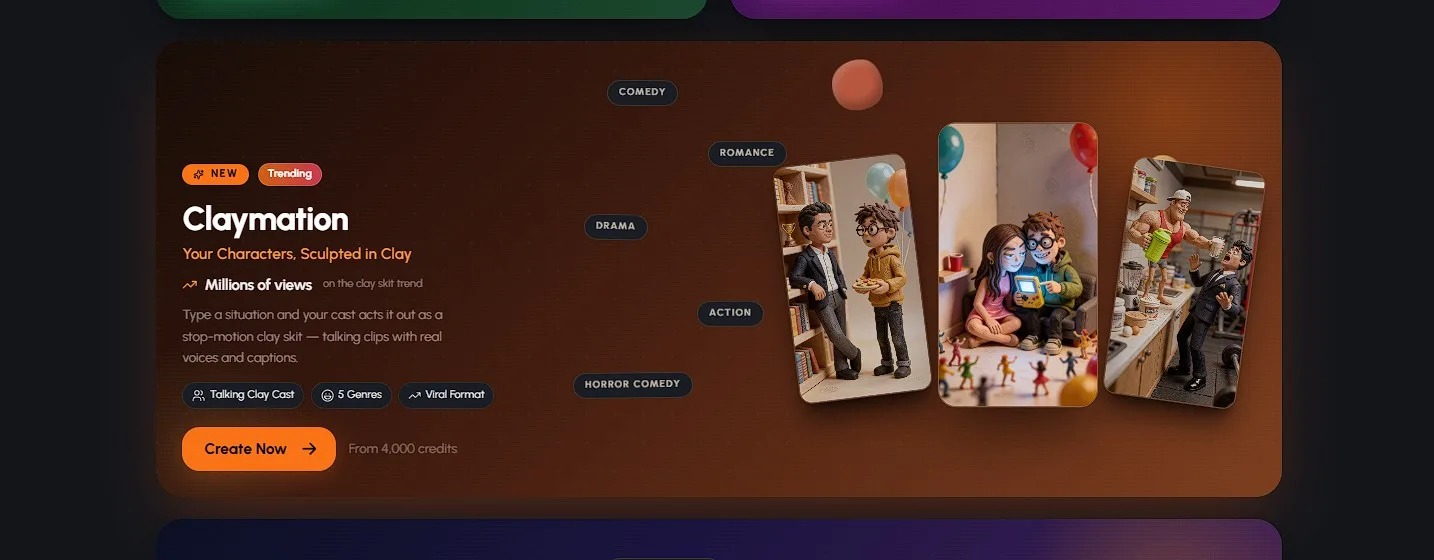
Claymation lives right on the Autoclips dashboard - one click and the tutorial below begins
How to Make Claymation Videos with AI in 6 Steps
The full walkthrough - every screen you'll see, in order
Pick Your Characters (1 to 4)
Your skit needs a cast, and this is where the format gets personal. You can pick up to 4 characters, and your first pick is the star of the skit. There are three ways to build your cast: grab characters you've already saved, upload a photo of anyone - yourself, your friend, your dog's disapproving face - or generate a brand-new character with AI from a description.
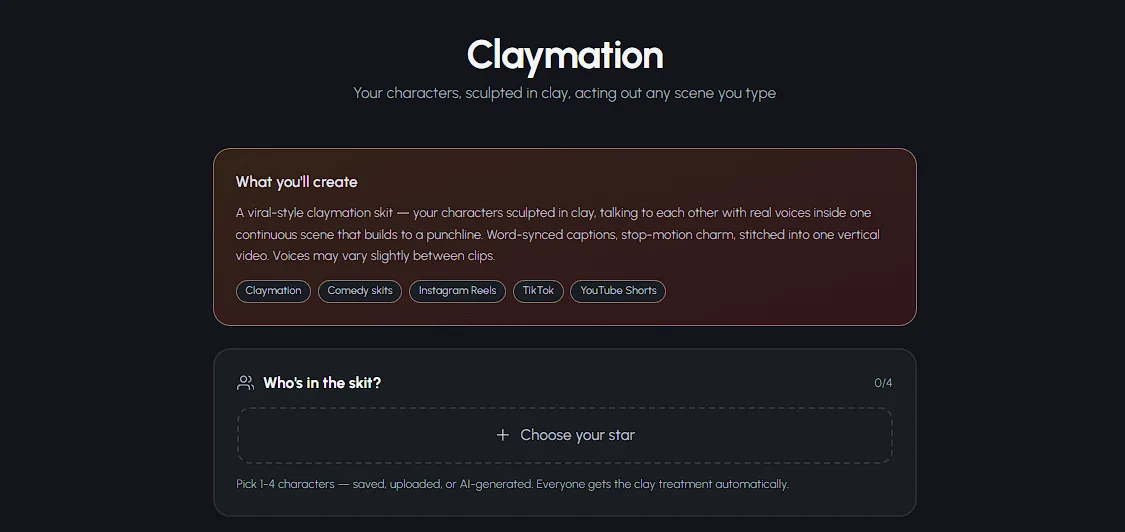
Here's the part that surprises people: everyone gets the clay treatment automatically. Upload a regular photo and Autoclips turns that person into a clay figure that looks like it walked off a stop-motion set - fingerprint texture, big expressive features, the whole aesthetic. No editing on your end.
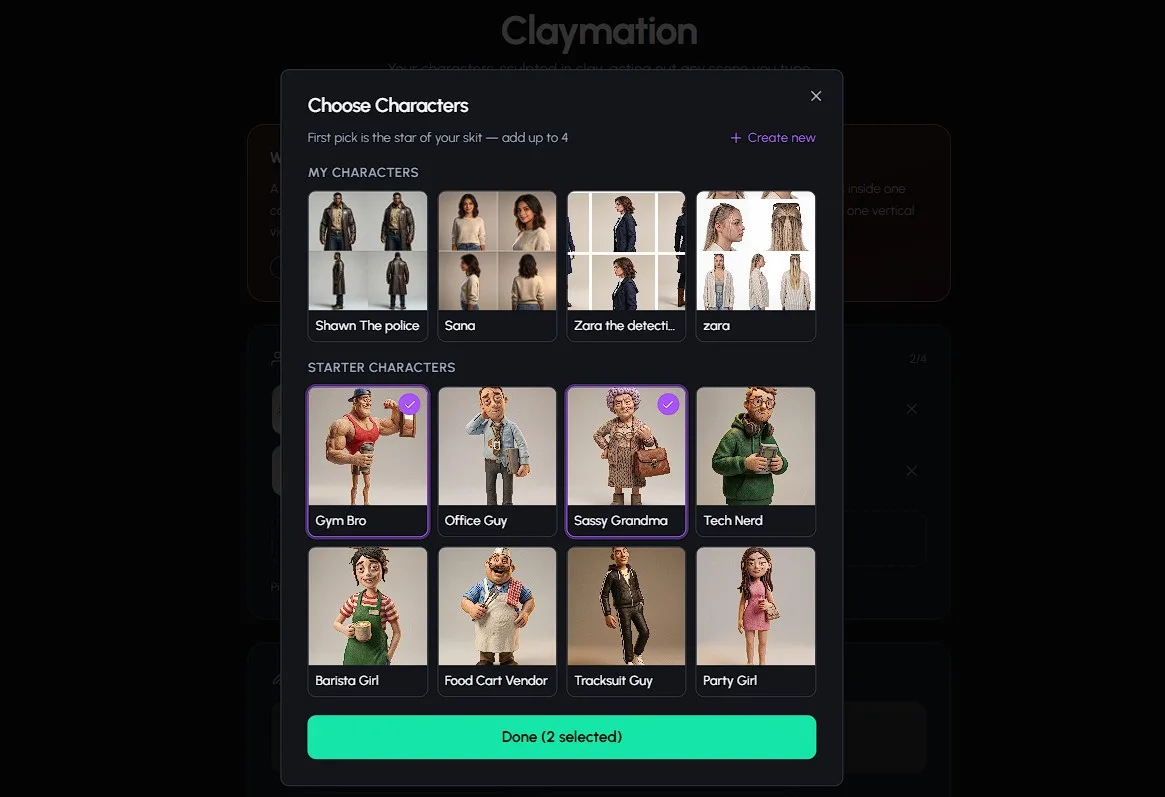
Pro tip: two characters is the sweet spot for your first skit. One character monologuing is fine, but two clay characters arguing is the format that prints views. Save three and four-character casts for when you've found your recurring characters.
Describe the Situation & Pick a Genre Vibe
Now type what happens. Not a script - a situation. "Two coworkers discover the office coffee machine is sentient." "A first date where both people are secretly detectives." One or two sentences is plenty, because the AI writes the actual skit script for you: dialogue, pacing, escalation, and a payoff in the final scene.
Then pick your genre vibe: Comedy, Romance, Drama, Action, or Horror Comedy. The vibe isn't decoration - it changes how the AI structures the whole skit. Comedy builds to a punchline, Drama builds to a gut-punch, Horror Comedy plays a spooky setup completely straight and then undercuts it. Same situation, five very different videos.
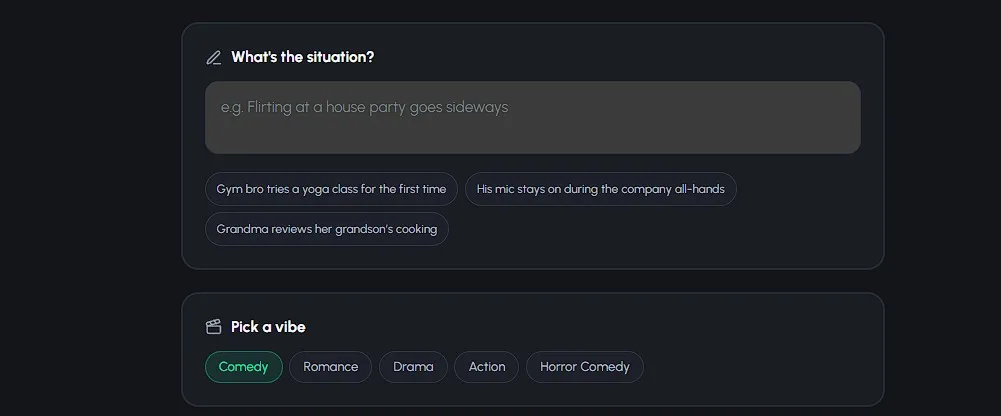
Pro tip: put the conflict in the sentence. "Roommates argue about the thermostat" beats "roommates hang out at home" every time. And if the clay look isn't your style for a particular idea, the same idea-to-video flow powers the AI cartoon video generator too.
Choose Your Quality Tier & Clip Count
Three tiers, one decision. Lite gives you quick and affordable 8-second clips at 500 credits per clip - perfect for testing ideas and posting daily. Pro (tagged "Best" in the app) is 8-second clips at 1,000 credits per clip and is the best at characters talking to each other - if your skit is a conversation, this is your tier. Pro Max is 10-second clips with the most cinematic motion, also 1,000 credits per clip - for when you want the camera work to show off.
Then choose your clip count: 4 to 8 clips. At 8-10 seconds per clip, that's a finished video of roughly 30 to 80 seconds - the exact length short-form platforms reward. Four clips is a tight setup-punchline skit; eight clips gives your story room to breathe.
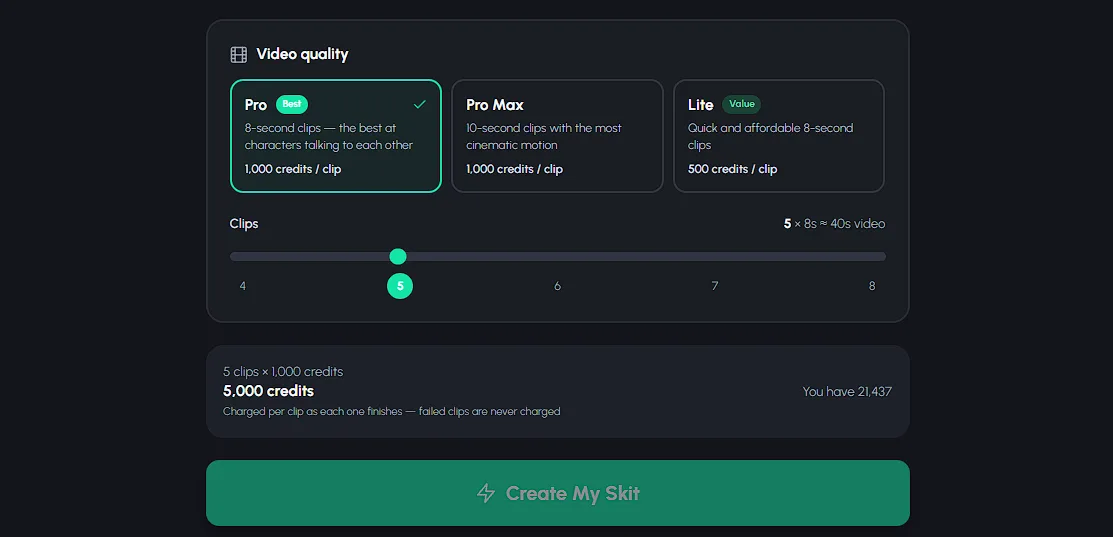
Pro tip: start with 4 clips on Lite for your first run. It's the cheapest way to learn how your ideas translate to clay, and you can rerun the winners on Pro.
Review the Exact Credit Cost & Click Create
Before anything generates, Autoclips shows you the exact credit cost of your skit. No estimates, no surprise charges after the fact - the number on the screen is the number. A 4-clip Lite skit is 2,000 credits (~$10); a full Pro or Pro Max skit runs 4,000 to 8,000 credits ($20-$40) depending on clip count. You can check the pricing page to see how far each credit pack goes.
One detail worth knowing: Autoclips charges on success. If a clip fails to generate, you don't pay for it. You're buying finished footage, not attempts.
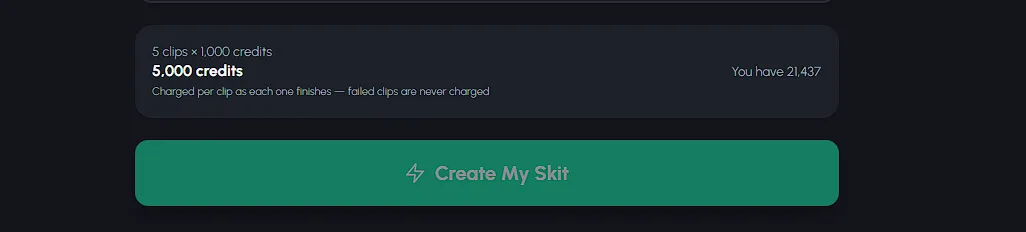
Happy with the number? Click Create. Your work is now done - the AI's work begins.
Watch the AI Build Your Skit
This is the step where a traditional animator would block out weeks. For you, it's a coffee break. First the AI writes the full skit script - who says what, in which scene, building toward the final-scene payoff that matches your genre vibe.
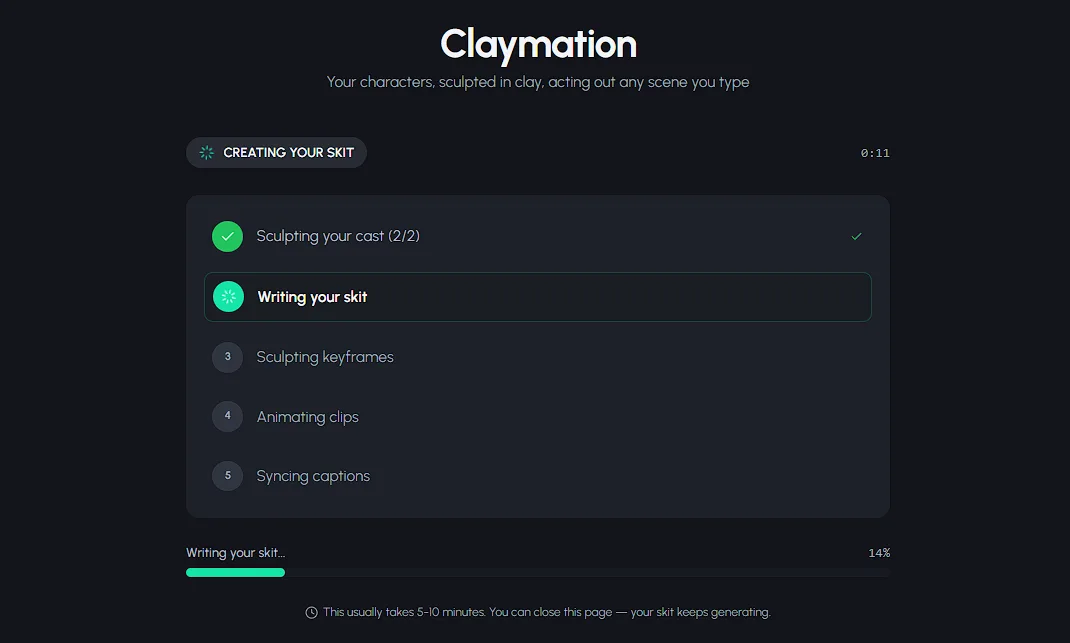
Then the scene images start appearing - and you can actually watch them show up one by one. This is the most satisfying screen in the whole flow: your clay cast, staged in their sets, scene by scene. It's also your early preview - by the time the images are done, you already know what your skit looks like.
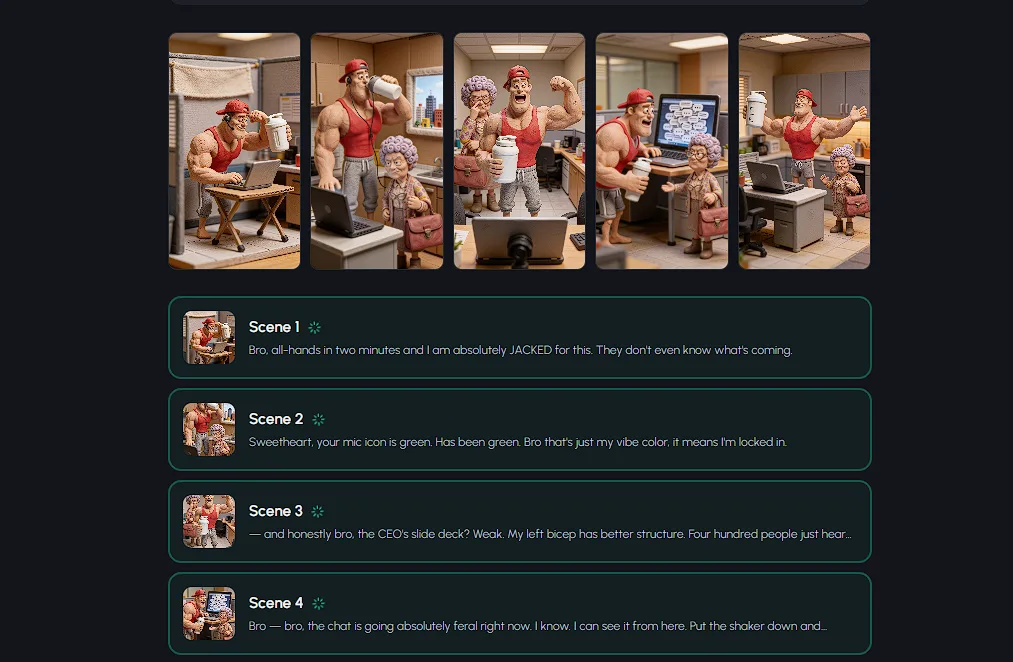
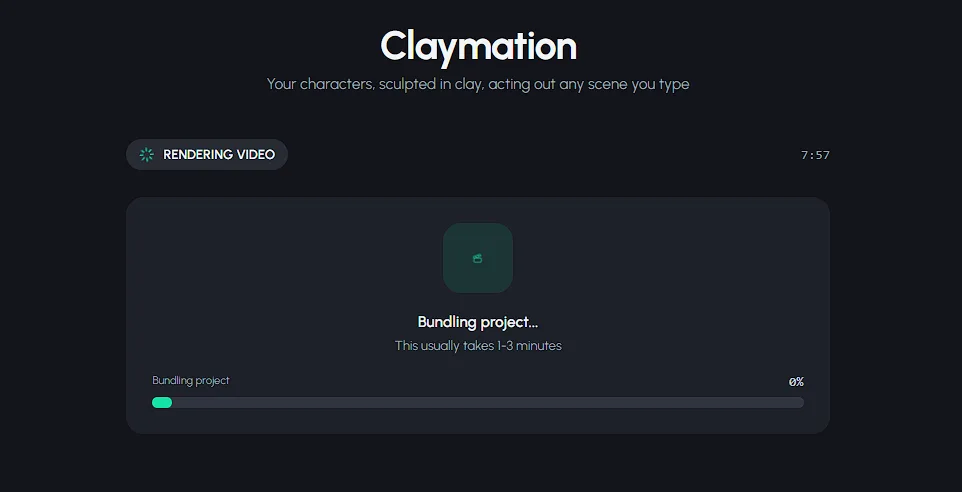
Finally, the render: each scene becomes a moving, talking clip with lip-synced dialogue, and the clips get stitched into one seamless 9:16 vertical video. Twenty-four frame adjustments per second, handled by nobody's cramping hands.
Download Your Video & Copy the SEO Metadata
Your skit is ready: a vertical claymation video with talking characters, editable captions (fonts, colors, positions - all adjustable), and music from the built-in library if you want a soundtrack under the dialogue.
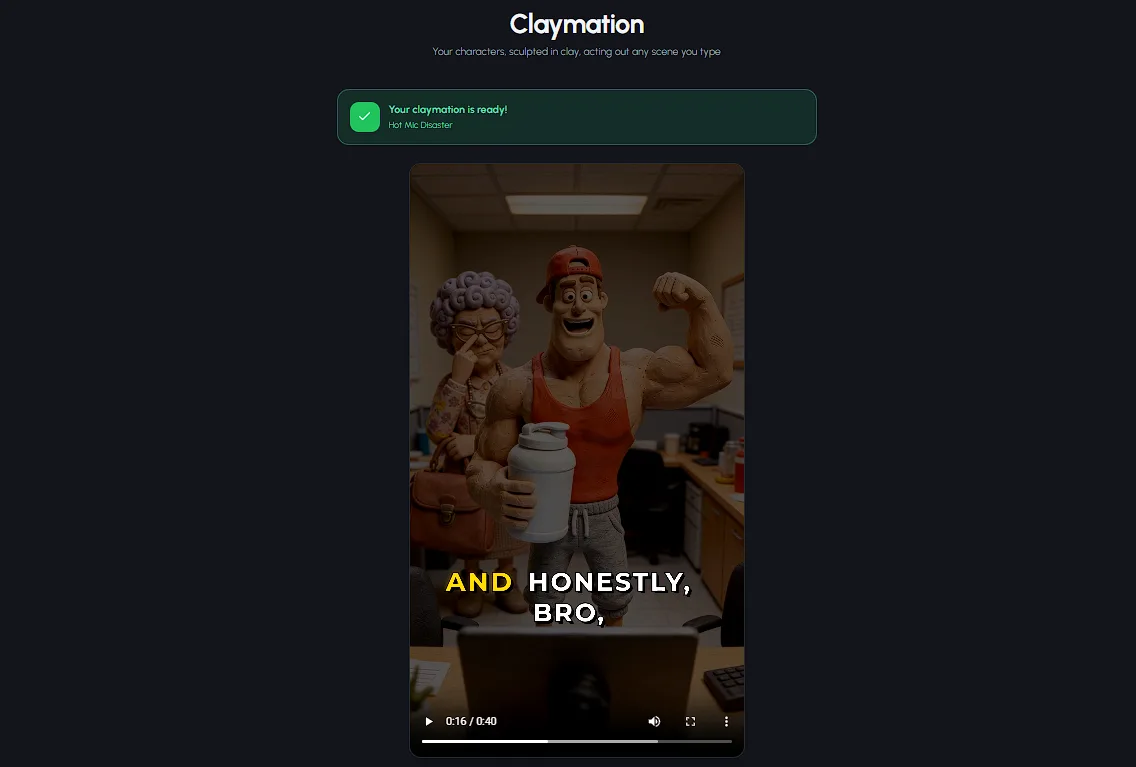
Don't skip the last screen: Autoclips auto-generates an SEO title, description, and hashtags for your video. Copy them when you post. Optimized metadata is invisible work that most creators never do - which is exactly why doing it puts you ahead.
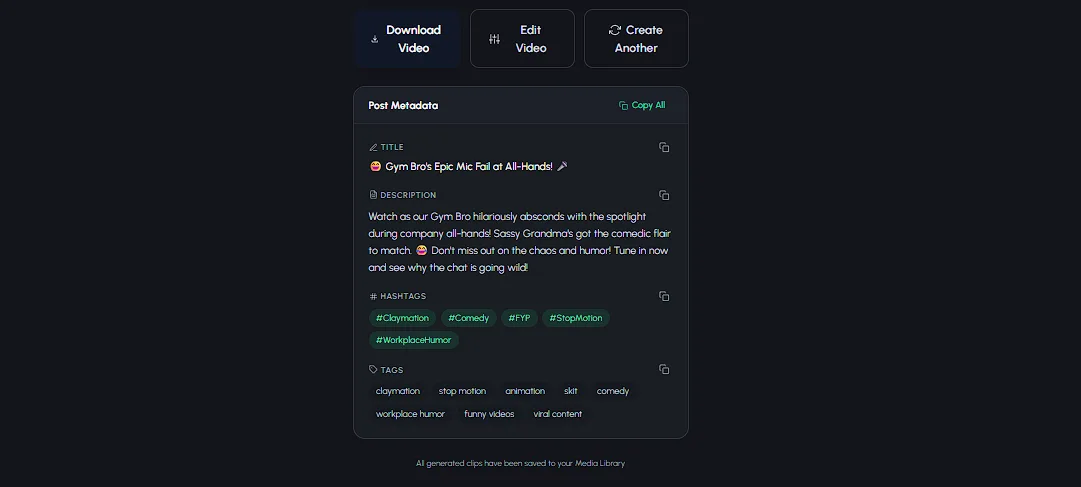
Download, post to TikTok, Reels, and Shorts, and you've officially made a claymation video - no clay under your fingernails, no camera, no weeks of your life.
Watch the Flow in Action
See how fast an idea becomes a finished video
Common Mistakes to Avoid
Four things first-timers get wrong - and how to skip the learning curve
Writing a Script Instead of a Situation
Don't paste in a full scene with dialogue. Give the AI one clear premise and let it handle the lines, pacing, and payoff - that's what it's built for. Over-specified prompts produce stiff skits; clean premises produce funny ones.
Mismatching Your Premise and Vibe
A silly premise with the Drama vibe lands awkwardly, and a heartfelt premise with Comedy undercuts itself. The genre shapes the entire structure of the skit - pick the vibe that matches the ending you want the viewer to feel.
Using Lite for Dialogue-Heavy Skits
Lite is great for quick, affordable clips - but if your skit is built on characters going back and forth, Pro is the tier that's best at characters talking to each other. Conversation is the heart of the format; give it the right tier.
Posting Without the SEO Metadata
The auto-generated title, description, and hashtags exist for a reason - discovery. Posting a great skit with a caption like "lol new video" throws away free reach. Copy the metadata every single time. It takes four seconds.
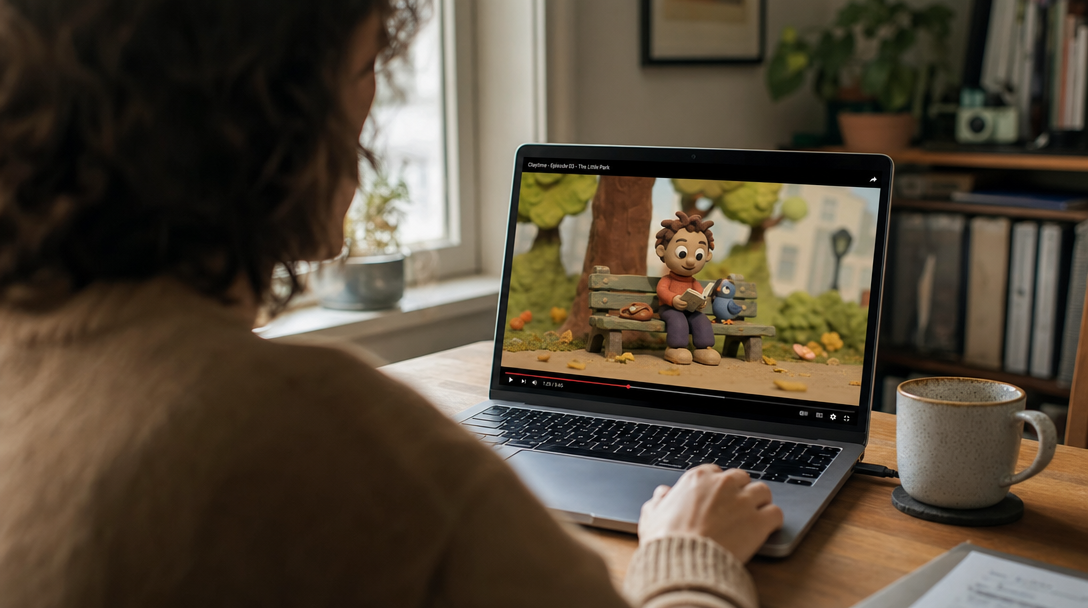
Your role in the animation process: watching it happen
Frequently Asked Questions
Everything else people ask about making claymation videos with AI
How long does it take to make a claymation video with AI?
Minutes, not months. You spend about 2-3 minutes picking characters, typing your situation, and choosing a quality tier - then the AI writes the script, generates the scene images, and renders the lip-synced clips while you do something else. Compare that to traditional stop-motion, where animators make 24 tiny frame adjustments just to produce 1 second of footage and studio productions take weeks or months.
Do I need animation experience to make claymation videos?
No. The entire point of making claymation with AI is that the hard parts are handled for you. You never touch a timeline, keyframe, or armature. If you can describe a funny situation in one sentence - 'two roommates fight over the last slice of pizza' - you have every skill required. The AI writes the dialogue, stages the scenes, animates the characters, and syncs their mouths to the voices.
Can I make claymation videos on my phone?
Yes. Autoclips runs entirely in the browser at app.autoclips.app, so the whole flow works on your phone - picking characters, typing your idea, and downloading the finished video. And since every skit renders in 9:16 vertical, the output is literally built for the phone screen it gets watched on.
How much does it cost to make a claymation video with AI?
Skits start at 2,000 credits (~$10) for a 4-clip video on the Lite tier (500 credits per clip). Pro and Pro Max run 1,000 credits per clip, so a full 4-8 clip skit lands between 4,000 and 8,000 credits ($20-$40). You're only charged for clips that successfully generate. Traditional stop-motion production costs $1,000 to $10,000+ per finished minute - AI claymation is a rounding error next to that.
Do the AI claymation characters actually talk?
Yes - and this is what makes the format work. Autoclips characters speak real, AI-written dialogue with lip-synced mouths, and you can put up to 4 characters in one conversation. The Pro tier is specifically the best at characters talking to each other, which is why it's tagged 'Best' in the app.
Where should I post my AI claymation videos?
TikTok, Instagram Reels, and YouTube Shorts. Every skit comes out 9:16 vertical at 30-80 seconds - the exact shape and length those platforms push hardest. Post the same video to all three, use the auto-generated title, description, and hashtags Autoclips gives you, and let the platforms tell you where your clay cast finds its audience.
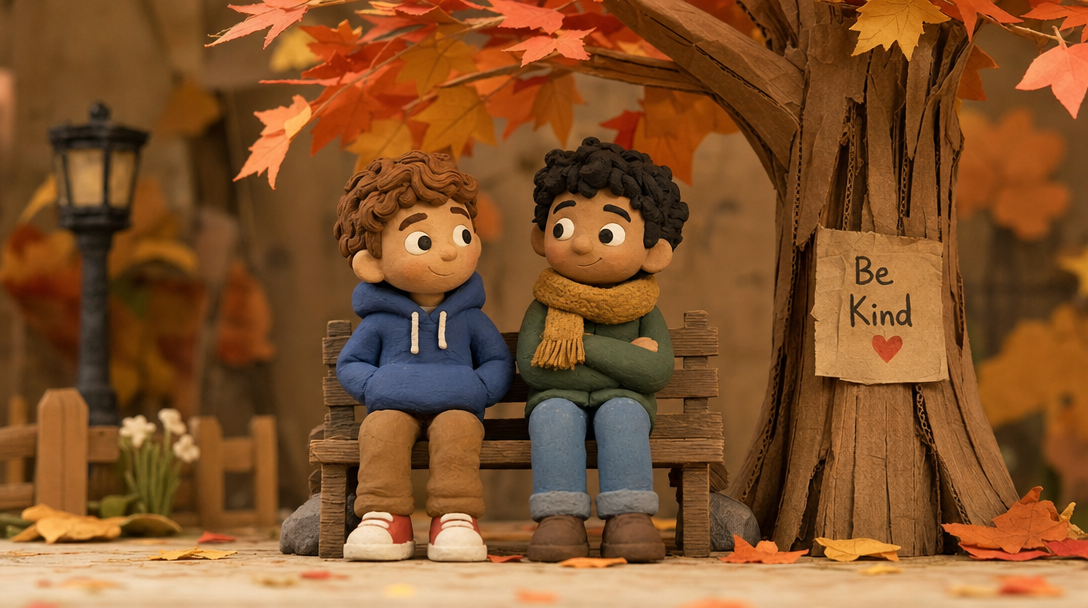
The result: a handcrafted-looking scene nobody had to handcraft
You Now Know How to Make Claymation Videos. Go Make One.
Six steps, a few minutes, one browser tab. While traditional animators are still lighting their miniature set, you could have a talking clay skit live on three platforms - without ever showing your face.
Skits from 2,000 credits (~$10) - up to 4 talking characters - only pay for clips that succeed