Turn a Photo Into a Claymation Character
That Stars in Its Own Talking Skit
You can turn a photo into claymation in minutes - and not the way filter apps do it. Upload a picture of yourself, your best friend, or your boss, and Autoclips gives them the clay treatment automatically. Then it does the part no filter can: it puts your clay twin in a real skit where it moves, emotes, and actually talks.
Watch: How to Make an AI Claymation Video
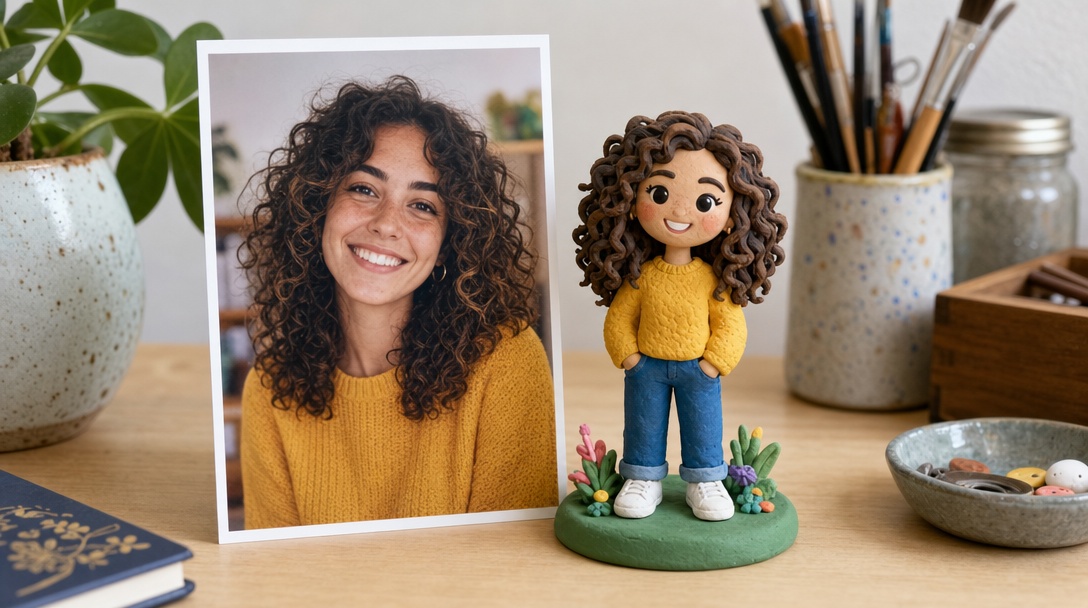
One photo in, one clay character out - and yours gets a script, a voice, and a starring role
How Does Turning a Photo Into Claymation Work?
Traditional clay animation starts with a sculptor studying reference photos for days, hand-building a figure, then moving it one millimeter at a time in front of a camera. Autoclips compresses that entire craft into one upload. You give it a photo, and the AI studies the face the way a sculptor would - the hair, the glasses, the smile lines, the outfit - and rebuilds that person as a claymation character with fingerprint-textured skin and big expressive eyes.
Then comes the part that makes people gasp the first time they see it: your clay character doesn't sit in a gallery. It gets cast. You describe a situation, pick a genre vibe, and the AI writes a complete skit script, builds every scene, and renders lip-synced clips where the clay version of you delivers actual dialogue. It's the difference between owning a figurine of yourself and watching yourself star in a stop-motion-style sitcom.
And you're not limited to one person. Pick 1 to 4 characters per skit - your first pick is the star - mixing uploaded photos, characters you've saved before, and brand-new AI-generated ones. Upload you and your roommate, and suddenly your apartment arguments are a clay comedy series.
Not a Claymation Filter - a Claymation Character
This is the difference that matters, so let's make it painfully clear
What a claymation filter gives you
What Autoclips gives you
A clay-style picture is a novelty. A clay character who argues with your best friend about who forgot the birthday cake, in a fully scripted skit with Comedy pacing and a final-scene punchline - that's content people share, tag each other in, and beg you to make more of.
5 Things to Do Once You're Made of Clay
Every one of these starts with a photo already sitting in your camera roll
Put Yourself in a Comedy Skit
Upload a selfie and cast clay-you in the most absurd situation you can think of - negotiating with a raccoon, surviving Monday, defending your screen time. Seeing yourself as a clay character delivering deadpan lines is a genuinely surreal kind of funny, and it's the fastest hook for your own channel.
An Anniversary Skit from a Photo of You Two
Take a photo of you and your partner, choose the Romance vibe, and describe how you met. Out comes a cozy clay re-enactment of your love story - awkward first-date energy included. It's the anniversary gift that beats flowers, because it makes them laugh and cry in the same 60 seconds.
The Birthday Roast Skit
Upload your best friend's photo, pick Comedy, and describe their most roastable habit - always late, can't parallel park, "just one more episode." A talking clay version of them getting lovingly destroyed in a scripted skit is the best birthday content on the internet. The group chat will not recover.
Turn Your Team Into a Workplace Sitcom
Your boss, your teammate, and you - as clay characters trapped in a meeting that could have been an email. Workplace skits are relatable gold, and a clay cast makes even the spiciest office humor feel affectionate. Perfect for team offsites, farewells, and the company Slack.
Make Your Family a Recurring Clay Cartoon
Upload photos of the whole family once, save the characters, and reuse them forever. Dad's grilling disasters, grandma's savage one-liners, the sibling rivalry - every family story becomes an episode. You're not making a video; you're making your family's animated series.
From Photo to Clay Star in 4 Steps
No clay, no camera, no animation skills - just a photo and an idea
Upload Your Photo
Hit create and upload a photo of whoever's starring today - you, a friend, your boss. Autoclips gives them the clay treatment automatically, so a regular photo comes out the other side as a claymation character. You can also pick from characters you've saved or generate a completely new one with AI.
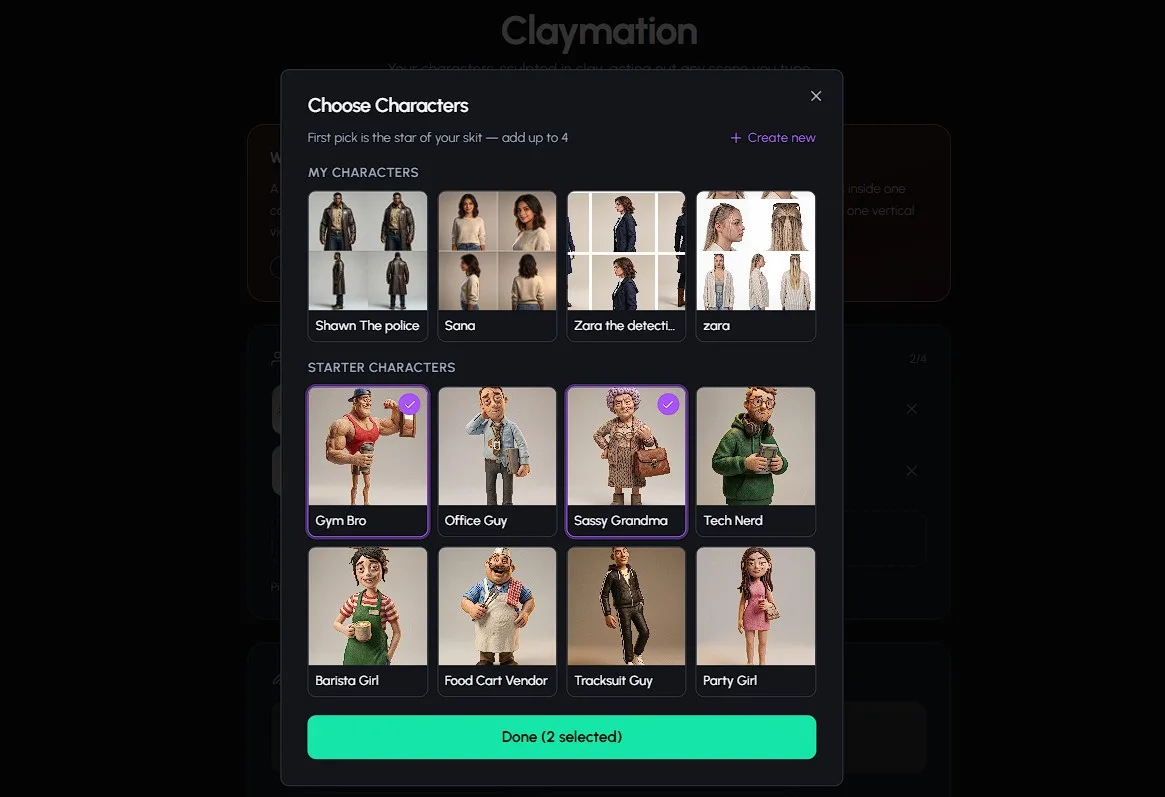
Build Your Cast
Pick 1 to 4 characters for the skit - your first pick is the star. This is where it gets fun: clay-you next to clay-your-best-friend next to an AI-generated wildcard. Every character you create from a photo stays saved, so your cast is always one click away for the next episode.
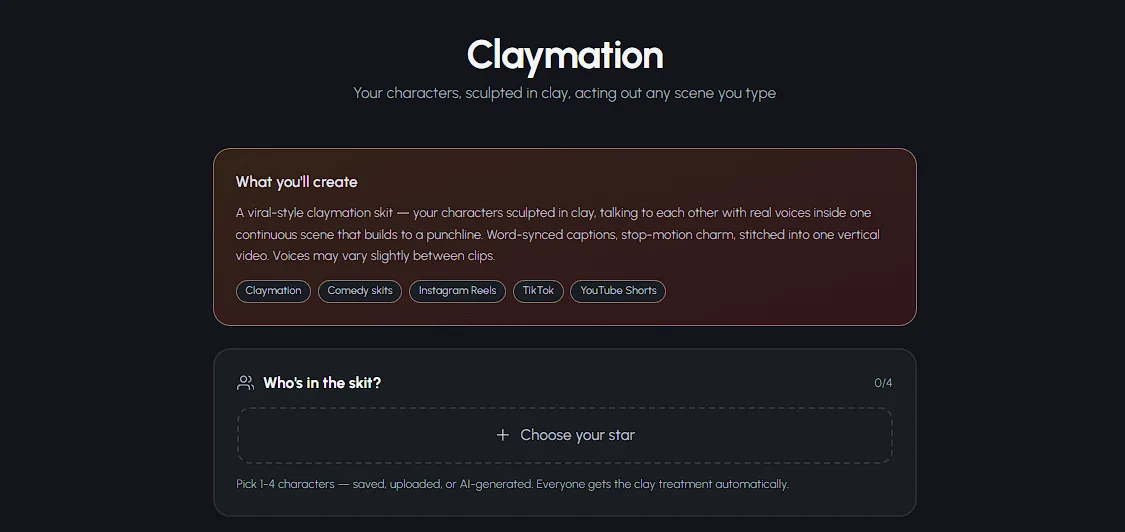
Describe the Situation & Pick a Vibe
Type what happens - "my best friend tries to explain why she's late again" - and choose a genre: Comedy, Romance, Drama, Action, or Horror Comedy. Then pick your quality tier (Lite for quick clips, Pro for the best character dialogue, Pro Max for the most cinematic motion) and 4 to 8 clips. You see the exact credit cost before anything generates.
Generate, Download, Post
The AI writes the script, builds every scene, and renders lip-synced clips into one seamless vertical video - roughly 30 to 80 seconds of your clay cast talking, reacting, and landing the punchline. Download it, copy the auto-generated title and hashtags, and post it everywhere.
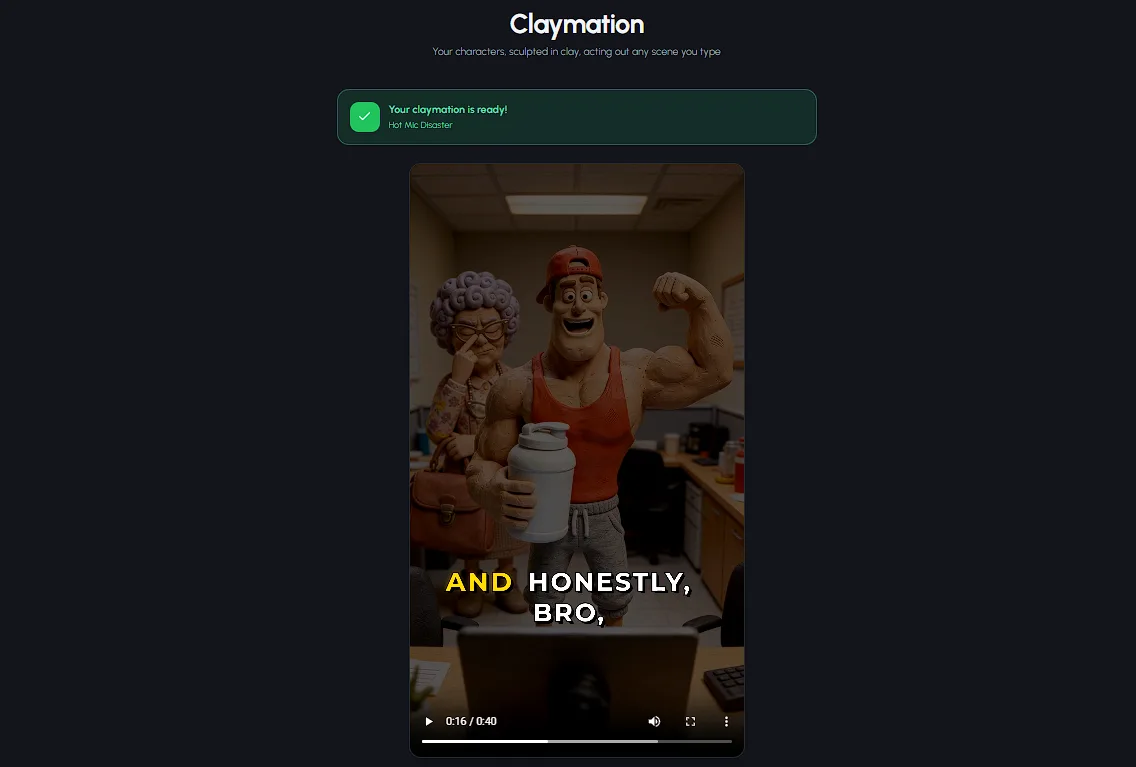
See Autoclips in Action
From an idea to a finished video - here's how fast it is
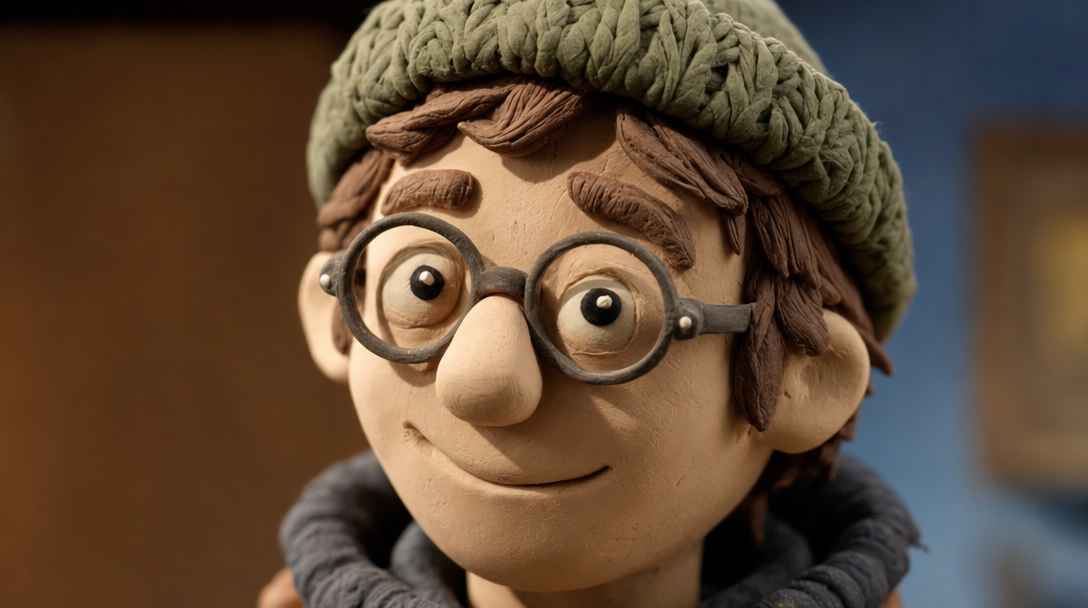
The clay treatment keeps what makes a face recognizable - then gives it fingerprint-textured charm
Tips for the Best Clay Likeness
The better the photo, the more people will yell "THAT'S SO YOU" in the comments
Use a Clear, Well-Lit Photo
Daylight beats dim bar lighting every time. A sharp, well-lit photo gives the AI more to work with, and the clay character comes out looking unmistakably like its human. Blurry night-out photos produce blurry-soul clay people.
Keep the Face Visible
Front-facing, nothing covering the face - no sunglasses over the eyes, no hand mid-wave blocking the chin. The face is what the clay treatment studies hardest, so give it a clean look at the star of the show.
One Person Per Photo Works Best
Making a skit with your whole friend group? Upload each person's photo separately so every character gets a dedicated clay likeness, then cast up to 4 of them together. Solo photos in, ensemble cast out.
Distinctive Features Carry Over
Glasses, a signature hairstyle, a beard, that jacket they always wear - the details that make someone them survive the clay treatment beautifully. If your friend is famous for their bucket hat, make sure the bucket hat is in the photo.
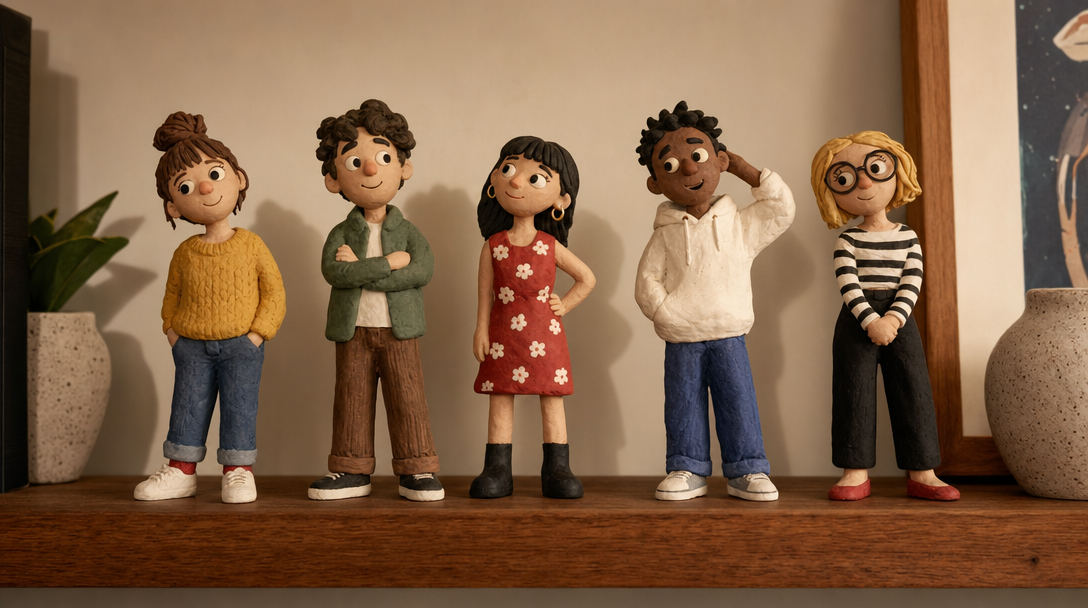
Every photo you upload joins your saved cast - your friend group as a recurring clay ensemble
Frequently Asked Questions
Everything you need to know about turning photos into claymation characters
Can I turn a photo of myself into claymation?
Yes. Upload any clear photo of yourself to Autoclips and it gives you the clay treatment automatically - you become a claymation character with your hair, your glasses, your style, all rendered in clay. And unlike filter apps that stop at a single stylized picture, your clay self then stars in a full talking skit with lip-synced dialogue.
Can the clay version of me actually talk?
Yes, and this is the whole point. Your clay character speaks real dialogue with lip-synced mouth movement. The AI writes a complete skit script based on the situation and genre you choose, so the clay you doesn't just stand there - it argues, flirts, panics, and delivers punchlines.
Can multiple people be in one claymation skit?
Yes. You can cast up to 4 characters in a single skit, and your first pick is the star. Upload photos of yourself and your friends, mix in saved characters, or generate brand-new ones with AI - everyone gets the clay treatment and they all talk to each other in the finished video.
Does turning a photo into claymation work with pets?
The photo upload works best with clear photos of people's faces - that's what drives a strong clay likeness. For pets, the easiest route is to AI-generate a clay animal character and cast it alongside the clay version of you. With up to 4 characters per skit, you and your dog's clay stand-in can absolutely share a scene.
Is my photo safe and private?
Your uploaded photo is used to create your claymation character for your own skits, and your generated videos live in your account. Nothing is published anywhere until you decide to download and post it yourself. You stay in full control of where your clay self appears.
How much does it cost to turn a photo into claymation?
A 4-clip skit on the Lite tier starts at 2,000 credits (roughly $10). Lite clips are 500 credits each, while Pro and Pro Max clips are 1,000 credits each. You see the exact cost before you hit Create, and you're only charged for clips that successfully generate.
See Yourself as a Clay Character Today
Every clay-filter app stops at a picture. Autoclips starts there - your photo becomes a character, the character gets a script, and the script becomes a talking skit your friends will replay five times. Full plan details are on the pricing page, but one photo is all it takes to start.
Skits from 2,000 credits (~$10) - upload any photo - up to 4 talking characters - only pay for clips that succeed