How to Make Time Travel Vlogs with AI
One App, No Editing
Every tutorial on how to make time travel vlogs with AI hands you the same painful recipe: five different apps, hours of stitching, and a character whose face changes in every clip. This guide shows the other way — an AI time travel video generator that turns "medieval castle, 1300s" into a finished talking vlog with voice and captions in minutes.
Watch: How to Make an AI Time Travel Vlog

The Problem: Every Tutorial Teaches a 5-App Workflow
Search "how to make AI time traveler videos" and every guide describes the same assembly line: a chat assistant to write the script, an image tool to design the character, a video animator to make it move, a voice tool for narration, and finally a caption editor to sync the words and stitch the clips together. Five subscriptions, five learning curves, five places for something to break.
And it's slow. Fast Company reported that the creator behind the trend's biggest account spends around four hours per video with that multi-tool stack. Four hours — for a 50-second vlog. That pace is fine for a hobby; it's fatal for a channel that needs to post daily to grow.
The worst part isn't even the time. It's character drift: because each clip comes from a separate generation, your time traveler's face, hair, and outfit subtly change between scenes. Viewers spot it in seconds, and it's the single most common complaint in every multi-tool tutorial's comment section. This guide skips all of that — no prompt engineering, no model picking, one app.
The 5-App Way
- ✗Write and rewrite prompts in a chat assistant
- ✗Generate character stills in an image tool, clip by clip
- ✗Animate each still in a separate video tool
- ✗Record narration in a voice tool, sync it by hand
- ✗Caption and stitch everything in an editor — ~4 hours total
With AutoClips
- Type where and when — AI writes a hook-first script
- 4-8 talking selfie clips generated automatically
- Same face and outfit in every clip, guaranteed
- Real voice performance with word-synced captions
- One vertical 9:16 video, encoded in 1-3 minutes
Anatomy of a Viral Time Travel Vlog
Before you make one, study what actually goes viral. The format's flagship videos — a Chernobyl worker POV with 21.8 million views and a Black Plague POV with 19.5 million — all share the same skeleton. Copy the skeleton, not the videos.
4-8 selfie clips, 8-10 seconds each
The vlog is a chain of short first-person clips, like a real creator filming on their phone. Five clips lands around 50 seconds — the sweet spot for retention. Eight clips clears 60 seconds, which matters for monetization later.
A hook in the first 3 seconds
The first line states the impossible situation immediately: "So I'm literally in Pompeii right now." No greetings, no setup. If clip one doesn't shock, nobody sees clip two.
A try-and-fail story arc
The traveler explores, discovers the danger, tries to intervene or escape — and fails, or barely makes it. Viewers know how Pompeii ends; the tension of watching someone who doesn't is the whole format.
Captions, banner, and 9:16
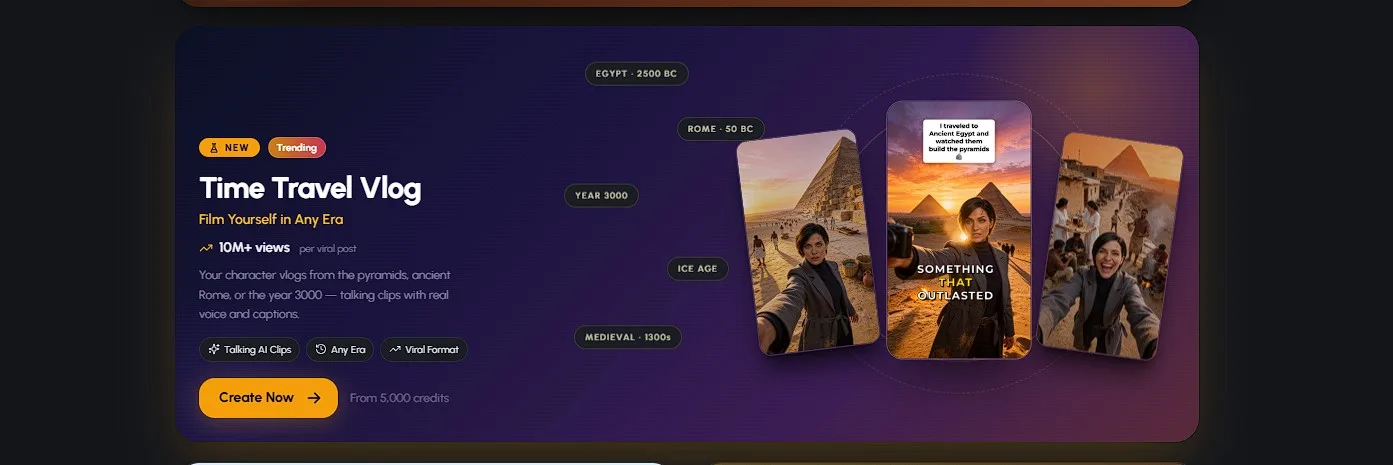
Word-synced captions keep muted viewers watching, and a title banner like "I time traveled to a medieval castle in the 1300s" doubles as your cover frame. Vertical 9:16 is non-negotiable on TikTok, Shorts, and Reels.
One more invisible ingredient: era-accurate ambience. Torchlight in the castle, dust and scaffolding at the pyramids, mist and bells in plague-era streets. Details like these are what make a viewer forget it's AI for eight seconds — and eight seconds is all you need.
How to Make Time Travel Vlogs with AI in 4 Steps
From blank screen to finished vlog in about fifteen minutes
Pick Who's Traveling
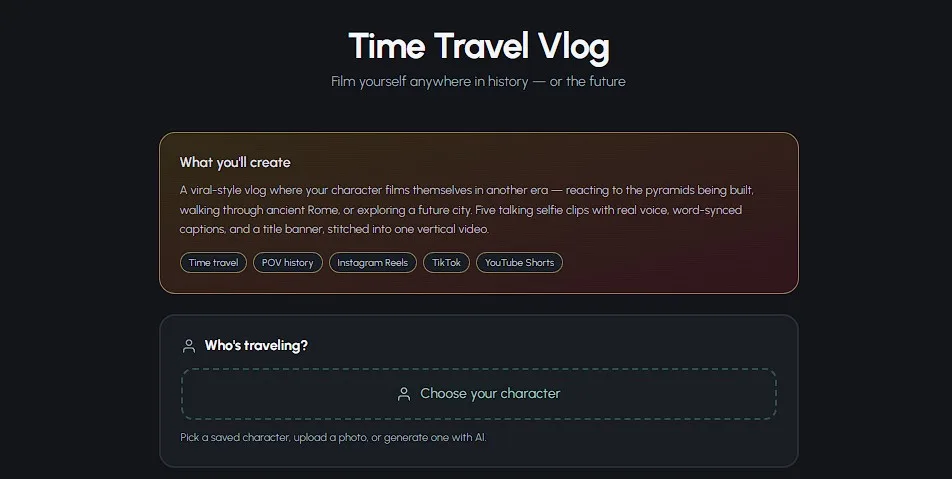
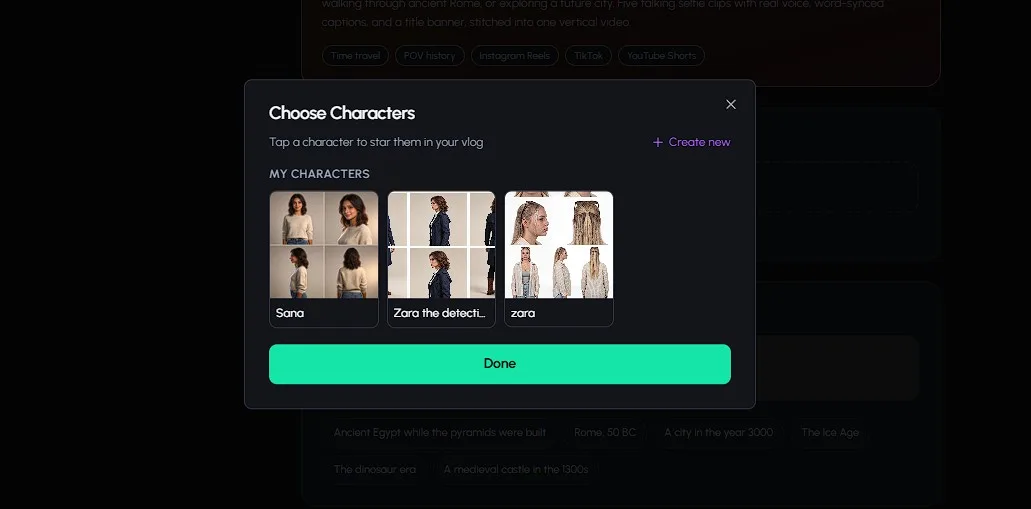
Open the Time Travel Vlog tool in AutoClips and choose your time traveler. You have three options: pick a saved character from My Characters, upload a photo to put yourself (or anyone) in history, or generate a brand-new character with AI. Whichever you choose, that exact face and outfit stays locked across every clip of the vlog — the consistency problem that sinks DIY workflows is handled for you.
Pro tip: if you're building a channel, use the same saved character in every video. A recurring traveler is what turns one viral video into a subscriber base — people come back for the character, not just the era.
Type Where (and When) You're Going
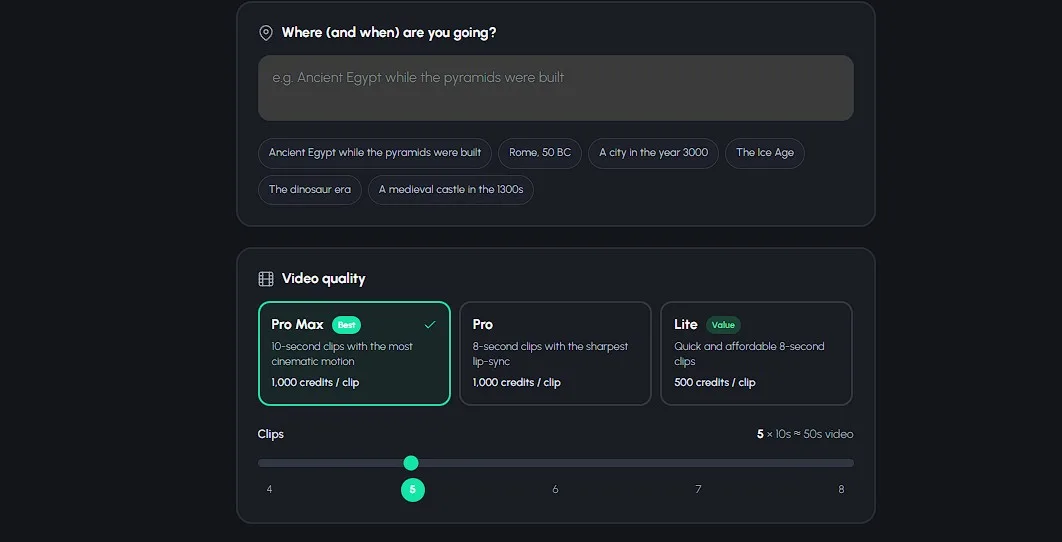
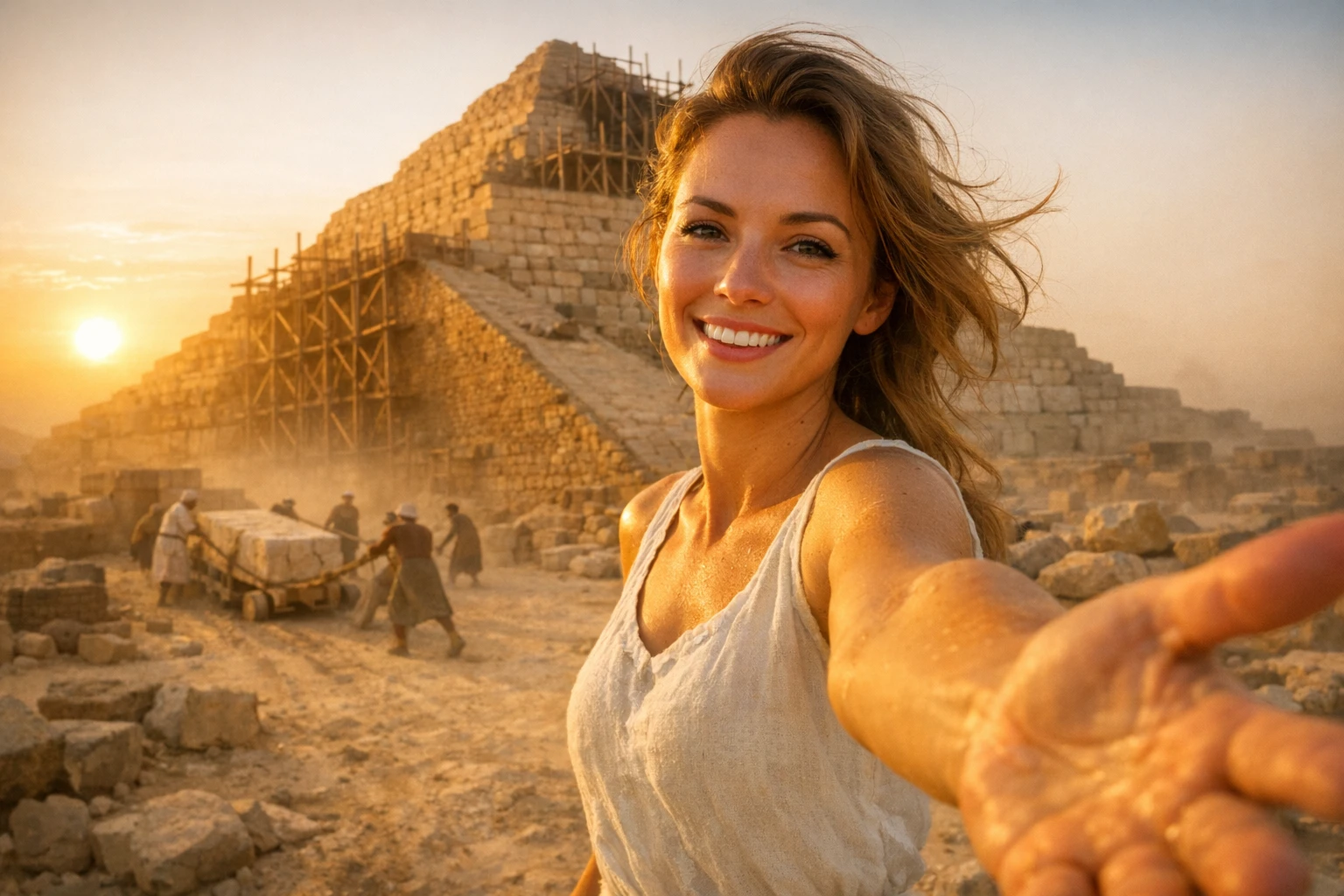
This is the fun part. Type any destination in plain English — "Ancient Egypt while the pyramids were built", "London during the Great Fire of 1666", "the first city on Mars". Real or imagined, past or future, any era works. If you'd rather not type, tap one of the preset chips: Ancient Egypt, Rome 50 BC, a city in the year 3000, the Ice Age, the dinosaur era, or a medieval castle in the 1300s.

Not sure which era to pick? The three with the strongest viral track record are Ancient Egypt, the medieval Black Plague, and Ancient Rome and Pompeii — each has its own deep-dive guide with ready-made scenarios.
Choose Quality, Set Clip Count, Create
Pick your video quality: Pro Max gives you the most cinematic motion with 10-second clips, Pro delivers the sharpest lip-sync with 8-second clips, and Lite is perfect for quick drafts while you test scenarios. Then set the clip count anywhere from 4 to 8 — remember, more clips means a longer video, and 8 clips pushes you past the 60-second mark that TikTok's Creator Rewards requires.
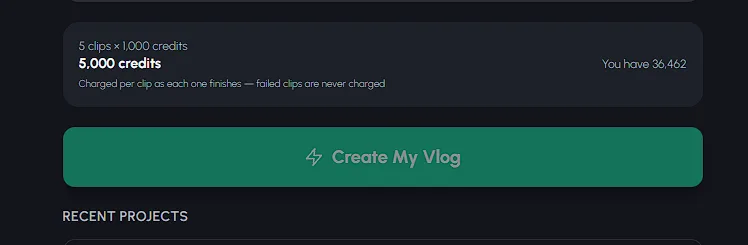
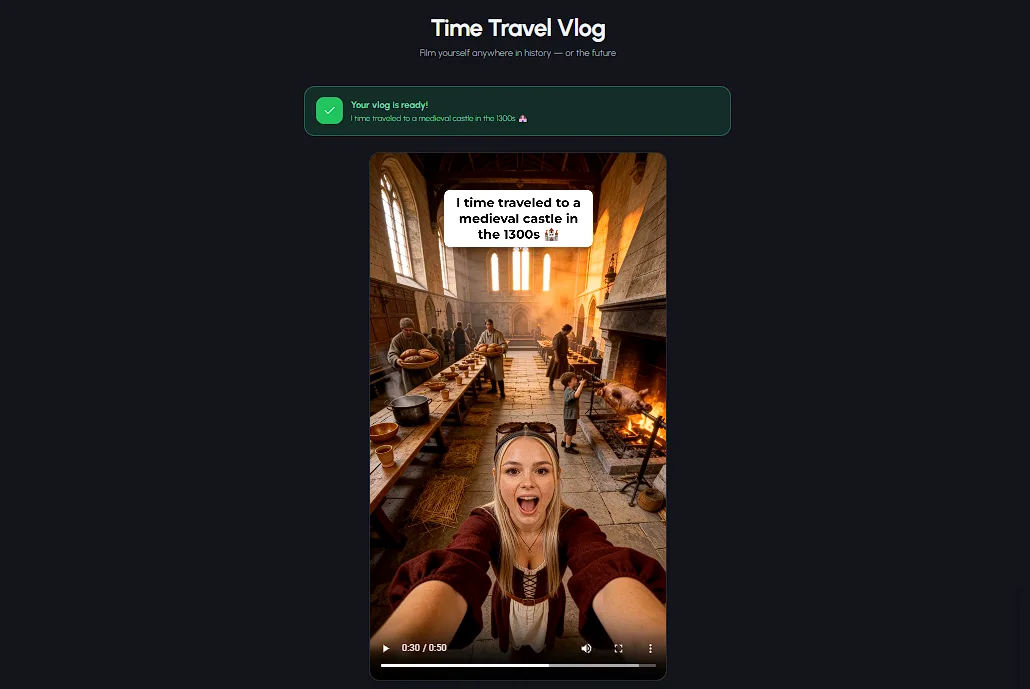
Click Create My Vlog. The AI writes a hook-first script for your era, performs it with a real voice, generates every talking selfie clip with your consistent character, adds word-synced captions and the title banner, and stitches it all into one vertical video. Encoding usually takes 1-3 minutes — about the time it takes to make coffee, not the four hours the old workflow demands.
Download, Polish, and Post
When rendering finishes you get three buttons: Download Video, Edit Video, and Create Another. Most vlogs are post-ready as-is. If you want to tweak, the timeline editor lets you reorder or regenerate individual clips, switch between 8 caption styles (Classic, Karaoke, Progressive, Typewriter, Glow, Boxed, Bounce, Scale Up), move captions between 5 positions, change caption colors, and add a track from the background music library.
Every clip is also saved to your Media Library automatically, so you can reuse scenes in follow-up videos or compilations later.
One-App Pipeline vs the 5-App Workflow
| Feature | AutoClips Time Travel Vlog | DIY Multi-Tool Workflow |
|---|---|---|
| Time per video | ~15 minutes | ~4 hours |
| Apps needed | 1 | 4-5 |
| Character consistency | Automatic, every clip | Manual, drifts between clips |
| Voice performance | Included and lip-synced | Separate tool, synced by hand |
| Captions | Word-synced, 8 styles | Manual in an editor |
| Prompt engineering | None — plain English | Required at every step |
| Output | Finished 9:16 vlog + post metadata | Raw clips you still assemble |
Time Travel Vlog Prompts: Write Scenarios, Not Prompts
Here's where this tutorial breaks from every other one. You don't need "prompt engineering" — you need scenario writing, and it's a storytelling skill, not a technical one. A great time travel vlog scenario has four parts: an era (specific date beats vague century), a role (who your traveler is in that world), a sensory detail (what they see, hear, or smell), and stakes (what could go wrong).
The formula in action:
- "Ancient Egypt while the pyramids were built, as a stone hauler during flood season, dust everywhere, and the foreman is watching me"
- "Pompeii, August 24, 79 AD, as a merchant's apprentice — the ground keeps shaking and nobody else seems worried"
- "A medieval castle in the 1300s, as a new kitchen servant, smoke and roasting meat, and I just overheard a plot against the lord"
- "A city in the year 3000, as the last person who remembers what trees looked like"
Notice what's missing: camera jargon, style keywords, aspect ratios, quality incantations. The app handles the filmmaking; you supply the story. Specific dates ("1351", "79 AD") outperform vague eras because they read as a documentary claim — and viewers love fact-checking them in the comments, which is free engagement.
Stuck for ideas? We compiled 50 time travel vlog ideas from the Ice Age to the year 3000, and each era guide — Egypt, medieval, Rome — includes a ready scenario bank with dates and roles.
Time Travel Vlog Hook Scripts That Stop the Scroll
AutoClips writes a hook-first script automatically, but understanding why hooks work makes you a better editor of your own videos. The rule: your traveler's first sentence must contain the where, the when, and the wrong. Here are the four hook templates behind the format's biggest videos.
The "So I'm literally..." hook
"So I'm literally in Rome in 50 BC and there's a triumph parade coming down this street." Casual disbelief sells the premise instantly — the traveler is as shocked as the viewer.
The "Day 3 in..." hook
"Day 3 in the Black Plague and I just heard the bell again." A day counter implies an ongoing series — viewers go looking for Day 1 and Day 2, which multiplies views across your whole channel.
The countdown hook
"Nobody in this city knows the mountain erupts tomorrow." Dramatic irony is the format's superpower: the viewer knows the history, the character doesn't, and that gap is unbearable not to watch.
The forbidden-knowledge hook
"I tried to warn them about the water and now the guards are looking for me." Start after the traveler has already interfered with history — the video becomes the consequences.
See the Whole Pipeline in Action
Watch how creators go from idea to finished vertical video in minutes
The Posting Checklist: How to Make History Videos With AI That Actually Get Seen
A great vlog with a lazy upload is a wasted vlog. Run this checklist every time you post.
Clear 60 seconds if you want TikTok to pay you. TikTok's Creator Rewards only pays on videos 60 seconds or longer, at roughly $0.40-$1.00 per 1,000 qualified views — an 8-clip vlog clears that bar comfortably, while a 4-clip draft doesn't. Our faceless history channel guide breaks down the full monetization math.
Use the trend's proven hashtags. The viral videos in this niche consistently run #history #historytok #pov #ai #fyp plus one era tag (#egypt, #medieval, #rome). Five focused hashtags beat twenty scattered ones.
Pick a cover frame with the title banner visible. The banner ("I time traveled to...") works as a built-in thumbnail — on profile grids it tells browsers exactly what they'll get, which lifts click-through on every video after this one.
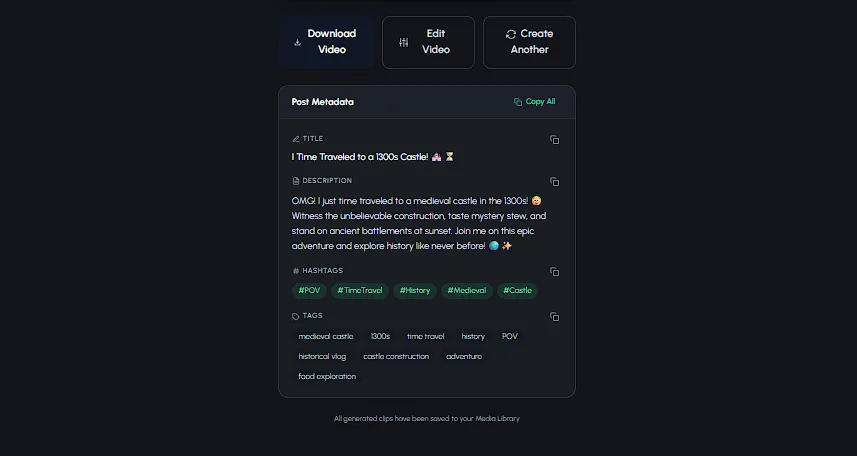
Don't write metadata from scratch. AutoClips auto-generates a post title, description, hashtags, and tags with copy buttons the moment your video renders. Paste, tweak, publish.
Posting daily? That's where this format compounds — and where a 15-minute pipeline beats a 4-hour one mathematically, not just conveniently. If you want to take the scheduling off your plate too, see our guide to faceless TikTok automation, or the bigger playbook on starting a faceless YouTube channel in 2026.
Troubleshooting: The Two Mistakes That Kill Time Travel Vlogs
Mistake 1: The shape-shifting traveler
In multi-tool workflows, each clip is a fresh generation — so the traveler's face gets rounder, the hair changes color, the tunic gains embroidery. Viewers clock it immediately and the illusion collapses. Comment sections on DIY videos are full of "why does she look different in every clip?"
The fix in AutoClips is that there's nothing to fix: face and outfit consistency is automatic across all 4-8 clips. If a single clip's performance feels off, regenerate just that clip in the editor — the character stays identical.
Mistake 2: Anachronisms historians will roast
The accuracy backlash is real. Historians have publicly picked apart viral history vlogs — one medieval video was called out for glazed windows in a peasant home and a train track in the background, and Fake History Hunter published a full accuracy review of the format's most famous creator.
Your 10-minute defense: before posting, sanity-check three things for your era — clothing materials, building details, and background technology. Watch your rendered clips once with a skeptic's eye. And lean into it: pinning a "3 things this video gets right (and 1 it doesn't)" comment turns accuracy-hunters into engagement.
Frequently Asked Questions
Everything creators ask about making AI time traveler videos
How do people make those AI time traveler videos on TikTok?
Most creators use a multi-app workflow: a chat assistant for the script, an image tool for character stills, a video animator for motion, a voice tool for narration, and an editor for captions and assembly. With AutoClips' Time Travel Vlog, one app does all of it — you pick a character, type an era, and it generates 4-8 talking selfie clips with a real voice performance and word-synced captions, stitched into one vertical video.
What should a time traveler vlog say in the first 3 seconds to hook viewers?
Open mid-action and state the impossible situation immediately: 'So I'm literally in Pompeii right now and that mountain is smoking' or 'Day 3 in the Black Plague and I just heard the bell again.' Never open with a greeting or an intro. Name where you are, when it is, and why it's dangerous or strange in the very first sentence — that's what stops the scroll.
How do I keep my character consistent across time travel scenes?
In DIY workflows this is the hardest problem: every clip is generated separately, so faces and outfits drift between scenes and viewers notice instantly. AutoClips locks your character's face and outfit automatically across all 4-8 clips of the vlog. Save the character to My Characters and you can reuse the exact same traveler in your next era too.
How long does it take to make an AI history video?
With the multi-tool workflow most tutorials teach, Fast Company reported the trend's top creator spends around four hours per video. With a one-app pipeline it's a few minutes of setup — pick a character, type an era, choose quality — and encoding usually takes 1-3 minutes. You can realistically publish a finished vlog in under fifteen minutes.
Do I need a history background to make time travel videos?
No. The AI writes a hook-first script for whatever era you type, so you never start from a blank page. That said, spend ten minutes fact-checking clothing, buildings, and technology for your era before you post — historians and commenters actively call out anachronisms, and basic accuracy is what separates channels that grow from ones that get roasted.
What prompts do you use for time travel vlog videos?
You don't need engineered prompts at all — you write a scenario in plain English. The formula is era + role + sensory detail + stakes: 'Ancient Egypt while the pyramids were built, as a stone hauler during flood season.' AutoClips also has one-tap era presets like 'Rome, 50 BC' and 'A medieval castle in the 1300s' if you'd rather not type anything.
Your First Time Travel Vlog Is 15 Minutes Away
You now know the full playbook: the anatomy, the four steps, the scenario formula, the hooks, the posting checklist. The only thing left is to pick an era. Skip the five-app grind — the AI time travel video generator handles the script, the clips, the voice, and the captions for you.
Sign up free — no credit card required to start