How to Make Fruit Story Videos
From Idea to Published in 8 Steps
Wondering how to make fruit story videos like the ones flooding your feed - 3D fruit characters delivering lip-synced dialogue across a full multi-scene story? This tutorial walks you through every screen in Fruit AI Stories, from typing your first idea to a published video on your connected accounts, in under 15 minutes. No camera, no editing, no animation skills.
Watch: How to Make an AI Fruit Story Video
Watch the Full Tutorial First
Prefer to see it done? The official walkthrough covers the entire process from script to published video
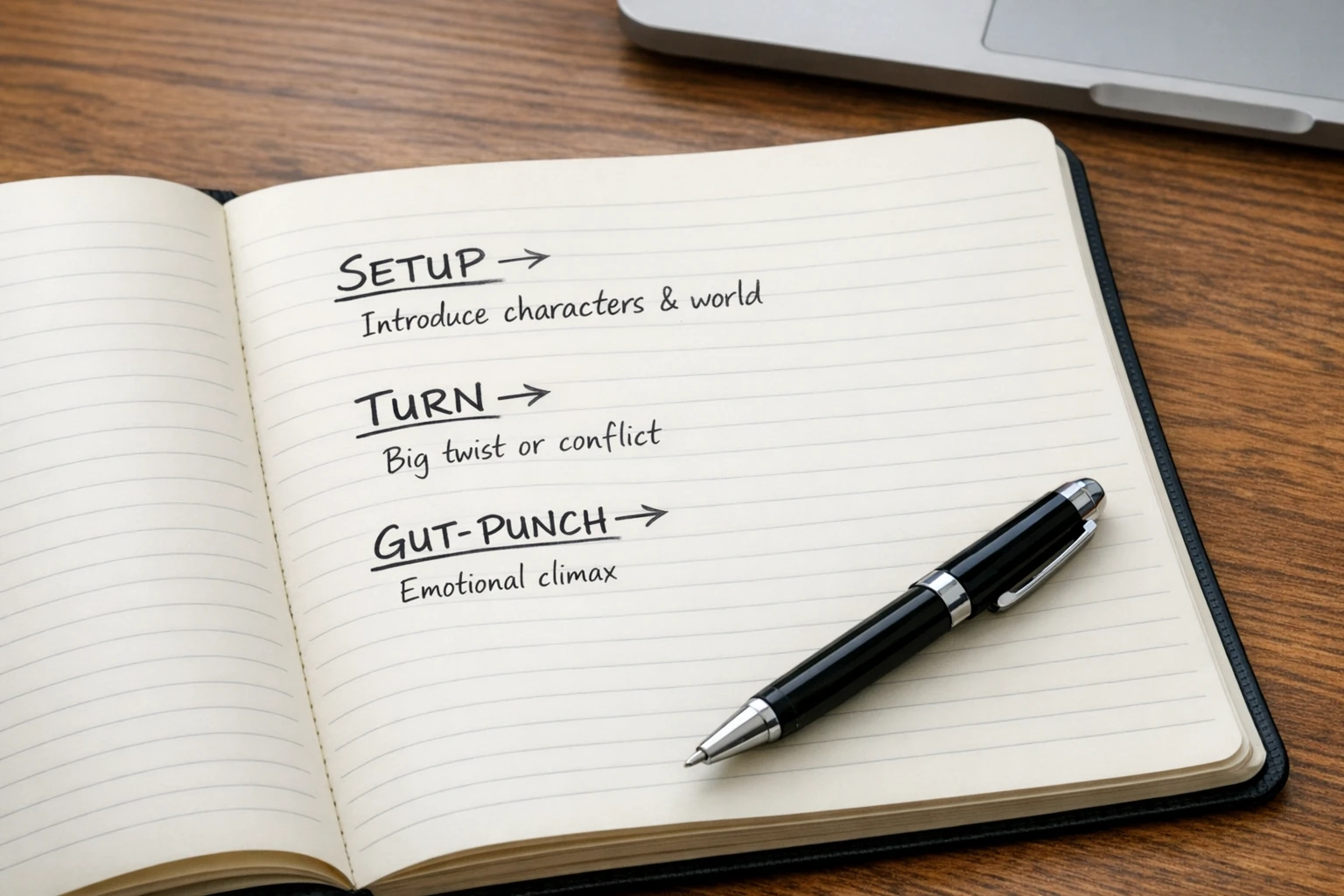
Every great fruit story runs on three beats: setup, turn, gut-punch
The Three-Beat Structure Behind Every Viral Fruit Story
Before you touch the tool, understand what makes these videos work. Fruit story videos are not random clips of talking produce - they are tiny films. Every story the AI writes follows a 6-scene arc built on three beats: a setup that plants a character and a want, a turn that flips the situation on its head, and a gut-punch ending that leaves viewers stunned, laughing, or reaching for the share button.
The good news: you do not have to engineer any of this yourself. When you type an idea into the fruit story video maker, the AI bakes all three beats into every story angle it writes. Your job is simply to recognize a great gut-punch when you see one - and this tutorial will show you exactly where to look.
The Setup
A character, a place, a want. A grape in a black turtleneck walks into a boardroom with something to prove. Two seconds in, viewers already care.
The Turn
The moment everything flips. The ally is a traitor. The pitch was a trap. The turn is what keeps people watching to the final scene.
The Gut-Punch
The ending that hits hard enough to earn a rewatch, a comment, and a share. This one beat does more for your view count than anything else.
How to Make Fruit Story Videos in 8 Steps
Every screen, in order, exactly as you will see it inside Fruit AI Stories
Drop In Your Idea or Script
Open Fruit AI Stories and you land on a single text box. This is where everything starts. Type a rough idea - "a pineapple mob boss discovers his accountant is skimming" - or paste a full script you have already written. Both work. One sentence is genuinely enough, because the heavy lifting happens in the next step.
Do not overthink this. The best fruit stories usually start with a simple collision: an ordinary situation plus a fruit character who takes it deadly seriously. A job interview. A betrayal. A confession. Write the messy version and let the AI shape it.
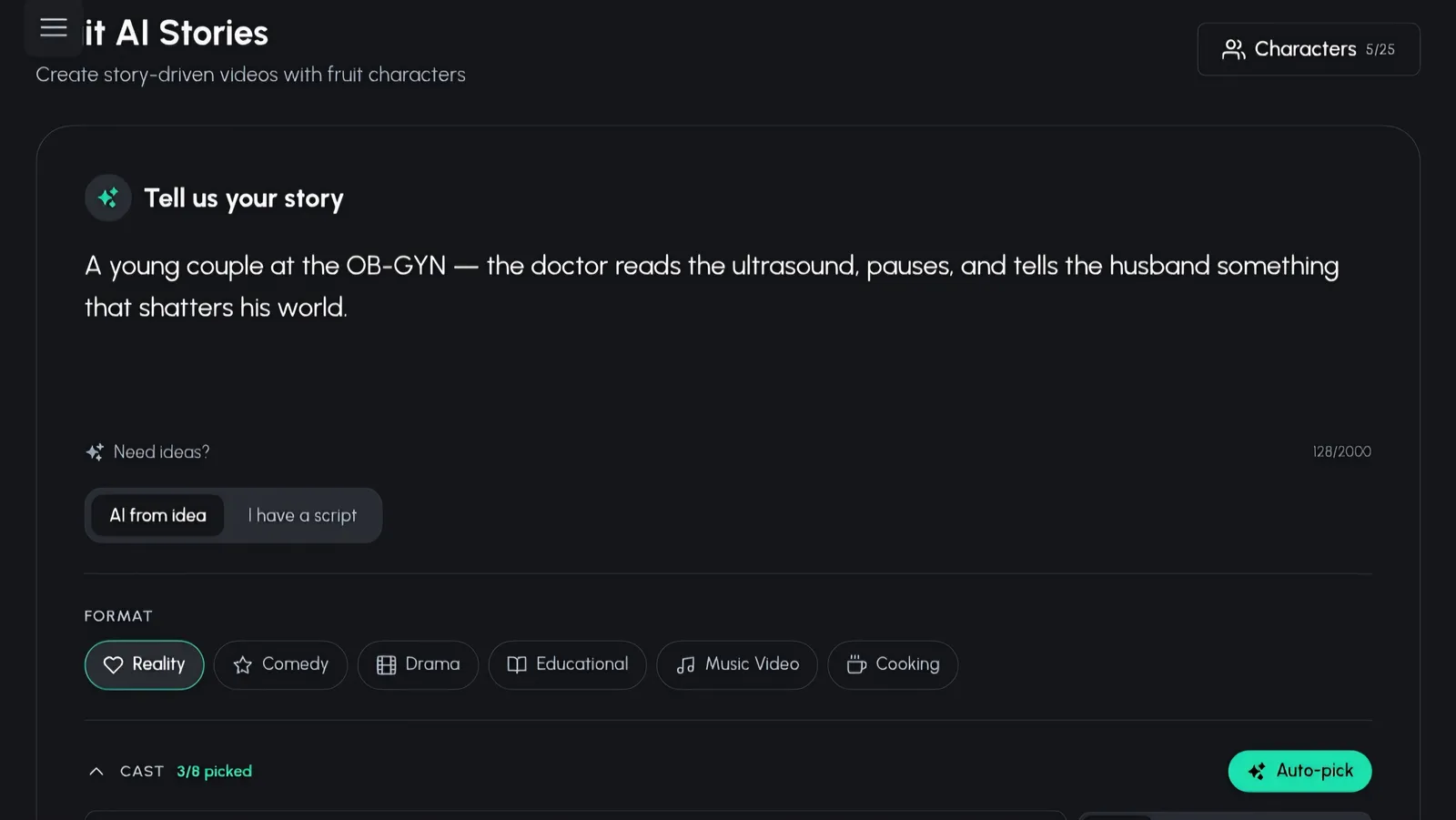
Step 1: type an idea or paste a script - one sentence is enough
Pick One of Three Story Angles
Here is where the tool earns its keep. The AI takes your idea and writes three completely different story angles. Each one is a full 6-scene arc, and you can see the setup, the turn, and the gut-punch beats spelled out for every option before you commit. Same idea, three different films.
Read all three gut-punches first - that is the fastest way to pick. If none of them hit, tap the Regenerate options button and get three brand new angles. There is no limit on taste here; keep rolling until one makes you grin.
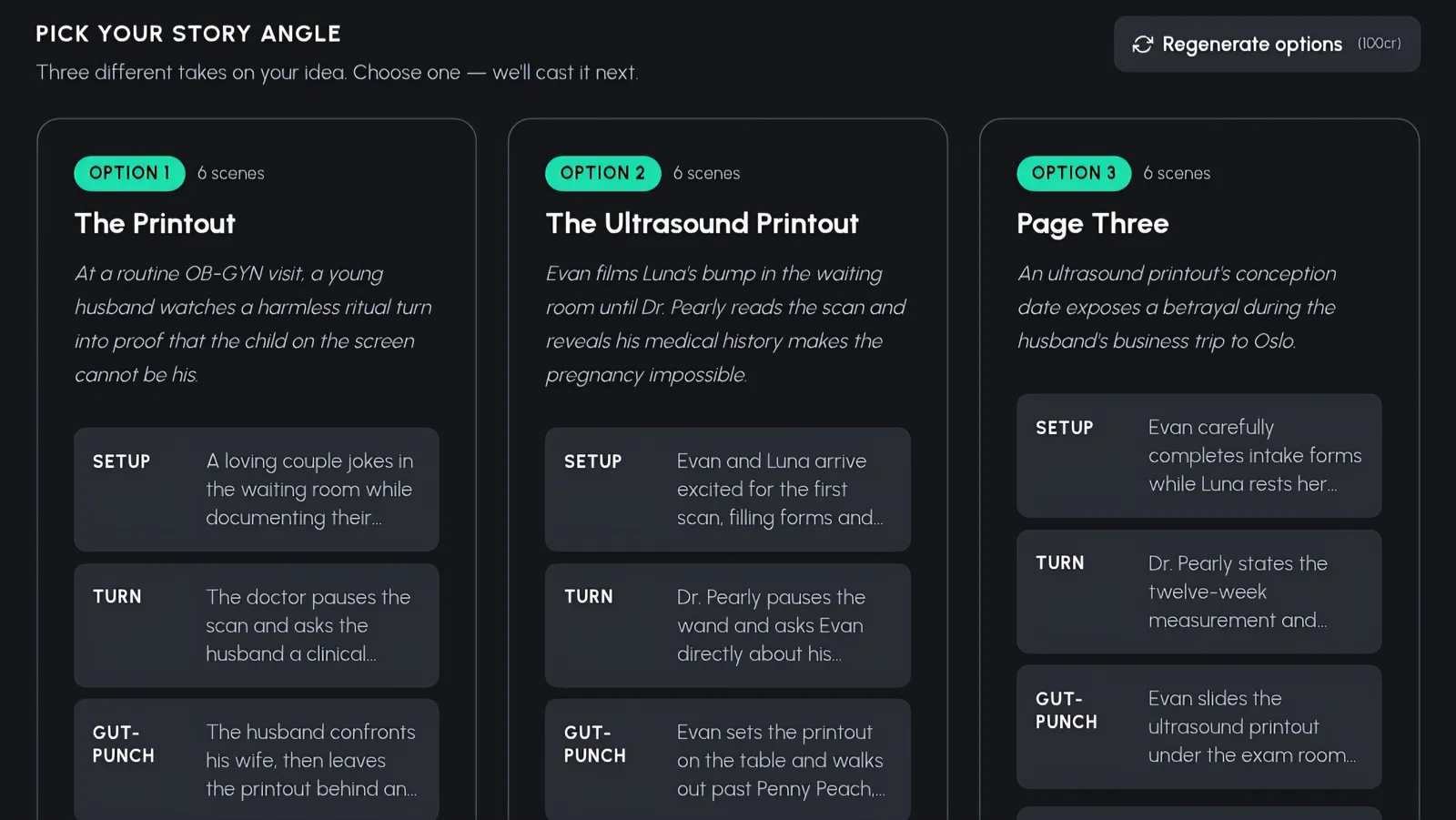
Step 2: three story angles, each with visible setup, turn, and gut-punch beats
Cast Your Fruit Characters
Now the fun part: casting. You get a grid of fruit-headed 3D characters with human bodies, outfits, and personalities - characters like Grape Gus in his black turtleneck, Don Pineapple in a tailored suit, Penny Peach in casual wear, and Lime in his green jacket. Search by name or fruit type, and flip between the All, Mine, and Community tabs to browse your saved characters or borrow from the community library.
There are 16 fruit types to build from - strawberry, banana, pineapple, mango, apple, cherry, watermelon, grape, peach, lemon, blueberry, orange, kiwi, avocado, coconut, and pomegranate - in three visual styles: 3D Stylized (animated-movie quality), Realistic, and Cartoon. In a hurry? Hit Auto-pick and the AI casts the whole story for you.
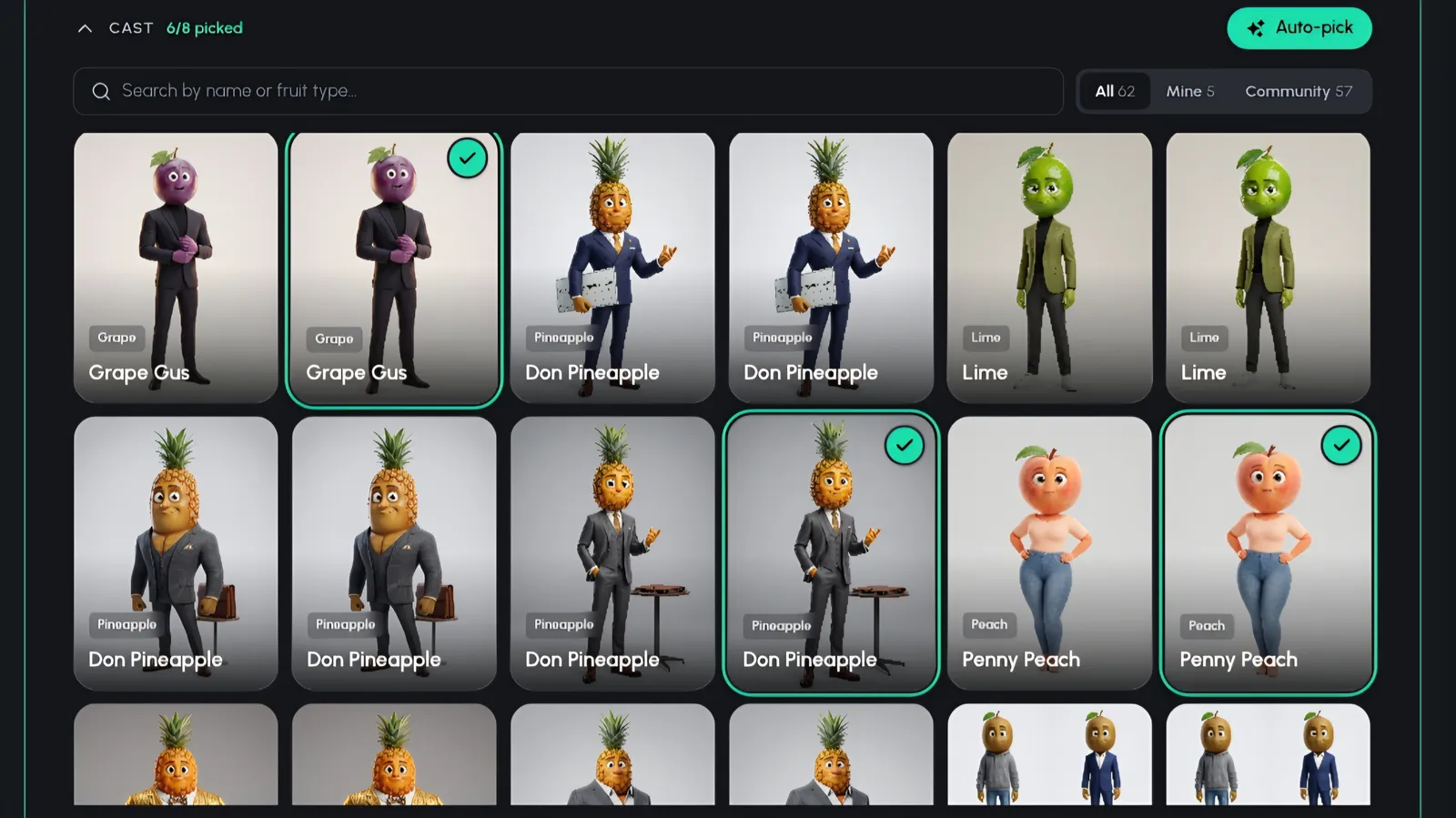
Step 3: cast from your characters or the community library, or hit Auto-pick
Review and Perfect Your Cast
Before anything renders, you get a full review screen showing every character in your story. This is your quality gate. If the lemon looks too cheerful for a betrayal scene, regenerate him. If the peach needs a different outfit, tweak her. Every character can be regenerated or adjusted individually without touching the rest of the cast.
Custom characters support gender, age, personality, outfit, height, and body type - so if you are building a recurring cast for a series, this is where you lock in the details that viewers will recognize episode after episode.
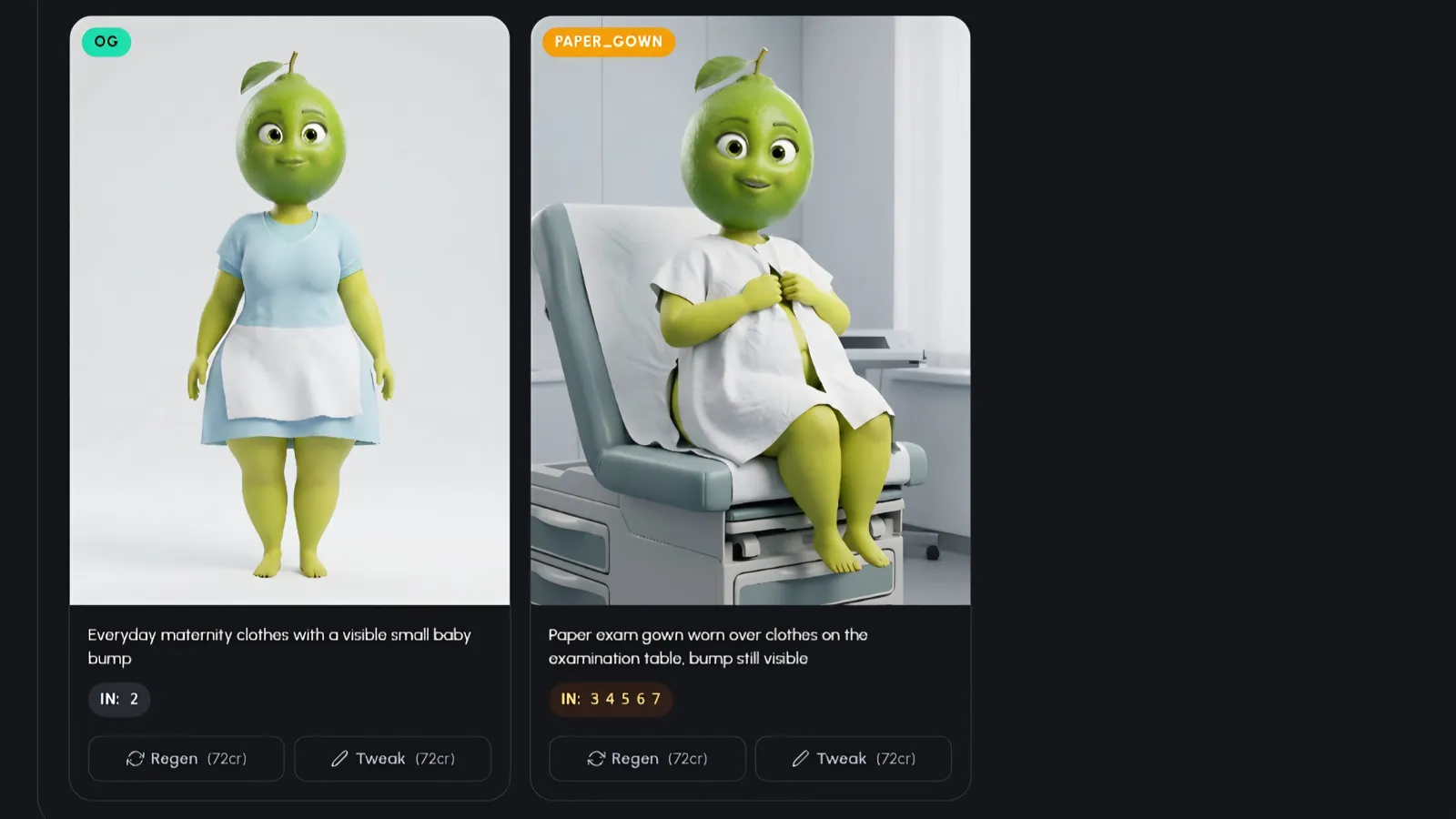
Step 4: regenerate or tweak any character until the cast is right
Set Music, Length, Aspect Ratio and Quality
One settings pass covers everything technical. Pick your background music to set the tone - tense strings for a mob story, something breezy for a comedy. Then choose your video length and your aspect ratio: 9:16 for TikTok and Reels, 16:9 for YouTube, or 1:1 square.
Finally, set your script quality and choose a video quality tier: Pro when you want maximum polish for a flagship upload, or Lite when you are testing story ideas at volume. Cinematic story scenes start at 240 credits (~$1.20 per scene), so you can see full details on the pricing page and plan your posting schedule around it.
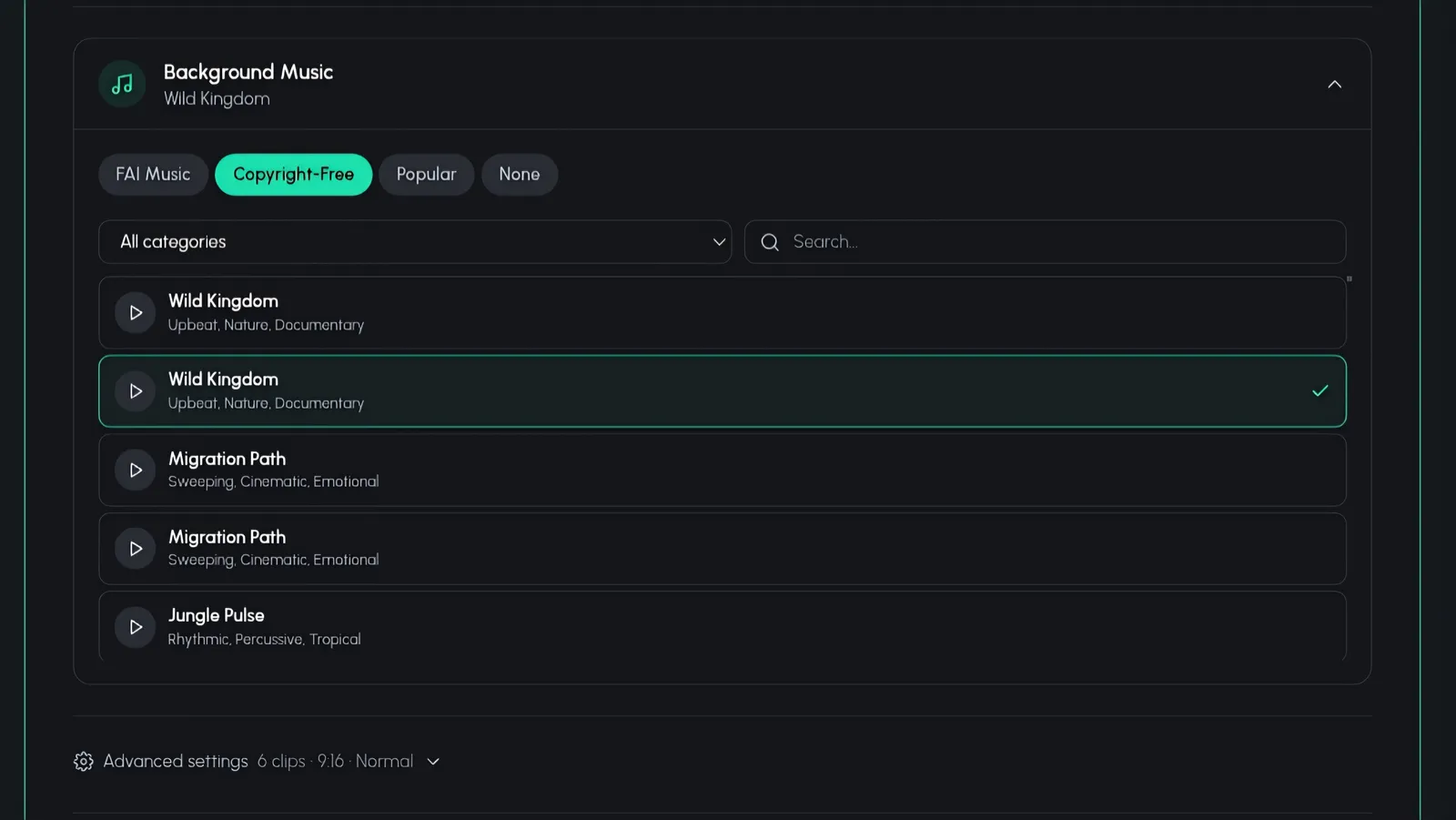
Step 5a: choose background music to match your story's tone
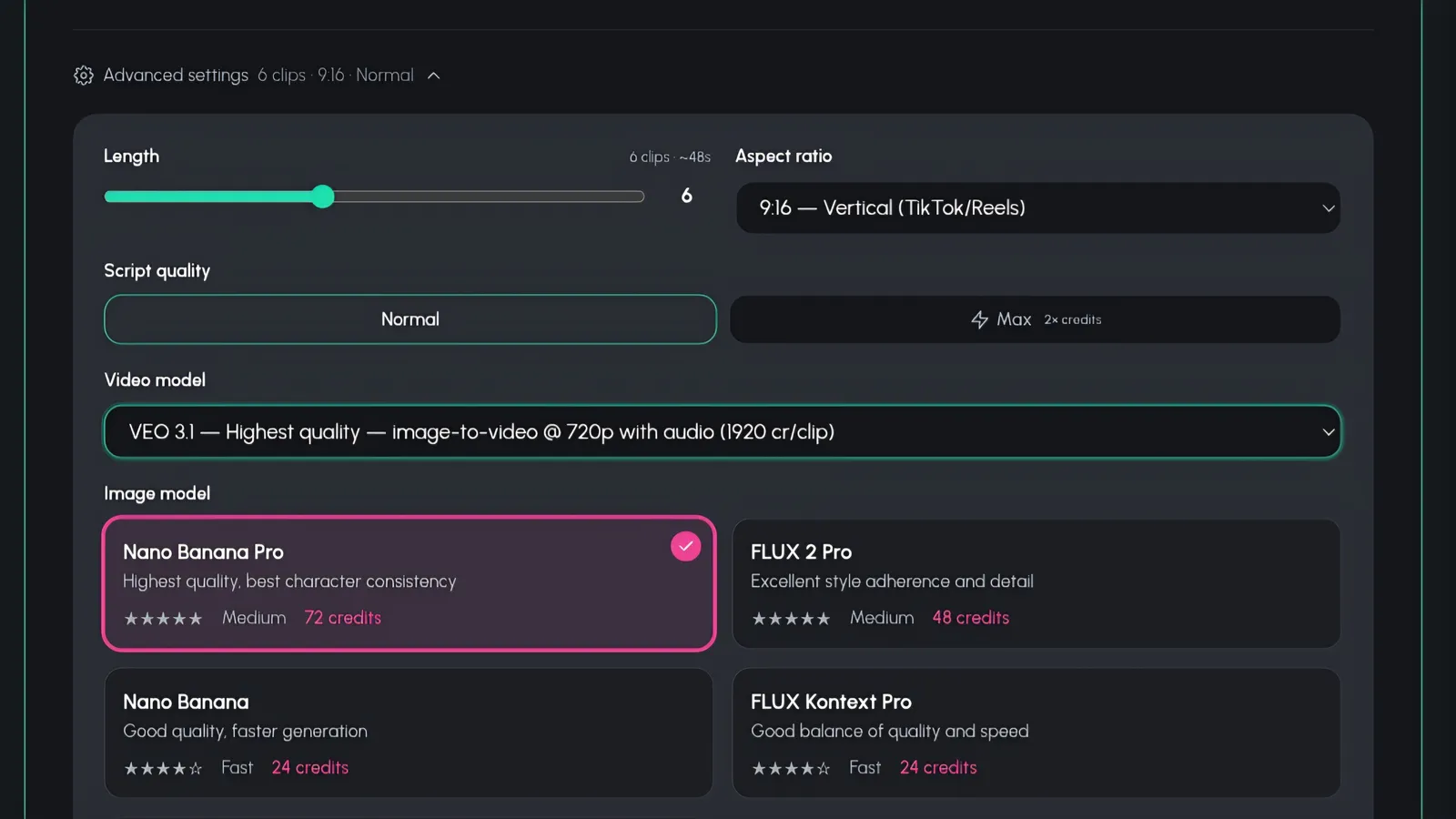
Step 5b: length, aspect ratio, script quality, and Pro or Lite tier
Hit Render
Everything is chosen: story, cast, music, format, quality. One button left. Hit Render and the pipeline takes over - generating every scene, animating your fruit characters with lip-synced dialogue, and cutting the whole thing together into a finished multi-scene video.
This is the moment that used to require an animator, a voice actor, an editor, and a four-figure invoice. Commissioned animation runs $500-$2,000+ per minute. Here it is one click.
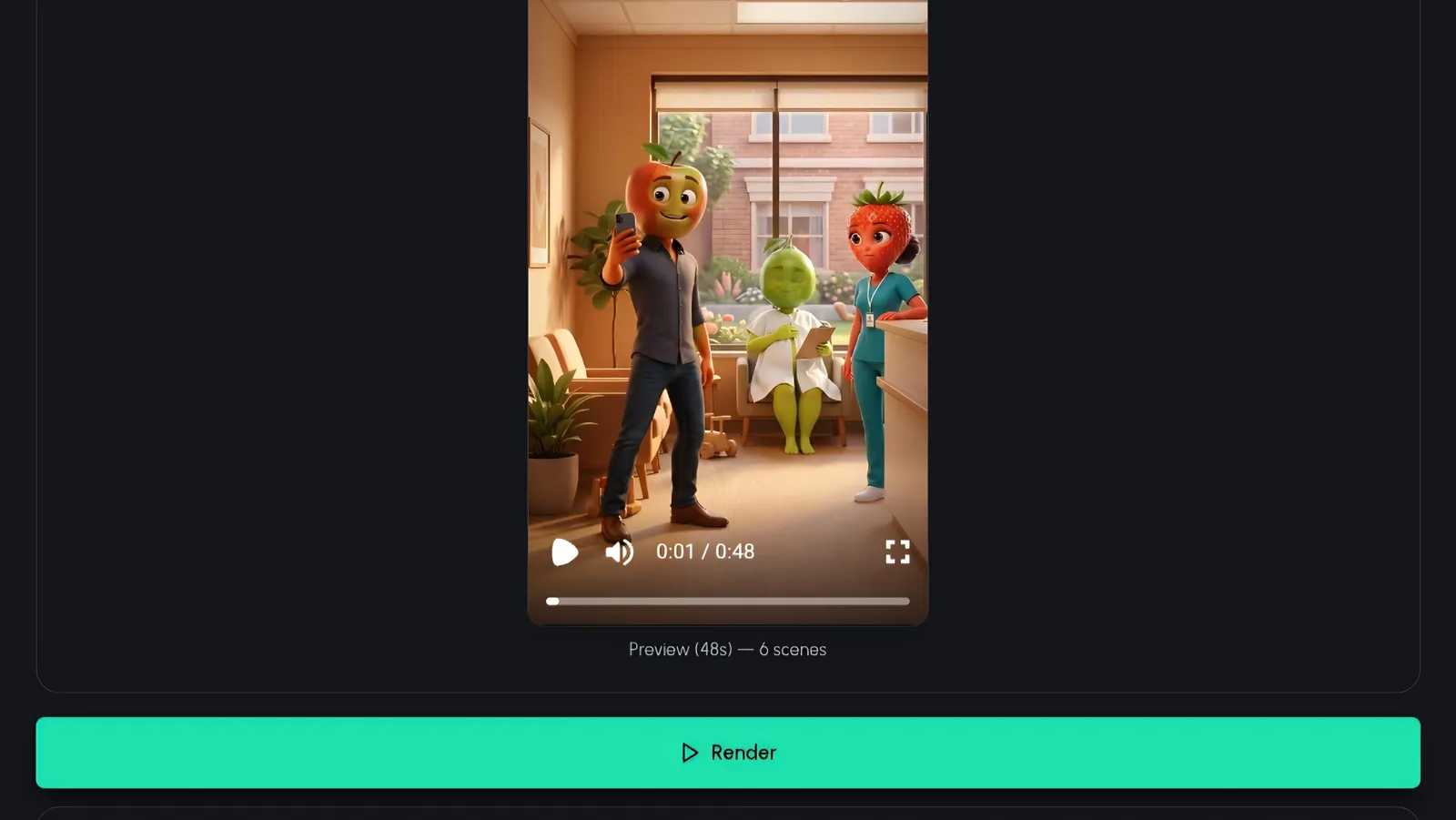
Step 6: one click starts the full render pipeline
Watch the Progress Bar (Grab a Coffee)
A progress bar walks through each stage of the render so you always know where your video is. There is nothing for you to do here - no babysitting, no exporting, no timeline scrubbing. This is the part of making fruit story videos where you are officially allowed to do something else.
Smart creators use this window to type their next idea. Since the whole flow runs idea-to-published in under 15 minutes, you can realistically batch several stories in a single sitting.
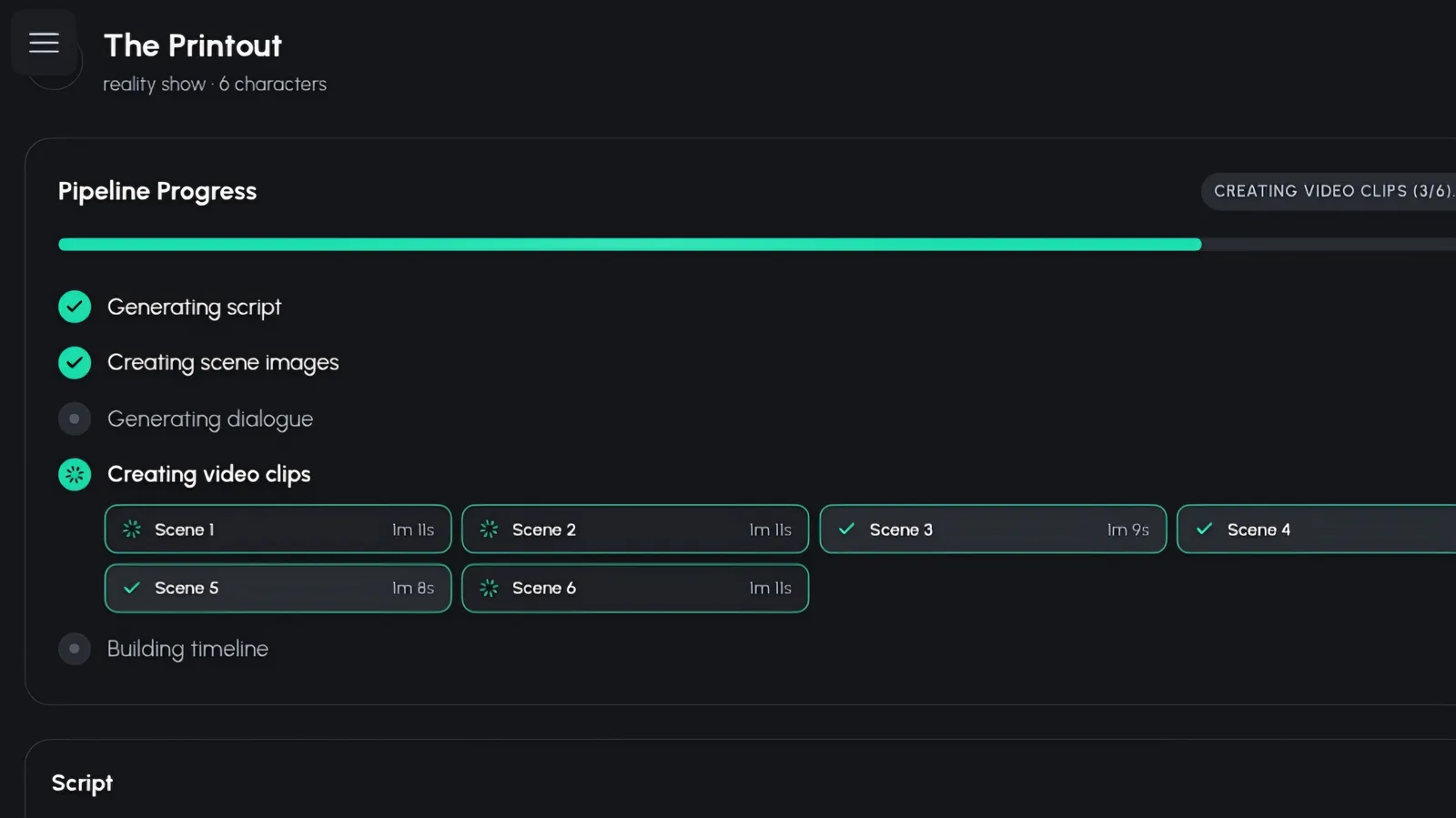
Step 7: the progress bar keeps you posted while the video renders
Copy Your SEO Caption and Auto-Publish
When the render finishes, the app hands you a ready-made SEO caption written for social platforms - hook, description, and discoverability baked in. Copy it as-is or tweak a line to match your voice. No more staring at a blank caption field at 11pm.
Then the final move: auto-publish straight to your connected accounts. No downloading, no re-uploading, no juggling three apps. Your fruit story goes from render complete to live on your channels in a couple of clicks. If you are planning to do this daily, our guide on how to start a fruit story channel covers the publishing cadence that grows fastest.
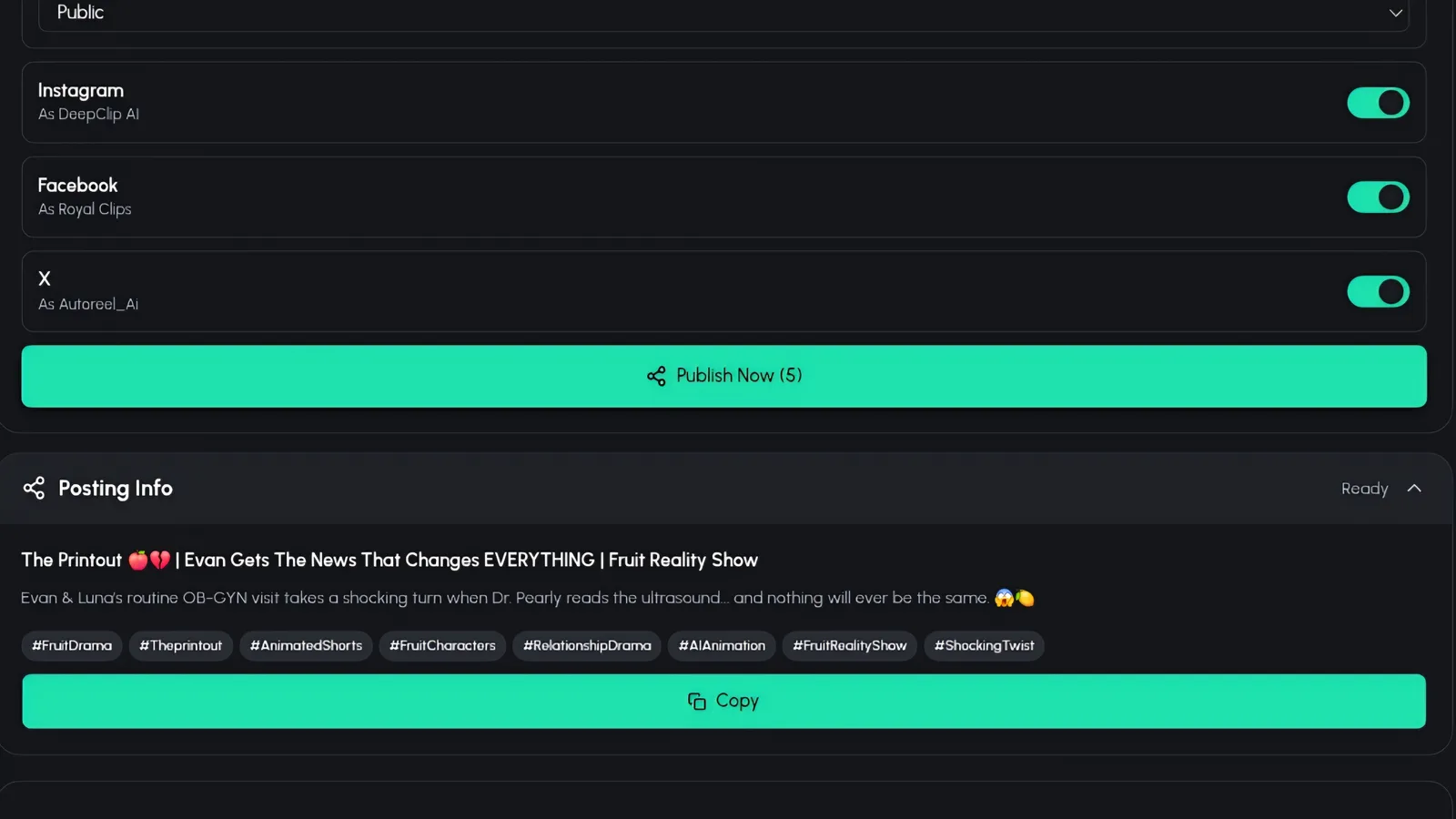
Step 8a: copy the generated SEO caption for your post
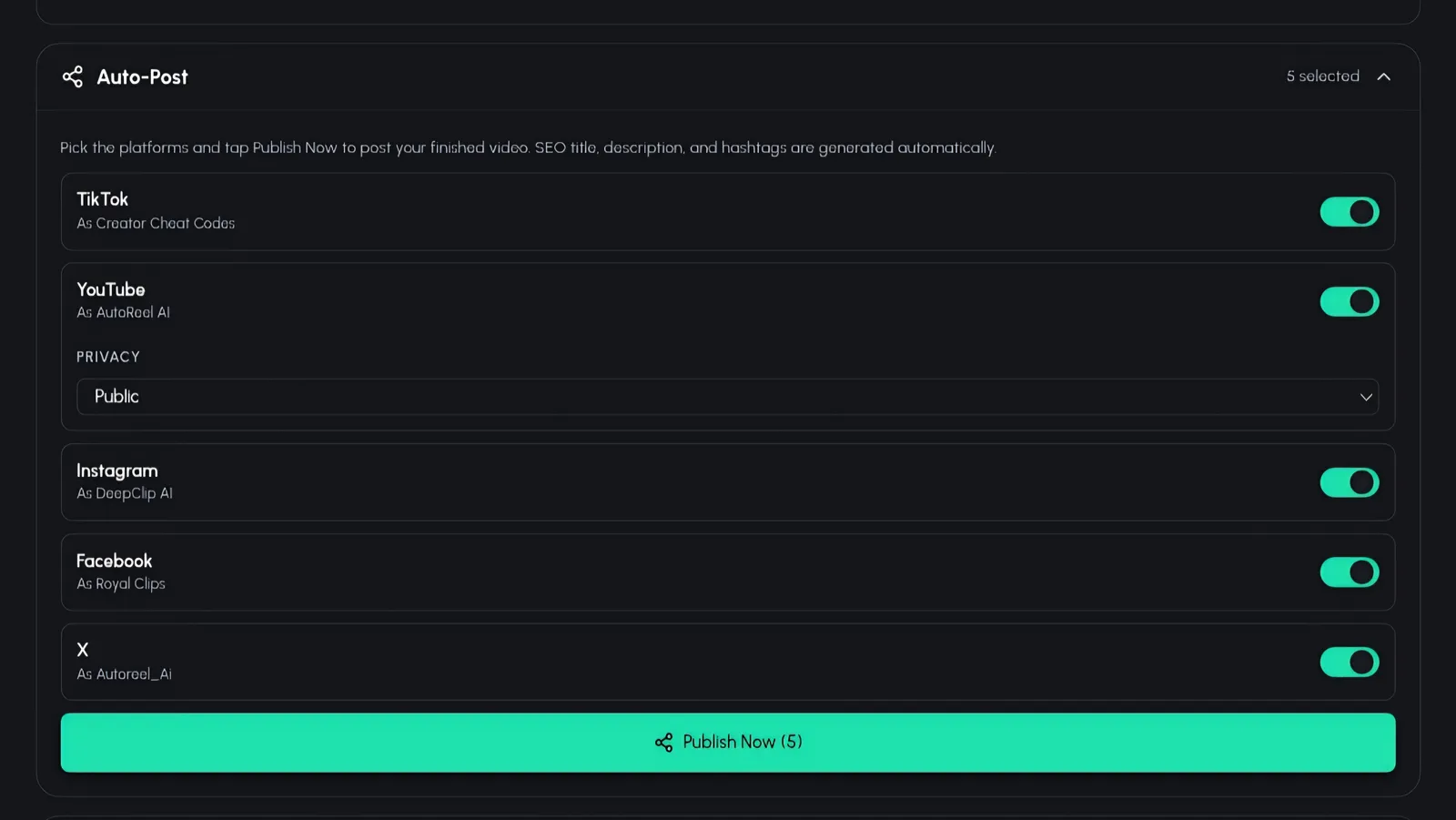
Step 8b: auto-publish straight to your connected accounts
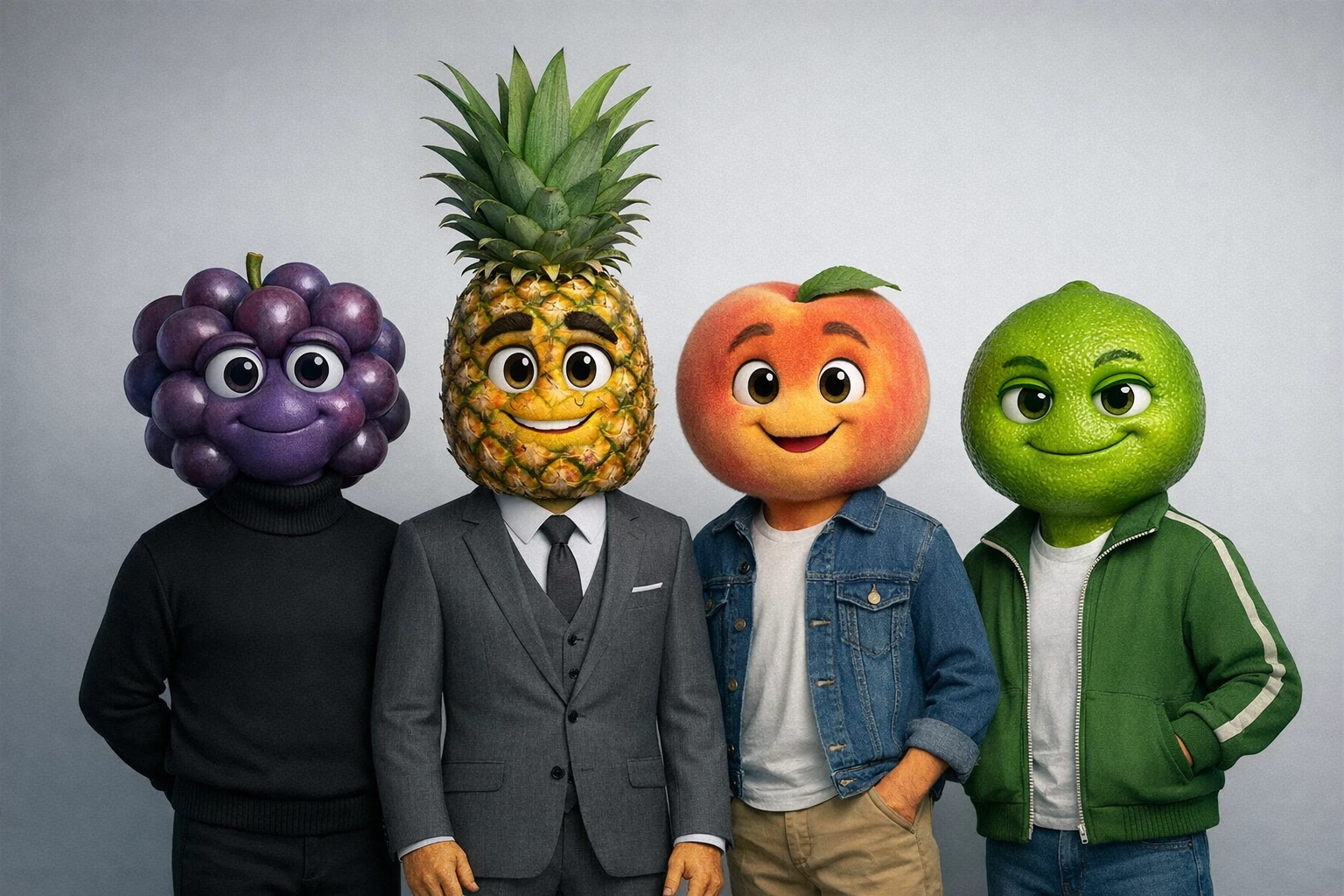
A consistent cast turns one-off videos into a series people follow
Tips for Stories That Actually Go Viral
Knowing the tool is half the game. These five habits are the other half.
Nail the Gut-Punch
When you are choosing between the three story angles, judge them by their endings first. A merely good ending gets a view; a gut-punch gets a rewatch, a comment, and a share - the three signals every algorithm rewards. If none of the three endings make you feel something, regenerate. It costs you ten seconds and can multiply your views.
Keep Characters Consistent Across Episodes
Viewers do not follow videos - they follow characters. Save your cast and reuse them so Grape Gus is the same grape in the same black turtleneck in episode one and episode forty. Recurring characters turn casual scrollers into subscribers who show up asking what Don Pineapple does next.
End on Cliffhangers
A gut-punch ends a story; a cliffhanger starts an obsession. Every few episodes, let the final scene raise a question instead of answering one. Comment sections fill with theories, and every theory is engagement. YouTube Creators has long pointed to serialized content as one of the strongest retention plays there is.
Post Vertically First
Render in 9:16 and hit TikTok and Reels before anything else - that is where new accounts get discovered fastest. Once a story proves itself vertically, re-render the winner in 16:9 for YouTube. Browse the TikTok Creative Center to see what hooks are working in your niche this week.
Use the Generated SEO Captions
The caption the app writes for you is not filler - it is built for search and discovery. Creators who paste it in consistently show up in search results that a blank or lazy caption never reaches. If your goal is to make money with fruit videos, discoverability is the compounding asset. Take the free win.
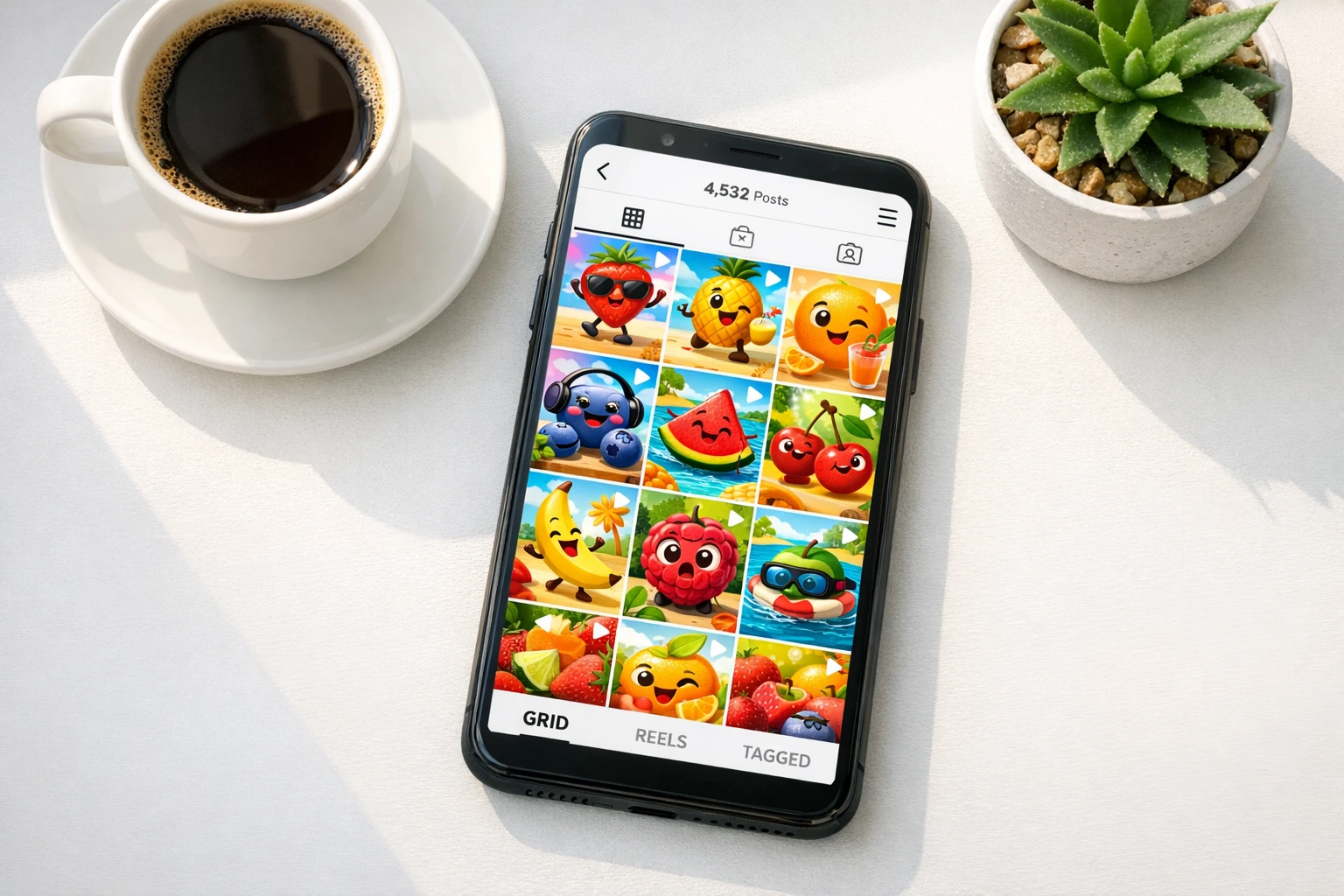
One render, every platform - auto-published to your connected accounts
Fruit Story Video Tools Compared
How Autoclips stacks up against manual animation and generic AI clip tools like AutoShorts.ai and Crayo AI
| Feature | Autoclips | Manual Animation | Generic AI Clip Tools |
|---|---|---|---|
| Multi-Scene Story Arcs | 6-scene arcs, 3 angles per idea | You write and board it | Single clips, no arc |
| 3D Fruit Characters | 16 fruit types, 3 styles | Model and rig yourself | No |
| Lip-Synced Dialogue | Built in | Frame-by-frame | Voiceover only |
| Reusable Character Cast | Saved + community library | Manual asset management | No |
| SEO Captions + Auto-Publish | Both built in | Do it yourself | Varies |
| Cost | From 240 credits (~$1.20) per scene | $500-$2,000+ per minute | Subscription per clip |
| Best For | Story-driven fruit videos | Big-budget productions | Basic faceless clips |
Frequently Asked Questions
Everything you need to know about making fruit story videos
How do I make a fruit story video with AI?
Open Fruit AI Stories in Autoclips and type your idea or paste a script. The AI writes three different story angles, each a 6-scene arc with a setup, a turn, and a gut-punch ending. Pick one, cast your fruit characters from your saved characters or the community library, choose your music, length, aspect ratio, and quality tier, then hit Render. When the video is done, copy the ready-made SEO caption and auto-publish straight to your connected accounts.
How long does rendering take?
Render time depends on your video length and the quality tier you pick (Pro or Lite). A progress bar shows you exactly where your video is in the pipeline, so you can grab a coffee while it works. Most creators go from typing an idea to a published video in under 15 minutes.
Do I need animation skills to make fruit story videos?
No. Zero editing or animation skills are needed. The AI writes the story, generates the 3D fruit characters with lip-synced dialogue, assembles the multi-scene video, and even writes the SEO caption for you. Your only creative decisions are picking a story angle, choosing a cast, and setting your preferences.
How much does it cost to make fruit story videos?
Cinematic story scenes start at 240 credits (~$1.20 per scene). Compare that to commissioned animation, which costs $500-$2,000+ per minute, and the math is not even close. You can produce an entire multi-scene story for less than the price of a coffee run.
Can the AI write the story for me?
Yes. Type a rough idea - even a single sentence - and the AI writes three different story angles for you. Each one is a complete 6-scene arc with a setup, a turn, and a gut-punch ending. If none of the three land, hit Regenerate and get three fresh options. You can also paste your own script if you already have one.
Which platforms can it auto-publish to?
Fruit AI Stories publishes to your connected social accounts straight from the app - no downloading, re-uploading, or juggling browser tabs. Pair that with the 9:16, 16:9, and 1:1 aspect ratio options and you can ship the right format to short-form feeds and long-form channels alike.
Your First Fruit Story Is 15 Minutes Away
You have seen every screen. Type an idea, pick the angle with the best gut-punch, cast your fruit, and hit Render. No face on camera, no editing timeline, no animation degree - just a story the internet cannot scroll past.
Cinematic story scenes start at 240 credits (~$1.20 per scene) - 16 fruit types - auto-publish included